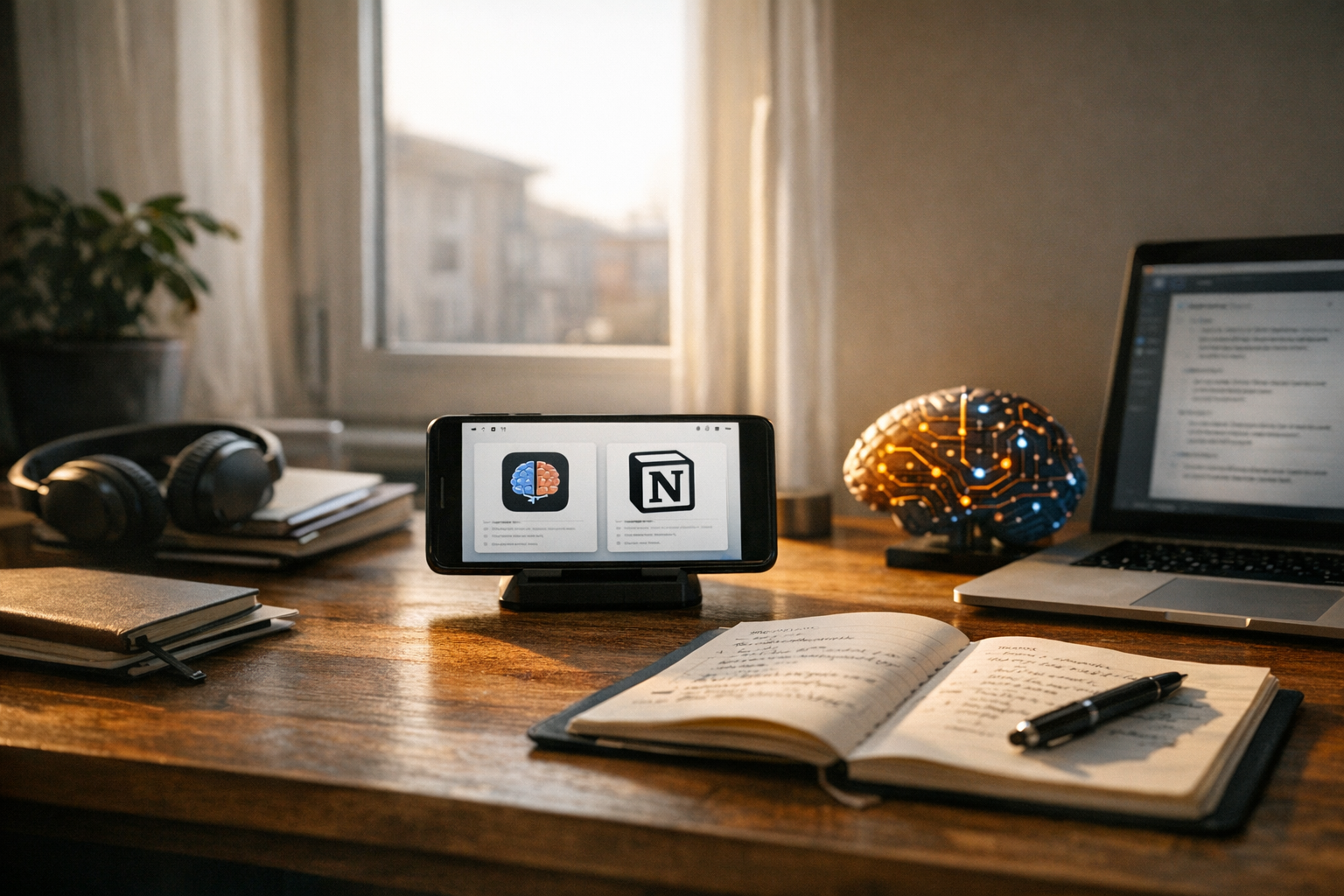
Choosing the right AI note-taking tool can genuinely change how you work — and I don’t mean that in a vague, marketing-copy way. This NeuralNote AI note-taking app features comparison 2026 breaks down two leading platforms head-to-head, with the kind of detail that actually helps you decide. If you’ve been torn between NeuralNote and Notion AI, you’re in the right place.
Both tools promise smarter organization, faster retrieval, and AI-powered synthesis. However, they approach those goals very differently. NeuralNote focuses on automatic knowledge graphs and contextual recall. Notion AI, meanwhile, layers generative AI onto an already powerful workspace. The differences matter more than most reviews let on.
So which one deserves your time and money? Let’s dig into workflows, features, pricing, and real-world performance to find out.
How NeuralNote and Notion AI Handle Core Note-Taking
Understanding each platform’s philosophy is the only way to make a fair call. NeuralNote was built from scratch around AI-native note management. Notion AI, conversely, retrofits intelligence onto an existing productivity suite. That foundational difference shapes everything downstream.
NeuralNote’s approach centers on automatic organization. You write or paste notes, and the app builds a knowledge graph behind the scenes — no manual tagging required. It identifies entities, themes, and relationships on its own. Consequently, your notes become searchable by concept rather than just keywords. The app also supports voice capture with real-time transcription powered by OpenAI’s Whisper model, which I’ve found surprisingly accurate even in noisy environments. As a practical example: if you paste three separate articles about machine learning, NeuralNote will surface a shared theme around “model interpretability” even if none of the articles use that exact phrase — because it’s reasoning about concepts, not just matching strings.
Notion AI’s approach takes a different path. Notion already excels at databases, wikis, and project management. Its AI layer adds summarization, drafting, and Q&A across your workspace. You still organize pages manually using Notion’s familiar block-based editor. Therefore, the AI enhances your existing structure rather than creating one for you. Whether that’s a feature or a limitation depends entirely on how your brain works. If you’re the kind of person who genuinely enjoys building a clean folder hierarchy and sticking to it, Notion AI will feel like a natural extension of your habits. If you’ve ever abandoned a note system because maintaining it became its own job, NeuralNote’s hands-off approach will feel like a relief.
Here’s where the NeuralNote AI note-taking app features comparison 2026 gets genuinely interesting:
- NeuralNote automatically clusters related notes into “thought threads”
- Notion AI lets you query across databases with natural language
- NeuralNote surfaces forgotten notes when they become contextually relevant
- Notion AI generates summaries, action items, and translations on demand
Notably, NeuralNote’s contextual recall mirrors how world models retain context in AI systems. If a note you wrote six months ago relates to today’s meeting, NeuralNote flags it. Notion AI won’t do that unless you explicitly search — and honestly, that gap surprised me when I first started testing both tools side by side.
Feature-by-Feature Comparison Table for 2026
A thorough NeuralNote AI note-taking app features comparison 2026 requires looking at specific capabilities side by side. This table covers the features that actually matter to knowledge workers — not just the ones that look good on a product page.
| Feature | NeuralNote | Notion AI |
|---|---|---|
| Automatic organization | AI-built knowledge graphs | Manual pages and databases |
| Contextual recall | Proactive surfacing of related notes | Keyword and AI-powered search |
| Voice capture | Built-in with real-time transcription | Third-party integrations required |
| AI summarization | Per-note and cross-note synthesis | Per-page and database summaries |
| Collaboration | Real-time co-editing (up to 10 users) | Full team workspace with permissions |
| Offline access | Full offline with sync | Limited offline on desktop app |
| API access | REST API with webhooks | Notion API with rich integrations |
| Templates | AI-generated templates based on usage | 10,000+ community templates |
| Export options | Markdown, PDF, JSON | Markdown, PDF, CSV, HTML |
| Mobile app | iOS and Android (native) | iOS and Android (native) |
| Third-party integrations | Zapier, Slack, limited ecosystem | Zapier, Slack, Google Drive, 100+ tools |
| Context window for AI | Up to 500 notes per query | Workspace-wide but token-limited |
Importantly, Notion AI benefits from Notion’s massive ecosystem of integrations — we’re talking 100+ tools versus NeuralNote’s much smaller (but growing) list. That’s a real tradeoff worth naming. If your team already runs on Google Drive, Linear, or Figma, Notion’s native connections to those tools will save you meaningful setup time. NeuralNote’s Zapier support covers many of the same bases, but multi-step Zaps add friction that direct integrations don’t. Additionally, NeuralNote’s context window for AI queries is remarkably generous compared to most competitors. Five hundred notes per query is the kind of number that actually changes what’s possible — you can ask “what are all the recurring themes in my research from the past year?” and get a genuinely useful answer rather than a truncated one.
Real-World Workflows: Where Each Tool Shines
Features on paper don’t always translate to real productivity. I’ve tested dozens of these tools over the years, and the gap between “impressive demo” and “daily usefulness” is where most of them fall apart. Specifically, the NeuralNote AI note-taking app features comparison 2026 becomes clearest when you look at actual workflows.
Research and academic work. NeuralNote dominates here. Researchers can dump articles, lecture notes, and half-formed ideas into the app without organizing anything. The knowledge graph connects themes automatically. Furthermore, the cross-note synthesis feature generates literature review drafts from your collected notes — which is genuinely useful, not just a party trick. Picture a PhD student who has accumulated 200 notes across three years of reading: NeuralNote can surface a synthesis of how four different theorists approach the same concept, pulling from notes the student had long forgotten. Notion AI can summarize individual pages, but it won’t autonomously connect separate research threads. That’s a meaningful limitation.
Team project management. Notion AI wins decisively. Notion’s databases, Kanban boards, and timeline views are purpose-built for teams. The AI layer adds smart autofill for database properties and meeting note summaries. A product team running two-week sprints, for instance, can use Notion AI to auto-populate sprint retrospective templates, flag overdue tasks in natural language, and generate stakeholder update drafts directly from their project database. NeuralNote supports collaboration, but it caps real-time co-editing at 10 users and lacks Notion’s project management depth. Consequently, teams running sprints or managing complex projects will find Notion far more practical.
Personal knowledge management. This is where NeuralNote’s design philosophy really pays off. The “second brain” concept, popularized by Tiago Forte’s Building a Second Brain methodology, requires low-friction capture and high-quality retrieval. NeuralNote delivers both — you don’t need to decide where a note belongs because the AI handles taxonomy. A practical tip: use NeuralNote’s quick-capture shortcut to drop raw thoughts, URLs, and voice memos throughout the day without stopping to categorize anything. Review the knowledge graph once a week to see what patterns emerged. Although Notion AI can serve this purpose, you’ll spend noticeably more time organizing. Fair warning: if you’re a habitual folder-maker, NeuralNote’s hands-off approach might feel uncomfortable at first.
Meeting notes and action items. Both tools perform well here, honestly. NeuralNote’s voice transcription captures meetings natively. Notion AI extracts action items from pasted transcripts. Nevertheless, NeuralNote’s automatic linking of meeting notes to related project notes gives it an edge for follow-up — especially if you’re the kind of person who loses context between meetings (no judgment, we’ve all been there). One concrete scenario: you finish a client call on Tuesday, and NeuralNote automatically surfaces a note from three months ago where the client mentioned the same concern. That kind of connection is easy to miss manually and genuinely changes how you prepare for the next conversation.
Content creation. Notion AI offers stronger generative writing tools. It can draft blog posts, emails, and social media content directly in your workspace. NeuralNote focuses more on synthesis and retrieval than generation. If you’re a content strategist managing an editorial calendar, Notion AI’s ability to draft outlines, suggest titles, and repurpose existing content inside the same workspace where your calendar lives is a meaningful time-saver. Similarly, Notion’s template library — 10,000+ options — gives content creators a significant head start. That’s the real kicker if writing is a core part of your workflow.
Pricing, Plans, and Value for Money in 2026
No NeuralNote AI note-taking app features comparison 2026 is complete without talking money. Both platforms use tiered pricing, but the structures differ significantly — and the devil is very much in the details.
NeuralNote pricing:
- Free tier: Up to 100 notes, basic AI features, single device
- Pro ($12/month): Unlimited notes, full knowledge graph, cross-note synthesis, 3 devices
- Team ($20/user/month): Collaboration features, shared knowledge graphs, admin controls
- Enterprise (custom): SSO, advanced security, dedicated support
Notion AI pricing:
- Free tier: Basic Notion features, limited AI queries (20/month)
- Plus ($10/month): Unlimited blocks, limited AI included
- Business ($18/user/month): Advanced permissions, bulk AI usage
- AI Add-on ($10/user/month): Unlimited AI features on any paid plan
Notably, Notion’s AI features require an add-on payment on most plans. A Business user wanting full AI access pays $28/user/month. NeuralNote’s Pro plan at $12/month includes all AI features — no add-on gymnastics required. Therefore, for individual users focused on AI-powered note-taking, NeuralNote offers better value. That math is pretty straightforward.
However, Notion provides more than just notes. You’re getting a full workspace with databases, wikis, and project tools. If you’d otherwise pay for separate project management software, Notion’s higher price makes a lot more sense. A freelancer who currently pays for Trello plus Evernote, for example, could consolidate both into Notion Business with AI and potentially come out ahead on cost — even at $28/month.
Cost comparison for a solo user wanting full AI:
- NeuralNote Pro: $12/month
- Notion Plus + AI Add-on: $20/month
Cost comparison for a 10-person team:
- NeuralNote Team: $200/month
- Notion Business + AI: $280/month
Moreover, NeuralNote offers a 30-day free trial of Pro features — which is genuinely generous and worth taking advantage of. Notion provides a free tier but limits AI queries so heavily (20/month) that you can’t really evaluate the feature properly. For budget-conscious users exploring the NeuralNote AI note-taking app features comparison 2026, that $80/month team-level gap is worth considering carefully. Over a year, that’s $960 — enough to justify a dedicated evaluation period before committing.
Privacy, Security, and AI Data Handling
AI note-taking tools process sensitive information, so understanding how each platform handles your data isn’t optional — it’s essential. This aspect of the NeuralNote AI note-taking app features comparison 2026 deserves careful attention, particularly if you work in a regulated industry.
NeuralNote’s data practices:
- End-to-end encryption for all notes
- AI processing happens on-device for basic features
- Cloud processing for cross-note synthesis uses ephemeral sessions
- No training on user data (confirmed in their privacy policy)
- SOC 2 Type II certified
- GDPR and CCPA compliant
Notion AI’s data practices:
- Encryption at rest and in transit
- AI processing via cloud (OpenAI and Anthropic partnerships)
- Notion states it doesn’t train models on user data
- SOC 2 Type II certified
- GDPR compliant
- Notion’s security practices are documented publicly
Importantly, NeuralNote’s on-device processing option is a genuine differentiator — not just a marketing bullet point. A healthcare consultant, for instance, who takes notes during patient-adjacent conversations can run basic AI features locally without any data leaving the device. Although Notion’s cloud-only AI processing is standard for the industry, some regulated industries genuinely can’t use it without additional vetting. NeuralNote’s hybrid approach gives those users a real path forward.
Both platforms comply with major privacy frameworks. Additionally, both offer data export tools so you’re never fully locked in (always check this before committing to any tool, by the way). The Electronic Frontier Foundation recommends evaluating AI tools based on data retention policies specifically. NeuralNote retains processed data for 24 hours. Notion’s retention period is longer but configurable for enterprise accounts.
For teams in healthcare, legal, or finance, NeuralNote’s on-device processing could be a deciding factor. Conversely, Notion’s broader compliance certifications and established enterprise track record may inspire more confidence in larger organizations. A practical step before signing any enterprise contract: ask both vendors for their most recent SOC 2 audit report and their subprocessor list — both should be able to provide these without hesitation. Bottom line: neither option is reckless, but they’re not equivalent either.
When to Choose NeuralNote vs. Notion AI
After this thorough NeuralNote AI note-taking app features comparison 2026, the choice really does depend on your specific needs. Neither tool is universally better — and anyone who tells you otherwise is selling something. Here’s a practical decision framework.
Choose NeuralNote if you:
- Want AI to organize your notes automatically without manual effort
- Prioritize contextual recall and knowledge discovery
- Work primarily as a researcher, writer, or solo knowledge worker
- Need strong offline capabilities
- Prefer on-device AI processing for privacy reasons
- Value cross-note synthesis over generative writing
- Want lower per-user costs for full AI features
Choose Notion AI if you:
- Need a full workspace beyond note-taking
- Manage team projects with databases and timelines
- Want access to 10,000+ templates
- Rely heavily on third-party integrations
- Need generative AI for drafting content
- Already use Notion and want to layer intelligence onto existing workflows
- Require granular team permissions and admin controls
Consider using both if you:
- Want NeuralNote for personal knowledge management and Notion for team collaboration
- Need NeuralNote’s synthesis for research and Notion’s project tools for execution
- Can justify the combined cost for specialized workflows
Alternatively, some users start with NeuralNote for capture and synthesis, then export structured outputs to Notion for team sharing. I’ve seen this hybrid approach work really well — it uses each tool’s strengths without forcing either one to do something it wasn’t designed for. A concrete setup that works: use NeuralNote throughout the week to capture raw research, run a Friday synthesis query to extract key insights, then paste those structured summaries into a shared Notion page for your team. You get NeuralNote’s discovery engine and Notion’s collaboration layer without compromising either.
Conclusion
This NeuralNote AI note-taking app features comparison 2026 reveals two fundamentally different philosophies, and importantly, neither one is wrong. NeuralNote excels at automatic organization, contextual recall, and cross-note synthesis. Notion AI shines as an all-in-one workspace with powerful generative features and a massive integration ecosystem.
Your next steps are straightforward. First, identify your primary use case. If it’s knowledge management and research, the NeuralNote 30-day Pro trial is a no-brainer — start there. If it’s team productivity and project management, test Notion AI’s free tier before spending anything. Second, evaluate the pricing against tools you’d actually replace. NeuralNote often replaces a note app plus a reference manager. Notion often replaces a note app plus a project management tool plus a wiki. The value calculation changes significantly once you factor that in.
Furthermore, revisit this NeuralNote AI note-taking app features comparison 2026 as both platforms ship updates throughout the year — and they will, because this space moves fast. What matters most, consequently, is choosing a tool that fits how you actually think and work. Not just the one with the longest feature list.
FAQ
Is NeuralNote better than Notion AI for students?
NeuralNote generally suits students better for research-heavy work. Its automatic knowledge graph connects lecture notes, readings, and research without any manual organization — which is a bigger deal than it sounds when you’re juggling five courses. Specifically, the cross-note synthesis feature is genuinely useful for essay writing and exam prep. A student writing a history thesis, for example, can ask NeuralNote to synthesize everything they’ve captured about a particular time period and receive a structured summary that pulls from dozens of separate notes — including ones saved months earlier. However, students who need collaborative project tools for group work may find Notion AI’s shared workspaces more practical. It really comes down to whether you’re mostly studying solo or coordinating with classmates.
Can I migrate my notes from Notion to NeuralNote?
Yes, and it’s less painful than you’d expect. NeuralNote supports importing Markdown and CSV files, and Notion lets you export your entire workspace in Markdown format. Therefore, migration is relatively straightforward. NeuralNote’s AI will automatically organize imported notes into its knowledge graph once they’re in. Heads up though: expect the initial processing to take a few hours for large libraries — plan accordingly and don’t do it the night before a deadline.
Does the NeuralNote AI note-taking app features comparison 2026 account for upcoming features?
This comparison reflects features available or officially announced as of early 2026. Both companies have public roadmaps, so there’s no guesswork involved. NeuralNote has announced enhanced collaboration tools coming mid-2026. Notion has previewed deeper AI automation for databases. Nevertheless, I’ve focused on what’s actually usable today rather than speculating on future releases — because vaporware doesn’t help you get work done.
How does NeuralNote’s knowledge graph differ from Notion’s linked databases?
NeuralNote’s knowledge graph is automatically generated by AI based on note content, not manual links you’ve created. Notion’s linked databases, conversely, require you to explicitly create relations between database entries. Consequently, NeuralNote discovers connections you didn’t know existed — which can genuinely surprise you in useful ways. Notion gives you precise control over connections you intentionally create. Both approaches have real merit, and the right one depends entirely on whether you prefer discovery or control.
Are there free alternatives to NeuralNote and Notion AI worth considering?
Obsidian offers powerful local-first note-taking with community AI plugins and is free for personal use — worth a shot if you’re privacy-conscious and don’t mind a steeper setup curve. Additionally, Logseq provides an open-source outliner with graph visualization that’s genuinely impressive for a free tool. Neither matches NeuralNote’s automatic AI organization or Notion AI’s generative capabilities. However, they’re excellent options for users who want more control and zero subscription costs. The learning curve is real on both, but so is the payoff.
Keep reading
Here are the latest posts from the blog.

Hyundai Atlas robots factory automation manufacturing 2026 represents the most ambitious humanoid robotics deployment ever attempted. Hyundai Motor Group plans to integrate 2…
The Tokyo chip technology semiconductor breakthrough 2026 is a story hardware watchers genuinely can’t afford to ignore. Researchers at the University of Tokyo and affiliated…

The conversation around AI automation replacing human judgment limitations 2026 isn’t slowing down — it’s accelerating. Every quarter, new tools promise to eliminate human bo…