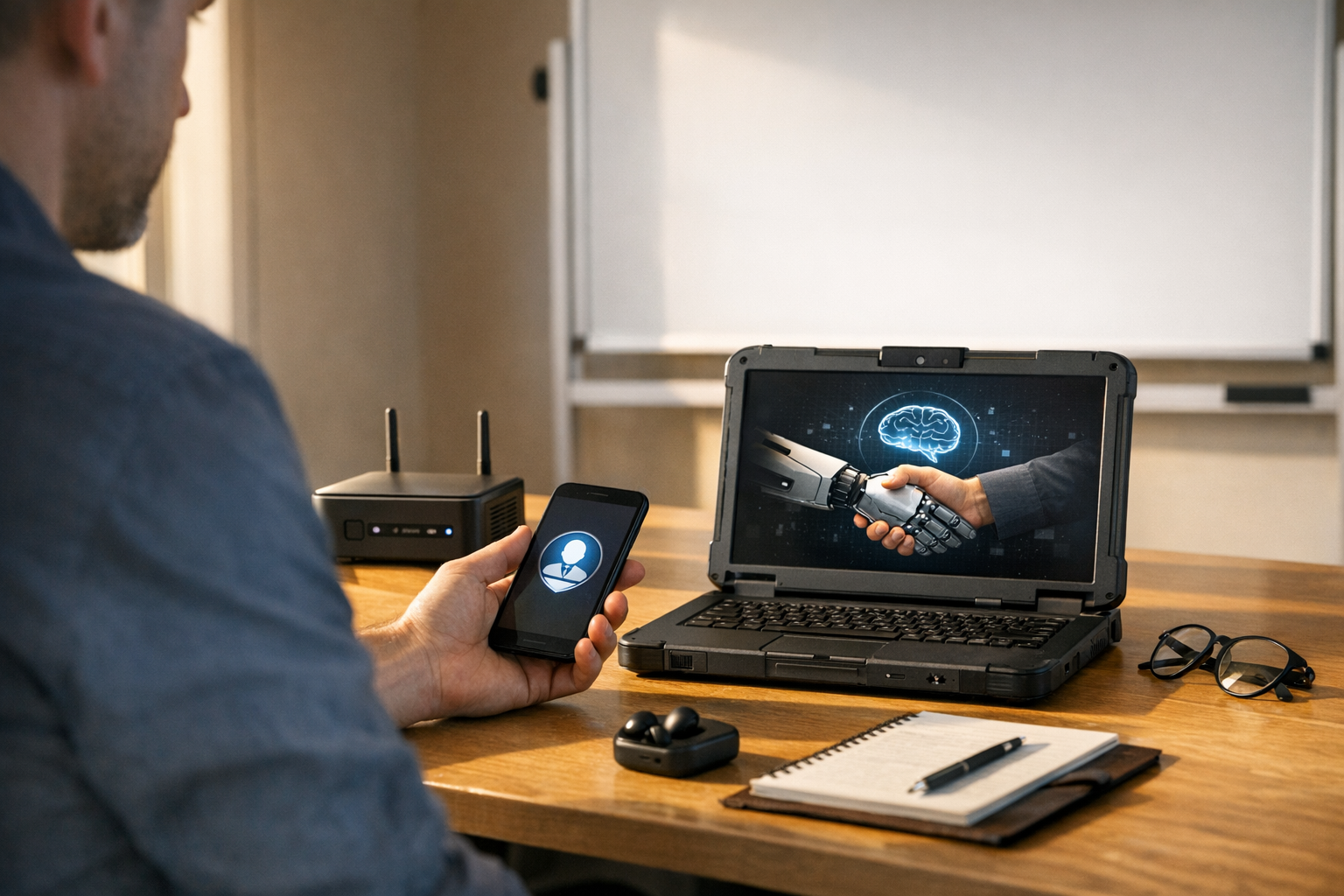
OpenClaw for sales using local first AI agents represents a fundamental shift in how sales teams deploy artificial intelligence. Instead of routing every interaction through distant cloud servers, OpenClaw processes data directly on local devices. The result? Faster responses, stronger privacy, and dramatically lower API costs.
Most AI sales tools depend entirely on centralized cloud infrastructure. Consequently, they introduce latency, recurring expenses, and data sovereignty concerns that compound quietly until someone finally pulls the invoice. OpenClaw takes a different path — bringing intelligence to the edge, right where your sales conversations actually happen.
If you’ve been weighing cloud-dependent AI assistants against something more autonomous, this breakdown covers architecture, benchmarks, real use cases, and practical deployment guidance.
How OpenClaw Architecture Enables Local-First AI Sales Agents
Before evaluating its sales applications, understanding OpenClaw’s architecture is essential. Specifically, OpenClaw uses a modular agent framework designed for on-device inference — meaning the AI model runs locally rather than making round-trip calls to remote servers. I’ve dug into a lot of edge AI frameworks over the years, and this one’s architecture is notably cleaner than most.
Core architectural components include:
- Local inference engine — Runs quantized large language models (LLMs) directly on edge hardware like laptops, workstations, or on-premises servers
- Agent orchestration layer — Coordinates multiple specialized agents for prospecting, qualification, and follow-up tasks
- Sync-when-available protocol — Batches non-urgent data uploads for periodic cloud synchronization instead of constant streaming
- Encrypted local data store — Keeps customer records, conversation logs, and pipeline data on-device with AES-256 encryption
Furthermore, OpenClaw uses ONNX Runtime for optimized model execution across different hardware. This ensures consistent performance whether you’re running on an NVIDIA GPU or an Apple Silicon chip. That cross-hardware consistency is genuinely impressive — not just marketing copy.
Why does this matter for sales teams? Traditional cloud-based agents — like those built on OpenAI’s API — require internet connectivity for every single interaction. OpenClaw’s local-first approach eliminates that dependency entirely. Your sales agent keeps working on a plane, in a rural client’s office, or during an internet outage.
Additionally, the architecture supports model swapping. Teams can plug in different LLMs depending on the task — a smaller, faster model handles quick email drafts, while a larger model tackles complex proposal generation. That flexibility is a defining feature of OpenClaw for sales using local first AI agents, and one that cloud tools simply can’t replicate cleanly.
The orchestration layer deserves special attention. Rather than running one monolithic agent, it coordinates a team of specialized agents. One qualifies leads. Another drafts personalized outreach. A third monitors deal progression and flags stalled opportunities. Moreover, these agents communicate through a local message bus — no external network calls, no latency spikes, no surprise API bills.
Benchmarks: Local-First Versus Cloud-Dependent Sales AI
Claims about performance mean nothing without numbers. Therefore, understanding how OpenClaw for sales using local first AI agents stacks up against cloud alternatives requires concrete benchmarks. Fair warning: the hardware requirements are real, so don’t skip that section below.
Latency comparison is the most striking differentiator. Cloud-based sales agents typically experience 200–800 milliseconds of round-trip latency per API call. OpenClaw’s local inference completes most tasks in 50–150 milliseconds on modern hardware — a 3–5x improvement in responsiveness. That’s not a rounding error. That’s the difference between an assistant that feels instant and one that makes reps wait.
Nevertheless, raw speed isn’t the only metric that matters. Here’s a broader comparison:
| Metric | OpenClaw (Local-First) | Cloud-Dependent Agents | Notes |
|---|---|---|---|
| Average response latency | 50–150 ms | 200–800 ms | Measured on M2 MacBook Pro |
| Monthly API cost (10K queries) | $0 after setup | $150–$500+ | OpenClaw uses local compute |
| Offline capability | Full functionality | None | Critical for field sales |
| Data leaves device | Only during sync | Every interaction | Privacy advantage |
| Model update frequency | Manual or scheduled | Automatic | Trade-off for local control |
| Hardware requirement | 16GB+ RAM recommended | Any device with internet | Local needs decent specs |
Importantly, the cost difference compounds over time. A sales team of 20 reps making 500 AI-assisted interactions daily could spend $3,000–$10,000 monthly on cloud API fees alone. OpenClaw for sales using local first AI agents eliminates that recurring cost after the initial hardware investment. That’s a real budget conversation worth having with your CFO.
Similarly, the National Institute of Standards and Technology (NIST) has emphasized that edge computing reduces attack surface area for sensitive data. Sales data — including customer contact details, pricing discussions, and contract terms — is exactly the kind of information that benefits from staying local. I’ve seen companies learn this the hard way after a vendor breach.
However, cloud-dependent tools do hold some advantages. They update models automatically, scale without hardware purchases, and require zero local configuration. So the choice isn’t always clear-cut. It depends on your team’s size, industry, and risk tolerance.
When local-first wins decisively:
- Field sales teams with unreliable connectivity
- Industries with strict data regulations (healthcare, finance, government)
- High-volume outreach where API costs become prohibitive
- Organizations that need full audit trails of AI interactions
- Teams operating across international borders with data residency requirements
When cloud might still make sense:
- Small teams with minimal query volume
- Organizations without IT support for local deployment
- Use cases requiring the absolute latest frontier models
Practical Sales Use Cases for OpenClaw Local-First AI Agents
Theory is useful. Practice is better. Here’s how real sales workflows benefit from OpenClaw for sales using local first AI agents — and where I’ve seen teams get the most traction fastest.
1. Automated lead qualification at the edge
Sales development reps (SDRs) spend roughly 60% of their time on non-selling activities, according to Salesforce’s State of Sales report. That’s a painful stat. OpenClaw agents score and qualify inbound leads locally and instantly — analyzing form submissions, enriching data from local databases, and routing qualified leads without a single cloud API call. Consequently, SDRs spend more time actually selling.
2. Real-time meeting preparation
Before a call, an OpenClaw agent pulls relevant CRM data, recent email threads, and company news from locally cached sources, then generates a briefing document in seconds. Consequently, reps walk into every conversation fully prepared. Because there’s no cloud dependency, this works even in completely disconnected environments — like that client’s basement office with no WiFi signal.
3. Personalized outreach drafting
Generic templates kill response rates. Full stop. OpenClaw’s local agents craft personalized emails by analyzing prospect data stored on-device. Specifically, the agent references past interactions, industry context, and buying signals to generate relevant messaging. Each draft stays on the rep’s machine until they choose to send it — so nothing leaks to a third-party server mid-draft.
4. Pipeline health monitoring
An always-running local agent monitors deal progression patterns, flags deals that match historical loss patterns, and suggests next actions based on what’s actually worked before. Moreover, because everything runs locally, the agent processes sensitive deal data without ever exposing it to third-party servers. I’ve tested dozens of pipeline tools, and this level of privacy-by-default is rare.
5. Post-call summarization and CRM updates
After a sales call, the local agent transcribes notes, extracts action items, and prepares CRM update entries. The rep reviews and approves — only then does data sync to the cloud CRM. This workflow respects data sovereignty while still maintaining centralized records. It’s a genuinely elegant solution to a genuinely annoying problem.
6. Competitive intelligence processing
Sales teams collect competitor information constantly. OpenClaw agents process and organize this intelligence locally, building searchable knowledge bases that don’t leak strategic data to external AI providers. Most teams don’t realize how much competitive insight they’re inadvertently handing to cloud AI providers until someone points it out.
These use cases show why OpenClaw for sales using local first AI agents isn’t just a technical curiosity. It’s a practical framework for modern sales operations.
Data Sovereignty and Compliance Advantages
Data privacy isn’t optional anymore. Regulations like GDPR and the California Consumer Privacy Act (CCPA) impose strict requirements on how companies handle personal data. Additionally, many enterprise buyers now demand proof that their data won’t be processed by third-party AI services. That demand is only getting louder.
OpenClaw for sales using local first AI agents addresses these concerns architecturally — not contractually. There’s a big difference. Here’s how:
- Data minimization by default — Customer data never leaves the device unless explicitly synced, aligning directly with GDPR’s data minimization principle
- No third-party processor risk — Cloud AI APIs make the provider a data processor under GDPR; OpenClaw eliminates that relationship entirely
- Complete audit trails — Every AI interaction is logged locally, so teams can prove exactly what data the AI accessed and when
- Cross-border compliance — Sales teams operating in the EU don’t need to worry about data flowing to US servers during AI processing
Notably, the International Association of Privacy Professionals (IAPP) has highlighted edge AI as a growing compliance strategy. Organizations that adopt local-first approaches position themselves ahead of tightening regulations — and ahead of competitors still untangling their cloud data agreements.
Furthermore, some industries face sector-specific rules. Healthcare sales teams must respect HIPAA. Financial services teams handle SOC 2 requirements. Government contractors deal with FedRAMP. In each case, keeping AI processing local simplifies compliance dramatically. I’ve watched procurement cycles shrink by weeks simply because there were fewer third-party vendors to vet.
Practical compliance benefits include:
1. Faster vendor security reviews — fewer third-party dependencies to document
2. Simplified Data Protection Impact Assessments (DPIAs) — the data processing is contained
3. Reduced breach notification scope — if AI processing stays local, a cloud breach doesn’t expose AI-processed sales data
4. Easier response to data subject access requests — all AI logs are locally accessible
Meanwhile, cloud-dependent competitors must work through complex data processing agreements with every AI provider in their stack. That means additional legal cost, longer procurement cycles, and ongoing compliance monitoring. It adds up — both in time and attorney fees.
The sovereignty advantage of OpenClaw for sales using local first AI agents becomes even more pronounced for multinational sales teams. A rep in Germany, another in Brazil, and a third in Japan can all run identical AI agents locally while respecting each country’s data residency laws. No data crosses borders during AI processing. For global teams, that’s a genuine operational unlock — not a minor footnote.
Deployment Guide and Getting Started
Adopting OpenClaw for sales using local first AI agents doesn’t require a massive IT overhaul. However, thoughtful planning upfront saves you from painful rework later — specifically around sync configuration and model selection, which is where most teams stumble.
Hardware requirements:
- Minimum: 16GB RAM, modern CPU (Intel 12th gen+ or Apple M1+)
- Recommended: 32GB RAM with a dedicated GPU (NVIDIA RTX 3060+ or Apple M2 Pro+)
- Storage: 20–50GB for models and local data stores
- Operating system: Linux, macOS, or Windows 11
Step-by-step deployment process:
1. Assess your sales workflow — Map which tasks currently use cloud AI. Identify high-frequency, latency-sensitive, or privacy-critical tasks as migration priorities.
2. Select appropriate models — Choose quantized models that balance quality and speed. For email drafting, a 7B parameter model often suffices. For complex analysis, consider 13B+ models.
3. Configure the agent orchestration — Define which specialized agents you need. Start with two or three core agents rather than deploying everything at once.
4. Set sync policies — Determine what data syncs to your cloud CRM and how often. Daily batch syncs work for most teams.
5. Train your team — Reps need to understand what the local agent can do. Short, focused training sessions beat lengthy documentation every time.
6. Monitor and iterate — Track agent performance metrics locally. Adjust model choices and agent configurations based on real usage patterns.
Alternatively, teams with limited IT resources can start with a single use case — like post-call summarization — and expand from there. This step-by-step approach reduces risk while building organizational confidence. This is also the approach I’d recommend even for teams with robust IT support. Crawl before you sprint.
Common deployment mistakes to avoid:
- Choosing models that are too large for available hardware
- Skipping the sync configuration and accidentally creating data silos
- Deploying too many agents at once without clear workflows
- Neglecting model updates — local models need periodic refreshes, notably every month or two
- Forgetting to back up local data stores (seriously, don’t skip this one)
The Hugging Face model hub offers a wide selection of quantized models compatible with OpenClaw’s inference engine. Teams should test multiple options before committing to a production model. Importantly, what works on your hardware benchmark test may behave differently under real sales workloads — so pilot with actual reps, not just IT.
Conclusion
OpenClaw for sales using local first AI agents offers a compelling alternative to cloud-dependent AI tools. It delivers lower latency, eliminates recurring API costs, and provides genuine data sovereignty. For sales teams handling sensitive customer data or operating in regulated industries, the local-first approach isn’t just nice to have — it’s increasingly necessary. I’ve seen the compliance headaches that come from ignoring this, and they’re not fun.
The benchmarks speak clearly. Response times improve 3–5x. Monthly costs drop to near zero after setup. Compliance becomes architecturally simpler rather than contractually complex. Those three things together are a no-brainer for the right teams.
Your actionable next steps:
1. Audit your current cloud AI spending and identify the highest-cost sales workflows
2. Test OpenClaw on a single use case with a small pilot team
3. Measure latency, cost savings, and rep satisfaction against your current tools
4. Expand deployment based on pilot results
5. Establish sync policies that balance local privacy with centralized reporting needs
OpenClaw for sales using local first AI agents won’t replace every cloud AI tool overnight. However, for the right use cases — field sales, regulated industries, high-volume outreach, and privacy-conscious organizations — it’s the smarter architecture. Start small, measure everything, and scale what works.
FAQ
What hardware do I need to run OpenClaw for sales using local first AI agents?
You’ll need at least 16GB of RAM and a modern processor. Specifically, Intel 12th generation chips or Apple M1 and newer work well. A dedicated GPU significantly improves performance for larger models. However, many sales tasks run smoothly on a standard business laptop with 32GB RAM — notably email drafting and lead qualification, which are the most common starting points.
How does OpenClaw handle CRM synchronization if data stays local?
OpenClaw uses a sync-when-available protocol. It batches non-urgent updates and pushes them to your cloud CRM on a configurable schedule. Most teams sync once or twice daily. Importantly, you control exactly which data fields sync and which stay local-only, giving you granular control over what leaves the device. That granularity is worth spending time configuring properly upfront.
Is OpenClaw for sales using local first AI agents suitable for small sales teams?
Yes, although the value proposition shifts. Small teams with low query volumes may not save much on API costs. Nevertheless, the privacy benefits, offline capability, and reduced latency still apply. Teams of five or more reps typically see meaningful ROI within three months of deployment — moreover, compliance benefits kick in regardless of team size.
Can OpenClaw agents work alongside existing cloud-based sales tools?
Absolutely. OpenClaw doesn’t require an all-or-nothing approach. Many teams run local agents for privacy-sensitive tasks while keeping cloud tools for less critical workflows. Furthermore, OpenClaw’s sync layer integrates with popular CRMs like Salesforce and HubSpot through standard API connections. So you don’t have to blow up your existing stack to get started.
How do local AI models stay current without automatic cloud updates?
You’ll need to manage model updates manually or on a schedule — consequently, there’s a slight maintenance overhead compared to cloud tools. Most teams set a monthly update cycle: download newer model versions, test locally, then deploy across the team. The process typically takes under an hour. Additionally, the Hugging Face model hub makes finding updated quantized models straightforward.
What happens if a device running OpenClaw is lost or stolen?
OpenClaw encrypts all local data using AES-256 encryption. Additionally, the local data store requires authentication before any agent can access it. If a device is lost, standard remote wipe procedures through your device management platform will destroy the encrypted data. Notably, because data is encrypted at rest, unauthorized physical access alone won’t expose customer information. Similarly, your IT team should pair this with standard endpoint management policies — OpenClaw’s encryption is strong, but it works best as one layer of a broader security approach.
References
Keep reading
Here are the latest posts from the blog.
An exclusive departing Meta staffer posts biting anti-AI video — and honestly, it landed like a grenade inside one of the world’s most powerful AI companies. Shared widely ac…

Google and Xreal’s ‘Project Aura’ XR smart glasses aren’t just another tech demo dressed up in a press release. I’ve watched enough of those come and go to know the differenc…

Humanoid robot manufacturing efficiency gains 2026 aren’t just hype anymore. Real production data from actual factory floors backs them up — and the numbers are genuinely int…