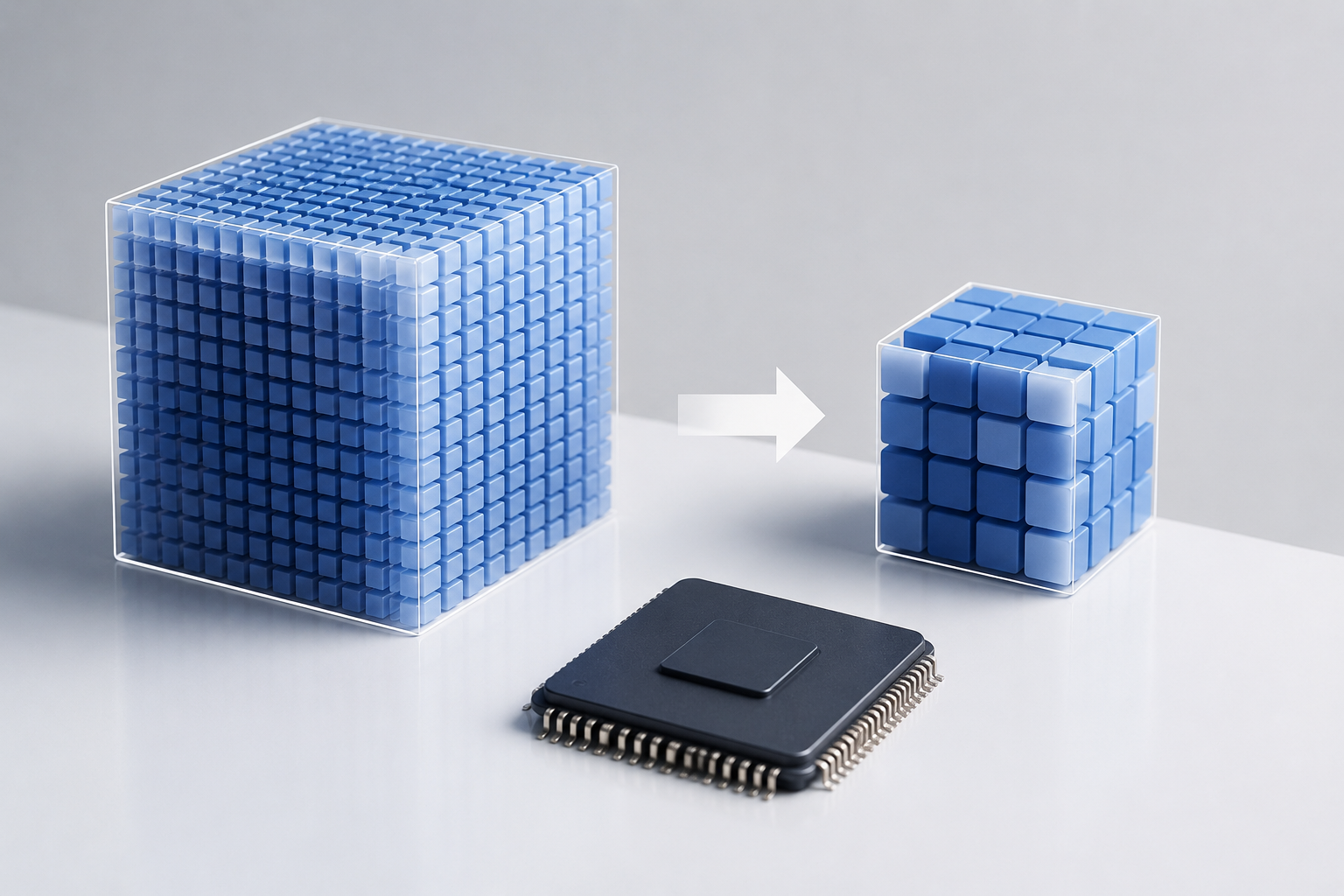
Quantization is how AI models get smaller without getting dumber — it’s reshaping machine learning deployment. Ever wondered how a 70-billion-parameter model runs smoothly on your laptop? That’s quantization at work, a must-know optimization technique in AI today.
The concept is straightforward. It involves converting a model’s high-precision weights into lower-precision formats. Using fewer bits per number cuts down memory use, speeds up inference, and saves on hardware costs. But the trick is doing all this without dumbing down the model.
Whether you’re a developer tinkering with open-source models on your PC or an engineer trying to trim down cloud expenses, getting a grip on quantization and how AI models get smaller without getting dumber will change how you think about deployment.
Why Model Size Is a Major Bottleneck
Large language models (LLMs) are notorious for being resource hogs. Take the Llama 2 70B model: in full precision, it guzzles about 140 GB of GPU memory, needing a fleet of A100 GPUs just to get off the ground. It’s no wonder that many teams can’t afford to run these models at scale.
Let’s break down some numbers:
- GPT-4 racks up hefty compute bills for OpenAI with each query.
- Llama 2 70B in FP16 demands around 140 GB of VRAM.
- Falcon 180B guzzles even more — roughly 360 GB at full tilt.
- Renting cloud GPUs can hit $2–$8 per hour per card.
So, reducing model sizes is the industry’s holy grail. But smaller models often mean less capability. Here’s where quantization shines — it compresses large models while preserving their brainpower.
Consider a practical scenario: a startup aiming to deploy a chatbot using a large language model. They initially face a steep monthly bill due to the high computational demands. By implementing quantization, they manage to reduce these costs significantly, allowing them to allocate resources elsewhere, like improving user experience or expanding their feature set.
This approach plays a huge role in the ongoing AI pricing wars. Efficient quantization means cheaper inference, and open-source models running quantized on standard hardware can rival closed systems.
Bottom line: Smaller models need fewer GPUs, which cuts costs and makes AI more accessible.
How Quantization Works: INT8, INT4, and Mixed Precision
Learning about quantization — how AI models get smaller without getting bogged down in jargon — starts with understanding precision formats. Each has its role.
FP32 (32-bit floating point) is the training standard, using 32 bits for each weight. It’s accurate but not memory-efficient.
FP16/BF16 (16-bit) halves memory needs with minor accuracy dips. Many modern models have already shifted to this. Check NVIDIA’s documentation for more on mixed-precision training.
INT8 (8-bit integer) compresses weights to 8 bits, offering 2–4x speed boosts, though some numerical range is sacrificed.
INT4 (4-bit integer) takes it further, using just 4 bits per weight. A 70B model shrinks from 140 GB to about 35 GB.
How the conversion works:
- Pinpoint the range of weight values in a layer (say, -3.2 to 4.1).
- Map this to the integer format’s range (e.g., -128 to 127 for INT8).
- Save a scale factor and zero-point for reconstruction.
- During inference, dequantize on-the-fly or compute directly in low precision.
To illustrate, imagine a model layer with weights ranging from -3.2 to 4.1. By mapping these to an INT8 range, you can maintain the essence of the original weights with a fraction of the memory. This is akin to compressing a high-resolution image into a smaller file size without losing much of its detail.
There are two main strategies. Post-Training Quantization (PTQ) compresses after the model is trained — no retraining needed. Quantization-Aware Training (QAT) mimics low-precision during training, boosting accuracy but at a higher cost.
Mixed-precision quantization uses a mix of formats. Crucial layers (like attention heads) stay high-precision, while less vital layers are more aggressively compressed, balancing size and accuracy.
| Format | Bits per Weight | Memory for 70B Model | Relative Speed | Typical Accuracy Loss |
|---|---|---|---|---|
| FP32 | 32 | ~280 GB | 1x (baseline) | None |
| FP16 | 16 | ~140 GB | ~2x | Negligible |
| INT8 | 8 | ~70 GB | ~3x | <1% on most benchmarks |
| INT4 | 4 | ~35 GB | ~4x | 1–3% on most benchmarks |
| INT3 | 3 | ~26 GB | ~4.5x | 3–8% (task-dependent) |
Specifically, the GPTQ method is a popular PTQ approach — it uses estimated second-order data to minimize layer-by-layer quantization errors. Similarly, the AWQ (Activation-aware Weight Quantization) method precisely measures channel importance during compression.
For example, if you’re working on a voice recognition system, you might prioritize high precision for the initial audio processing layers, where details are crucial, while compressing later layers more aggressively.
Real Benchmarks: What You Lose (and Don’t)
Evaluating quantization — how AI models get smaller without getting worse is all about the benchmarks.
Llama 2 7B benchmark results across precision levels:
| Benchmark | FP16 | INT8 (GPTQ) | INT4 (GPTQ) | INT4 (AWQ) |
|---|---|---|---|---|
| MMLU (5-shot) | 45.3 | 45.0 | 44.1 | 44.6 |
| HellaSwag | 77.2 | 76.9 | 75.8 | 76.3 |
| ARC-Challenge | 53.0 | 52.7 | 51.4 | 52.1 |
| TruthfulQA | 38.8 | 38.5 | 37.9 | 38.2 |
| Perplexity (WikiText) | 5.47 | 5.53 | 5.68 | 5.59 |
Some clear trends emerge. INT8 quantization affects accuracy only slightly — losses are under 1% on most benchmarks. It’s essentially free compression.
INT4 is a bit trickier. Accuracy takes a 1–3% hit, but you’re slashing memory by 4x. For many, this trade-off is a no-brainer.
Important caveats:
- Smaller models feel the quantization impact more than larger ones.
- Math and logic tasks take a bigger hit than general knowledge tasks.
- Surprisingly, code generation is robust against quantization.
- The quantization method you choose is as critical as the precision level.
To illustrate, consider a model used for mathematical computations. Here, even a minor accuracy dip can lead to significant errors, making INT8 a safer bet than INT4. In contrast, a model designed for casual conversation might perform well with INT4, given its lesser demand for precision.
Additionally, Hugging Face’s transformers library offers several quantization backends, making model benchmarking straightforward.
Bottom line: INT8 is nearly lossless for most needs. INT4 is great for tight hardware constraints. Anything below INT4? Test it thoroughly for your specific tasks.
Code Examples: Quantizing Models in Practice
Enough theory. Let’s get into the nitty-gritty of quantizing models in practice. Understanding quantization and how AI models get smaller without getting tangled up in complexity needs practical examples.
Loading a GPTQ-quantized model with Hugging Face:
from transformers import AutoModelForCausalLM, AutoTokenizer

model_name = "TheBloke/Llama-2-7B-GPTQ"
tokenizer = AutoTokenizer.from_pretrained(model_name)

model = AutoModelForCausalLM.from_pretrained(
    model_name,
    device_map="auto",
    trust_remote_code=True
)

prompt = "Explain quantization in simple terms:"
inputs = tokenizer(prompt, return_tensors="pt").to(model.device)
outputs = model.generate(**inputs, max_new_tokens=200)

print(tokenizer.decode(outputs[0], skip_special_tokens=True))
This example demonstrates how easily a quantized model can be loaded and used for inference, showing the seamless integration of quantization into existing workflows.
Quantizing with bitsandbytes (INT8 on-the-fly):
from transformers import AutoModelForCausalLM, BitsAndBytesConfig

quantization_config = BitsAndBytesConfig(
    load_in_8bit=True,
    llm_int8_threshold=6.0
)

model = AutoModelForCausalLM.from_pretrained(
    "meta-llama/Llama-2-7b-hf",
    quantization_config=quantization_config,
    device_map="auto"
)
This code snippet highlights the flexibility of on-the-fly quantization, allowing for dynamic adjustments based on the task at hand.
INT4 quantization with bitsandbytes:
quantization_config = BitsAndBytesConfig(
    load_in_4bit=True,
    bnb_4bit_quant_type="nf4",
    bnb_4bit_compute_dtype=torch.float16,
    bnb_4bit_use_double_quant=True
)

model = AutoModelForCausalLM.from_pretrained(
    "meta-llama/Llama-2-7b-hf",
    quantization_config=quantization_config,
    device_map="auto"
)
Using llama.cpp for edge deployment:
./quantize ./models/llama-2-7b/ggml-model-f16.gguf
./models/llama-2-7b/ggml-model-q4_k_m.gguf Q4_K_M
The llama.cpp project is a gem. It allows quantized models to run on CPUs, cutting out the need for a GPU — clutch for local AI work.
Key tips for practitioners:
- Start with INT8 and weigh it against your specific needs.
- Opt for NF4 (NormalFloat4) over standard INT4 for efficient weight handling.
- Double quantization saves more memory without a huge hit on performance.
- Always check results on your task, not just general benchmarks.
- Keep an eye on output quality in the real world, beyond perplexity scores.
For instance, if you’re deploying a personal assistant app, you’d want to ensure that responses remain coherent and contextually relevant even after quantization. Testing with real-world queries is crucial to maintain user satisfaction.
Deployment Case Studies: Quantized Models in the Wild
The real measure of quantization — how AI models get smaller without getting unwieldy lies in live deployments. Here are some real-world examples.
Running Llama 2 on edge devices. With GPTQ quantization to INT4, Meta’s Llama 2 7B model fits on a single NVIDIA RTX 3060 (12 GB VRAM). The original FP16 model wouldn’t fit, needing 14 GB. Post-quantization, it fits with room for the context window. Speed jumps from about 15 tokens/second to over 25 tokens/second, while accuracy stays within 2% of the uncompressed version.
Consider a small robotics company utilizing this setup to integrate Llama 2 into their devices. The quantized model allows the robots to process language commands locally, significantly enhancing response times and reducing dependence on cloud services.
Mobile deployment with Qualcomm. Qualcomm’s AI Engine supports INT8 and INT4 models right on Snapdragon chips. They’ve shown a 7B-parameter model running on smartphones. Pairing quantization with Qualcomm’s AI Hub optimization makes it happen.
Imagine a mobile app offering real-time translation. By leveraging quantization, the app can run sophisticated models directly on the device, providing instant translations without the need for an internet connection.
Cloud cost reduction. One startup swapped a 13B model from FP16 on A100s to INT4 on smaller GPUs, slashing infrastructure costs by about 60%. User satisfaction? Unchanged.
This scenario is common in SaaS companies, where budget constraints are tight. By adopting quantization, they can reallocate funds towards product development or marketing, enhancing their competitive edge.
Open-source vs. proprietary models. Here, quantization is a game-changer. A Llama 2 70B shrunk to INT4 can run on hardware costing under $2,000. Meanwhile, similar proprietary API services demand ongoing fees. For heavy-use scenarios, quantized open-source models are a savvy choice.
Practical deployment checklist:
- Measure your model’s memory needs for each precision level.
- Test latency with realistic batch sizes and sequence lengths.
- A/B test quantized vs. full-precision outputs.
- Watch for quality drop-offs in edge cases and long contexts.
- Use mixed-precision for key layers if INT4 affects outcomes.
- Keep full-precision models handy for updates.
Moreover, tools like vLLM offer quantized model serving with optimized attention kernels, combining quantization advantages with boosted inference speeds.
The Future: Where Quantization Is Heading
The progress of quantization and how AI models get smaller without getting outdated is a constant journey. Here are some exciting trends.
1-bit and ternary models. Microsoft’s BitNet research is pushing models with weights that are just -1, 0, or 1. Still in its early days, this could bring LLMs to microcontrollers. Accuracy is a hurdle, but the field is advancing fast.
Imagine a future where tiny IoT devices can run complex AI models locally, responding to environmental changes in real-time without relying on external servers.
Hardware-native quantization. New chips from NVIDIA, AMD, and Intel are embracing low-precision formats like FP8’s native support on the H100. Plus, companies like Groq are creating custom silicon tailored for quantized inference.
As these advancements unfold, expect a surge in AI applications across various industries, from healthcare to automotive, where low-latency, high-efficiency models are critical.
Quantization-aware architecture design. Future models might be built to quantize effectively from the ground up. Similarly, new training techniques are honing in on weights that compress more smoothly.
For instance, a model designed for quantization might incorporate specific architectural features that minimize the accuracy impact, allowing for even more aggressive compression.
Adaptive quantization. Instead of a one-size-fits-all approach, future systems might adjust precision based on token or query. Easy prompts get compressed more aggressively, while harder ones get more precision — the best of both worlds.
This dynamic approach could revolutionize customer service chatbots, where routine queries are processed quickly, and complex issues receive the attention they deserve.
Distillation plus quantization. By combining these techniques, you craft a potent compression pipeline. First, distill a large model into something smaller, then quantize the new model. The savings add up.
Alternatively, researchers are exploring whether quantization can occur during training itself, creating models that are inherently low-precision, potentially erasing any accuracy gaps.
Conclusion
Quantization is how AI models get smaller without getting dumber, and it’s more than just a clever trick — it’s the key to making AI accessible. From INT8’s almost zero-loss compression to INT4’s drastic size cuts, these techniques make powerful models a reality on otherwise limited hardware.
The takeaway? Start with INT8 for any deployment that’s tight on memory or cost. Shift to INT4 for serious compression, and test against your benchmarks. Tools like bitsandbytes, GPTQ, and llama.cpp make implementation a breeze.
Quantization and how AI models get smaller without getting worse is becoming a brighter prospect. The gap between full-precision and quantized models is shrinking. Tools keep enhancing. And hardware is stepping up with native support.
What should you do next? Take a model you’re working on and try INT8 quantization today. Check the outputs and see the speed gains. You’ll likely find the accuracy hit is negligible and the resource savings are game-changing.
FAQ
What is quantization in AI, and why does it matter?
Quantization reduces the numerical precision of a model’s weights. Instead of using 32-bit floating-point numbers, you use 8-bit or 4-bit integers. This dramatically shrinks a model’s memory footprint. It matters because it makes large models feasible on cheaper, more compact hardware — from consumer GPUs to mobile phones.
Consider a self-driving car’s onboard computer. By using quantized models, it can process data faster and more efficiently, ensuring safer and more reliable operations.
Does quantization make AI models less accurate?
Depends on the bit-width and approach. INT8 quantization usually results in less than 1% accuracy loss on standard benchmarks. INT4 may cause 1–3% loss. For most practical applications, users won’t notice the difference. However, tasks needing precise mathematical logic might see more degradation. Always benchmark for your specific needs.
For example, a financial forecasting model might require full precision to maintain accuracy, while a social media sentiment analysis tool can afford a slight dip without impacting overall insights.
What’s the difference between GPTQ and AWQ quantization?
GPTQ uses approximate second-order information to minimize quantization errors layer by layer. It’s a one-pass process that yields tightly packed weights. AWQ (Activation-aware Weight Quantization) safeguards crucial weight channels based on activation patterns. AWQ can preserve slightly better accuracy at INT4, though both are solid choices.
In practice, choosing between them may depend on the specific application and available computational resources.
Can I run a quantized 70B model on my gaming PC?
Yes, if you set it up right. A Llama 2 70B model quantized to INT4 requires about 35 GB of memory. If you’ve got a GPU with 24 GB VRAM (like an RTX 4090), you can offload other layers to system RAM using llama.cpp. It won’t match a data center’s power, but it’s perfectly fine for personal projects and tinkering.
Imagine using such a setup to develop a personal AI assistant capable of handling complex tasks, all from the comfort of your home office.
How does quantization affect inference speed?
Quantization usually boosts inference speed, beyond just saving memory. Lower-precision operations tend to be quicker on modern hardware. INT8 inference can be 2–3x faster than FP32. INT4 might be 3–4x faster. The actual speedup varies with your hardware, batch size, and if your chip supports the precision format you’re using.
For instance, a real-time video processing application could see significant performance gains, enabling smoother and faster content delivery.
Is quantization the same as model pruning or distillation?
Nope. They’re distinct compression tactics. Quantization reduces the precision of weights. Pruning eliminates weights entirely — cutting unnecessary connections. Distillation involves training a smaller model to mimic a larger one. They’re complementary, though. You can prune, distill into a smaller model, then quantize the result for maximum compression.
This layered approach can be particularly effective in environments where both speed and memory are at a premium, such as in mobile gaming or augmented reality applications.
References
Keep reading
Here are the latest posts from the blog.

Sarvam AI closing one of India’s largest private AI funding rounds isn’t just a headline worth skimming past. It’s a seismic shift in how global investors view non-Western AI…
Google just shook up the AI voice game — and I don’t say that lightly. Gemini 3.5 Flash TTS real-time voice synthesis AI represents a genuine leap in how machines produce hum…

The brake pedal debate still week’s deepest story isn’t just a catchy headline. It’s the fault line running through every major AI conversation right now. Safety constraints…