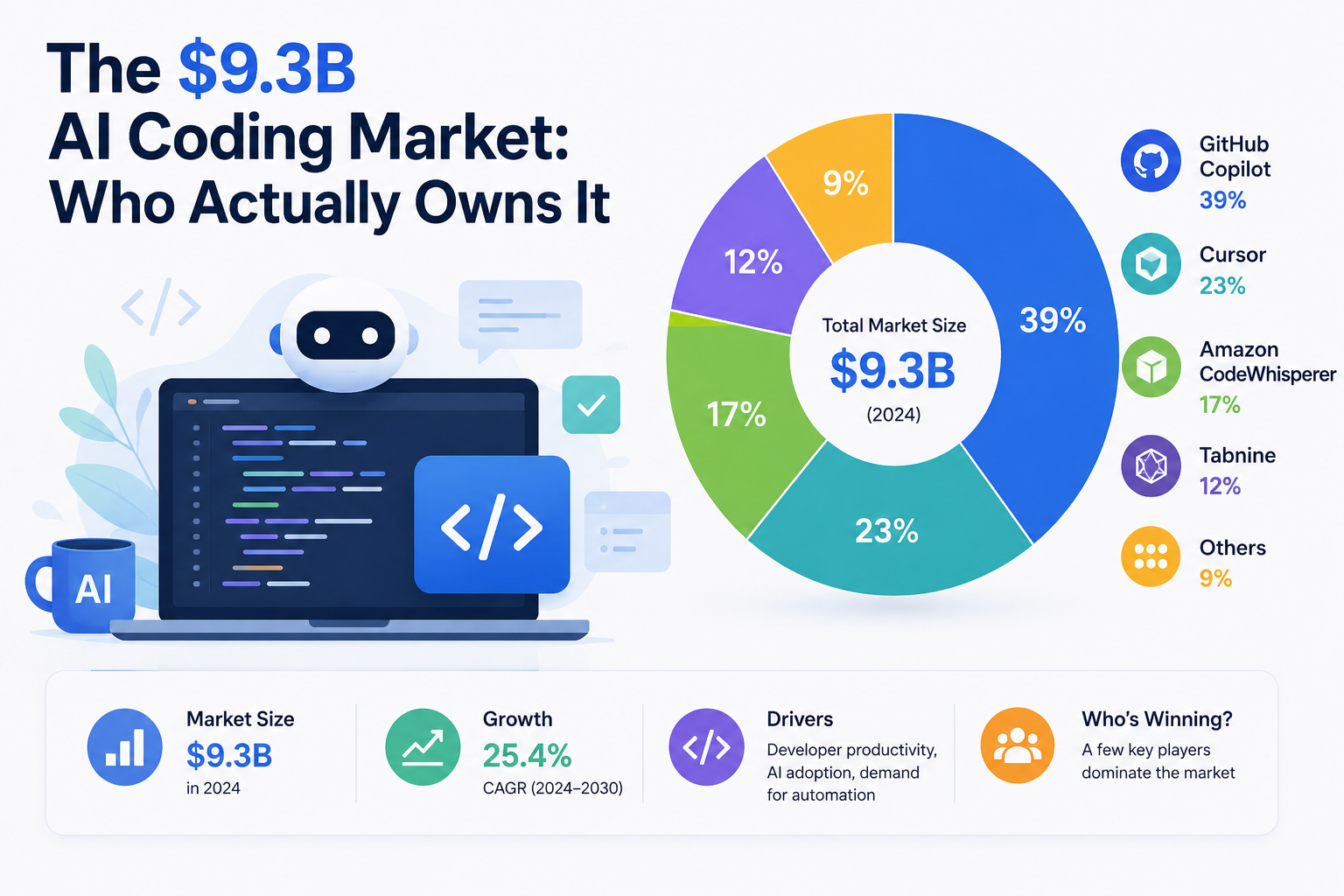
The AI coding market has changed fast — and I mean fast. What started as a niche experiment for early adopters is now a $9.3 billion industry that’s fundamentally reshaping how developers write, review, and ship code. The companies fighting for dominance aren’t just the usual tech giants anymore.
Here’s the thing: understanding who controls this market actually matters for your day-to-day work. Your choice of AI coding tool affects productivity, career trajectory, and — yeah — job security too. Moreover, the competitive dynamics reveal a lot about where this whole thing is heading next.
So who actually owns this market? The answer is more nuanced than you’d expect. Let me break down the players, their strategies, and what it all means for your daily workflow.
GitHub Copilot’s Dominance: Who Owns the Largest Share
JetBrains, Cursor, and Codeium: Challengers Reshaping Market Ownership
Market Share, Pricing, and Retention: The Data Behind Who Owns the AI Coding Market
Why Developer Adoption Patterns Determine Who Owns This Market
What the AI Coding Market’s Ownership Structure Means for Working Developers
GitHub Copilot’s Dominance: Who Owns the Largest Share
GitHub Copilot commands roughly 40–45% of the AI coding assistant market. That’s a staggering lead — and honestly, it makes sense once you understand the distribution advantages Microsoft has quietly built up over the years.
The numbers tell a compelling story. GitHub reported over 1.8 million paid subscribers by early 2024. Additionally, more than 50,000 organizations use Copilot Business or Enterprise tiers. The tool generates an estimated $500+ million in annual recurring revenue. I’ve watched a lot of developer tools try to hit those numbers and fall short — Copilot’s trajectory is genuinely unusual.
Why does Copilot dominate? A few factors stack up fast:
- Distribution moat: VS Code holds roughly 74% of the IDE market, and Copilot integrates natively — no friction, no setup headaches
- Enterprise relationships: Microsoft’s existing corporate contracts make procurement almost effortless for IT departments
- Model access: A direct partnership with OpenAI means access to the latest GPT-4 and custom models before most competitors
- Brand recognition: “Copilot” has become synonymous with AI coding, much like “Google” became shorthand for search
Nevertheless, Copilot’s dominance isn’t absolute. There are interesting cracks forming. According to GitHub’s own research, developers accept roughly 30% of Copilot’s suggestions — and that acceptance rate has plateaued. Furthermore, some enterprise customers report “suggestion fatigue” after the initial excitement fades. I’ve heard this from multiple engineering leads, so it’s not just anecdotal. One team at a mid-sized fintech company described it this way: after the first two months, developers started dismissing suggestions faster than they read them, essentially treating Copilot like a smarter autocomplete they’d learned to distrust. That’s a retention problem disguised as a usage statistic.
Pricing plays a role too. Copilot Individual costs $10/month. Copilot Business runs $19/user/month, and Copilot Enterprise hits $39/user/month. Competitive, but not cheap at scale. A 500-person engineering team pays $9,500 monthly for the Business tier alone — that’s a line item that gets scrutinized hard during budget season, especially when finance wants to see ROI documentation that most engineering teams aren’t set up to produce.
The AI coding market clearly positions Copilot as the leader. However, its growth rate is slowing as competitors sharpen their offerings. Worth watching closely.
JetBrains, Cursor, and Codeium: Challengers Reshaping Market Ownership
The remaining 55–60% of the market is fiercely contested. Three challengers stand out — for very different reasons.
JetBrains AI Assistant represents the IDE-native approach, and it’s smarter than most people give it credit for. JetBrains doesn’t need to convince developers to switch editors — their IDEs already have millions of loyal users. Specifically, JetBrains claims over 16 million users across IntelliJ IDEA, PyCharm, WebStorm, and the rest of the suite. Their AI Assistant comes bundled with All Products Pack subscriptions or costs $10/month standalone.
JetBrains’ real advantage is contextual depth. Because their IDEs already parse entire project structures, dependency trees, and type systems, the AI suggestions benefit from richer context than extensions bolted onto lightweight editors. Consequently, professional developers working in complex codebases often find JetBrains’ suggestions noticeably more accurate. This surprised me when I first tested it side-by-side with Copilot on a large Spring Boot project — specifically when refactoring service layer dependencies, JetBrains surfaced relevant bean configurations that Copilot simply didn’t know existed.
Cursor has emerged as the most talked-about challenger — and the hype is mostly deserved. This fork of VS Code rebuilds the entire editor around AI-first workflows. Cursor doesn’t just suggest code; it enables multi-file editing, codebase-wide refactoring, and genuinely conversational development. The tool reportedly crossed 100,000 paying users in late 2024. A practical example: ask Cursor to rename a data model and propagate that change across every file that references it, and it will draft a plan, show you the affected files, and execute the refactor — something that would take a developer 20–30 minutes of careful find-and-replace work.
Cursor’s pricing reflects its premium positioning:
- Free tier: 2,000 completions per month (enough to evaluate it seriously)
- Pro: $20/month with unlimited completions
- Business: $40/user/month with admin controls and team features
Codeium (now Windsurf) targets the value-conscious segment — and it’s executed that strategy well. Its generous free tier attracted over 700,000 developers, which is a remarkable number for a tool most people outside dev circles haven’t heard of. The company rebranded to Windsurf in late 2024, signaling ambitions beyond simple code completion. Importantly, Codeium/Windsurf raised $150 million at a $1.25 billion valuation, so they’ve got runway to keep competing.
Other notable players include Amazon CodeWhisperer (now Amazon Q Developer), Tabnine, and Sourcegraph Cody. Each carves out a specific niche — Amazon targets AWS-heavy shops, Tabnine emphasizes on-premise deployment for security-conscious enterprises, and Sourcegraph focuses on code search and understanding at scale. If your team lives inside AWS and already uses services like Lambda and DynamoDB heavily, Amazon Q’s ability to suggest IAM policies and CloudFormation snippets in context is a genuine differentiator that generic tools can’t easily replicate.
The AI coding market question increasingly has a fragmented answer. No single challenger threatens Copilot alone. Collectively, though, they’re eroding its share — and that erosion is accelerating.
Market Share, Pricing, and Retention: The Data Behind Who Owns the AI Coding Market
Hard data grounds this discussion. Although exact figures remain private, analyst estimates and public disclosures paint a reasonably clear picture.
| Tool | Est. Market Share | Monthly Price (Individual) | Monthly Price (Team) | Est. Paid Users | Key Differentiator |
|---|---|---|---|---|---|
| GitHub Copilot | 40–45% | $10 | $19–$39 | 1.8M+ | Distribution via VS Code |
| Cursor | 8–10% | $20 | $40 | 100K+ | AI-first editor design |
| Codeium/Windsurf | 6–8% | Free/$10 | $30 | 50K+ paid | Generous free tier |
| JetBrains AI | 5–7% | $10 | Bundled | N/A | Deep IDE integration |
| Amazon Q Developer | 5–7% | Free/$19 | $19 | N/A | AWS ecosystem lock-in |
| Tabnine | 4–5% | $12 | $39 | 50K+ | On-premise/privacy focus |
| Others | 20–25% | Varies | Varies | Varies | Specialized use cases |
Retention metrics reveal deeper truths. Developer tools typically see 60–70% twelve-month retention rates. AI coding assistants reportedly perform slightly below that average — which tells you something important. Specifically, many developers try multiple tools before settling on one. This “tool tourism” inflates user counts but deflates actual engagement figures. I’ve done it myself, bouncing between three tools over six months before landing somewhere comfortable. The pattern I observed: each tool felt exciting for about three weeks, then the novelty wore off and I was left evaluating whether it was actually faster than my pre-AI workflow on the specific tasks I do most often.
Similarly, usage patterns differ sharply by experience level. Stack Overflow’s 2024 Developer Survey found that 76% of developers use or plan to use AI coding tools. However, seniors and juniors use them very differently. Seniors reach for AI when they need boilerplate or documentation drafted fast. Juniors rely on it more heavily for learning and problem-solving — which raises its own interesting questions about skill development. A junior developer who leans on AI to generate every SQL query may ship working code while never building the mental model of how indexes affect query performance. That gap tends to surface later, at the worst possible moment.
Revenue concentration matters too. Enterprise contracts drive the majority of revenue in this market. Although individual subscriptions generate buzz and brand awareness, B2B deals generate the actual cash. Copilot Enterprise at $39/user/month across thousands of seats creates revenue that individual plans simply can’t match.
The total addressable market extends well beyond the current $9.3 billion. Gartner projects the broader AI-augmented software engineering market could reach $30+ billion by 2028. Consequently, today’s market share battles are really positioning plays for tomorrow’s much larger opportunity — and everyone involved knows it.
Why Developer Adoption Patterns Determine Who Owns This Market
Market share numbers only tell part of the story. The deeper AI coding market narrative depends on how developers actually use these tools — and that behavioral layer is genuinely fascinating.
Adoption follows predictable patterns. Most developers discover AI coding tools through three channels:
1. Peer recommendation — a teammate demos a feature that makes your jaw drop
2. Corporate mandate — IT rolls out an enterprise license and you’re just along for the ride
3. Content marketing — YouTube tutorials and blog posts show workflows in ways that click
Notably, the third channel disproportionately benefits Cursor and newer entrants. Their users tend to be more vocal online — posting demos, writing threads, making YouTube videos — which creates a perception of market dominance that exceeds their actual numbers. It’s a real effect, but don’t confuse Twitter buzz with market share. A tool can dominate developer conversation for six straight months and still hold 8% of the market.
Differentiation is shifting from completions to agents. Early AI coding tools competed on autocomplete quality. That’s table stakes now — honestly, they’re all decent at it. The new battleground is agentic coding: AI that can plan, execute, and iterate on multi-step tasks with minimal hand-holding. Think of the difference between a tool that completes your function signature versus one that reads your failing test, identifies the root cause, proposes a fix, and runs the test suite to confirm it worked — all without you writing a single line.
Cursor led this shift with its Composer feature. Copilot responded with Copilot Workspace, and Amazon launched Q Developer’s transformation capabilities. Meanwhile, open-source alternatives like Continue let developers build custom AI workflows using any model they prefer. Fair warning: the setup complexity on those open-source options is real, but so is the flexibility payoff.
Language and framework support creates natural market segments. Python developers gravitate toward tools with strong data science integration. JavaScript developers prioritize speed and snappy inline suggestions. Enterprise Java shops need tools that genuinely understand complex dependency injection patterns. Therefore, no single tool serves every developer optimally — which is exactly why this market stays fragmented.
Developer adoption also varies by geography. North American developers overwhelmingly favor Copilot. Asian markets show stronger adoption of local alternatives. European developers, influenced by GDPR concerns, increasingly prefer tools with on-premise options like Tabnine. The regulatory environment is shaping this market more than most coverage acknowledges.
The switching cost question looms large. Moving between AI coding tools is technically easy — uninstall one extension, install another. But developers build real muscle memory around specific workflows. Additionally, teams develop shared prompting strategies, custom instructions, and institutional knowledge around particular tools. These soft switching costs create stickiness that raw feature comparisons completely miss. The best tool isn’t always the one teams actually stick with. A team that has spent three months refining a shared set of Copilot custom instructions and prompt templates has a real reason to think twice before migrating, even if a competitor’s raw suggestion quality is measurably better.
What the AI Coding Market’s Ownership Structure Means for Working Developers
Understanding who owns the AI coding market isn’t just academic. It directly affects your career and your daily work — more than most developers currently appreciate.
Vendor lock-in risks are real. If your entire workflow depends on Copilot, Microsoft’s pricing decisions directly affect your productivity. Similarly, if Cursor gets acquired or pivots strategy, your carefully built workflows could disappear overnight. I’ve seen this happen with developer tools before — it’s not paranoia, it’s pattern recognition. Atom was discontinued. Heroku’s free tier vanished. Parse shut down entirely. Diversification isn’t just an investment strategy; it’s a developer survival strategy.
Here’s what smart developers are doing right now:
- Learning prompt engineering fundamentals that transfer across tools — these skills don’t expire when a product changes
- Maintaining proficiency without AI assistance to avoid the skill atrophy that’s already showing up in some junior developers
- Evaluating tools quarterly rather than making permanent commitments based on one good demo
- Building tool-agnostic workflows using standards like the Language Server Protocol
- Understanding model differences between GPT-4, Claude, and open-source alternatives — the model underneath matters
The pricing trajectory matters for your budget. Introductory prices rarely last — that’s just how SaaS works. Copilot already raised its Enterprise tier pricing, and Cursor’s Pro plan costs twice what Copilot Individual charges. As these tools become essential infrastructure, expect prices to climb further. Consequently, developers should factor AI tooling costs into salary negotiations and freelance rate calculations. A freelancer billing $150/hour who saves four hours a week with AI assistance can justify $60/month in tool costs without blinking — but that math only works if you’ve actually measured the time savings rather than assumed them.
Team dynamics are changing too. Code review looks meaningfully different when AI generates 30–40% of committed code. Furthermore, junior developer onboarding shifts when AI handles the routine tasks that used to build foundational skills. Senior developers increasingly serve as AI output validators rather than primary code authors — and that’s a real role shift, not just a talking point.
The consolidation question hangs over everything. Will Microsoft acquire Cursor? Will Google aggressively push Gemini into coding workflows? Could Apple enter the market through deeper Xcode integration? Each scenario reshapes the competitive picture. Moreover, each scenario affects which skills and which workflows stay valuable.
Open-source alternatives deserve serious attention. Tools like Ollama enable local AI model execution with no data leaving your machine. Combined with open-source coding assistants, developers can build private, cost-free AI coding setups that don’t depend on any vendor’s business decisions. Although these lack the polish of commercial tools, the independence is worth real consideration — especially for security-sensitive work. A developer building financial software under strict data residency requirements may find that a locally-run model with slightly lower suggestion quality is the only compliant option available.
The AI coding market reality is this: a few companies control the tools, but developers collectively control adoption. Your choices matter more than the marketing suggests.
Conclusion
The AI coding market has a clear but rapidly evolving ownership structure. GitHub Copilot leads with roughly 40–45% market share. Cursor, Codeium/Windsurf, JetBrains, and Amazon fight hard over the rest. However, market ownership is shifting quarterly as new features, pricing changes, and developer preferences reshape things in real time.
Here are your actionable next steps. First, audit your current AI coding tool usage and measure actual productivity gains — not vibes, actual metrics. Second, trial at least one alternative tool for two weeks; you might discover workflows you didn’t know you needed. Third, invest time in prompt engineering skills that transfer across platforms regardless of which vendor wins. Fourth, stay informed about pricing changes and acquisition news that could disrupt your workflow overnight.
The AI coding market at $9.3 billion will likely triple within four years. Developers who understand the competitive dynamics — and position themselves accordingly — will benefit most from that growth. Your tool choices today shape your productivity tomorrow. Choose deliberately.
FAQ
How big is the AI coding market in 2024?
The AI coding market reached approximately $9.3 billion in 2024. This includes code completion tools, AI-powered code review, automated testing, and related developer productivity software. Notably, the market is growing at roughly 25–30% annually. Projections suggest it could exceed $30 billion by 2028.
Is Cursor better than GitHub Copilot?
It depends on your workflow — and I mean that genuinely, not as a cop-out. Cursor excels at multi-file editing and agentic coding tasks, whereas Copilot offers broader IDE support and stronger enterprise features. Additionally, Cursor costs $20/month versus Copilot’s $10/month for individual plans, so there’s a real price tradeoff. Developers who work primarily in a single codebase often prefer Cursor’s deeper context understanding. Those who switch between projects and editors frequently tend to stick with Copilot.
Are free AI coding tools worth using?
Absolutely — and they’re underrated. Codeium/Windsurf’s free tier provides solid code completion for most developers, and Amazon Q Developer offers a free tier with generous limits. Although free tiers lack advanced features like codebase-wide analysis, they’re more than sufficient for individual developers and smaller projects. Therefore, they’re excellent starting points before committing real budget to paid plans.
Will AI coding tools replace developers?
No — at least not in any foreseeable timeframe. These tools augment developer productivity rather than replace human judgment. Current AI coding assistants handle roughly 30–40% of routine coding tasks well. Nevertheless, they still struggle with complex architecture decisions, nuanced business logic, and genuinely novel problem-solving. Developers who learn to work effectively with AI tools will be more valuable, not less — that’s the pattern I’ve consistently seen.
How should teams evaluate AI coding tools for enterprise use?
Start with a structured pilot program rather than a gut-feel decision. Select 20–30 developers across different roles and tech stacks, then measure specific metrics: pull request cycle time, code review duration, and developer satisfaction scores. Furthermore, evaluate security features, compliance certifications, and data handling policies carefully — especially if you’re in a regulated industry. Compare at least three tools before making an enterprise commitment, and use the free trial periods aggressively. Most vendors offer 30-day enterprise trials specifically for this evaluation process. One practical tip: run the pilot during a normal sprint, not during a slow period — you want to see how the tool performs under realistic pressure, not ideal conditions.
Keep reading
Here are the latest posts from the blog.

Here’s the thing: why China training a trillion-parameter model on domestic chips matters isn’t really about AI benchmarks. It’s about the entire foundation of Washington’s s…

Microsoft just made one of the boldest energy bets in tech history. The first major project is Kilby, a 2.67-gigawatt gas-fired plant in West Texas — built specifically to po…
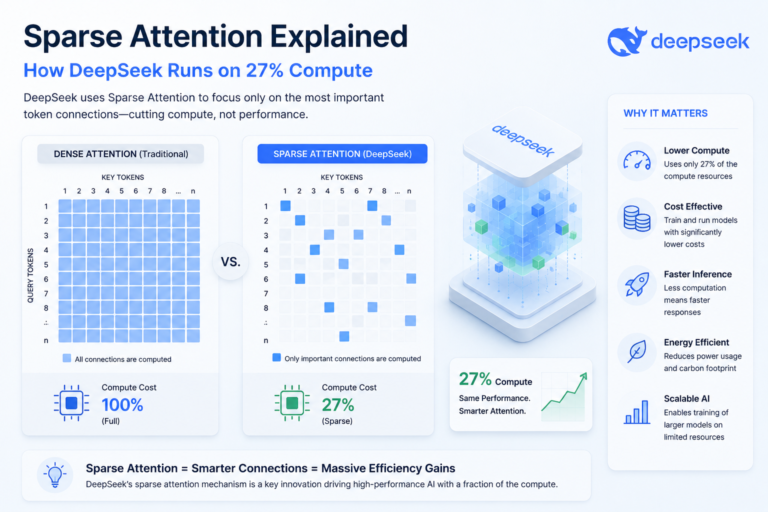
When sparse attention explained how DeepSeek runs trillion-parameter models hit the AI community, jaws dropped. A model that massive should demand enormous compute. Yet DeepS…