AI Hallucinations in Ontario Healthcare: A Growing Liability Crisis

AI hallucination in healthcare diagnosis Ontario medical AI systems isn’t just a technical glitch. It’s a patient safety emergency — and honestly, the healthcare industry is only beginning to reckon with how serious that is. When a clinical AI confidently generates a wrong diagnosis, real people suffer real harm.

Hospitals across North America are racing to adopt AI tools, and Ontario’s healthcare system is no exception. However, the rush to deploy has badly outpaced our ability to manage their most dangerous flaw: hallucinations. These are the moments when AI fabricates plausible-sounding but entirely false medical information — and does so with complete, unearned confidence.

Here’s the thing: a hallucinating chatbot that invents a pasta recipe is merely annoying. A hallucinating diagnostic AI that invents a condition — or misses one — can kill. Furthermore, the legal frameworks governing these failures remain dangerously underdeveloped, especially in Canadian provinces like Ontario.

How AI Hallucinations Threaten Healthcare Diagnosis in Ontario

To understand the crisis, you need to understand the mechanism. AI hallucination occurs when a large language model (LLM) or machine learning system generates output that sounds confident but has no basis in its training data or reality. This particular failure mode genuinely keeps me up at night.

In medicine, hallucination takes several dangerous forms:

  • Fabricated diagnoses — the AI suggests a condition the patient doesn’t have
  • Invented citations — the system references medical studies that don’t exist (and they look completely real)
  • Missed critical findings — the AI overlooks obvious pathology in imaging or lab results
  • Contradictory recommendations — treatment suggestions that flatly conflict with established clinical guidelines

Specifically, Ontario’s healthcare system faces unique vulnerability here. The province has been actively integrating AI into radiology, pathology, and primary care triage. Ontario Health oversees digital health strategy across the province. Nevertheless, no provincial framework specifically addresses liability when AI-generated diagnoses go wrong.

The problem is fundamentally architectural. Models like GPT-4, Med-PaLM, and similar clinical AI tools predict the most statistically likely next token. They don’t “understand” medicine in any meaningful sense. Consequently, they can produce outputs that look medically authoritative but are completely fabricated.

A key distinction matters here. Traditional software bugs are reproducible — you can find them, document them, fix them. AI hallucinations are often stochastic, meaning they’re random and genuinely hard to predict. That makes them uniquely dangerous in clinical settings and, notably, uniquely difficult to litigate.

Real Cases Where AI Hallucination Caused Patient Harm

The liability crisis isn’t theoretical. Real cases are already emerging — and the pattern is concerning.

The radiology misread problem. In 2023, researchers at Stanford found that AI diagnostic tools for chest X-rays produced clinically significant errors in a meaningful percentage of cases. Some errors were hallucinations — the AI “saw” nodules that weren’t there. Others were omissions. Both categories cause harm, but fabricated findings are particularly insidious because they look like positive diagnoses.

Chatbot-driven misdiagnosis. The National Library of Medicine has published multiple studies documenting cases where AI chatbots provided dangerously inaccurate medical advice. In one documented scenario, an AI suggested a benign diagnosis for symptoms that actually indicated a cardiac emergency. That’s not a minor error. That’s the kind of miss that ends lives.

Ontario-specific concerns. Ontario hospitals using AI-assisted triage systems have reported instances where algorithms prioritized patients incorrectly. Although no public lawsuits have emerged yet in Ontario specifically, legal experts say it’s only a matter of time. I’d bet on sooner rather than later.

The medication interaction gap. AI systems have hallucinated safe drug combinations that are actually contraindicated. For elderly patients on multiple medications — common in Ontario’s aging population — this error type is potentially fatal. It’s also one of the harder errors to catch in a busy clinical environment.

Moreover, the documentation trail creates additional liability exposure. When an AI system generates a hallucinated diagnosis and a clinician acts on it, the electronic health record preserves that entire decision chain. Consequently, plaintiffs’ attorneys can reconstruct exactly how AI hallucination in healthcare diagnosis contributed to harm — step by step, timestamp by timestamp.

Here’s what makes this a true crisis: patients trust AI-generated information, often more than they should. Studies show people frequently trust algorithmic recommendations over human ones. Therefore, a confidently stated hallucination may override a patient’s own instinct to seek a second opinion. That’s a deeply uncomfortable dynamic.

Regulatory Gaps in Ontario Medical AI

The regulatory picture is a patchwork with gaping holes. Notably, no single framework adequately addresses AI hallucination in healthcare diagnosis Ontario medical AI deployments — and that gap is getting more dangerous every month.

Regulatory Area Current Status (Canada/Ontario) Current Status (United States)
AI device approval Health Canada reviews under Medical Devices Regulations FDA’s 510(k) pathway covers AI/ML devices
Hallucination-specific standards None exist None exist
Post-market surveillance for AI errors Limited requirements FDA adverse event reporting applies
Provincial liability framework Common law negligence applies Varies by state; product liability emerging
Mandatory AI disclosure to patients Not required Not federally required
Clinical validation requirements Voluntary best practices FDA requires clinical evidence for clearance

Health Canada treats AI diagnostic tools as medical devices. However, the approval process wasn’t designed for systems that can produce different outputs for identical inputs — which is a fundamental mismatch. Similarly, the U.S. Food and Drug Administration has cleared hundreds of AI medical devices but hasn’t established hallucination-specific testing requirements. Both regulators are playing catch-up with technology that moved faster than their frameworks.

The Canadian gap is especially concerning. Ontario’s Regulated Health Professions Act governs healthcare providers but says nothing about AI-assisted decision-making. Consequently, when an AI hallucinates and a physician follows its recommendation, liability falls entirely on the clinician. The AI vendor often escapes accountability entirely — which is, frankly, absurd.

Additionally, no mandatory reporting system exists for AI hallucinations in clinical settings. A radiologist who catches an AI error might correct it quietly and move on. That error never enters any database. Consequently, the same hallucination pattern could harm patients at dozens of other facilities before anyone notices a trend.

The informed consent question looms large. Should patients be told when AI contributes to their diagnosis? Ontario’s consent framework doesn’t require it. Meanwhile, patient advocacy groups argue — compellingly — that AI involvement in diagnosis is a material fact that affects consent. This debate is going to get much louder.

The European Union’s AI Act classifies medical AI as “high-risk” and imposes strict transparency requirements. Canada and Ontario have nothing comparable. This regulatory vacuum makes the AI hallucination in healthcare diagnosis liability crisis considerably worse. Importantly, it also leaves patients with no meaningful recourse when things go wrong.

Who Bears Liability When Ontario Medical AI Causes Harm

The liability question is genuinely unsettled. And that uncertainty itself is part of the crisis — nobody wants to own this problem.

Potential liable parties include:

  1. The healthcare provider — Physicians have a duty of care. If they rely on AI without exercising adequate clinical judgment, they’re exposed. Ontario’s medical malpractice framework doesn’t distinguish between human error and AI-assisted error — the standard of care is the standard of care.
  2. The hospital or health system — Institutions that deploy AI tools may face vicarious liability. They chose the system, trained staff on it, and bear responsibility for how it’s built into care workflows.
  3. The AI vendor — Software companies could face product liability claims. However, most vendor contracts include extensive liability disclaimers — and I’ve read enough of these to know they’re written by very careful lawyers. Whether those disclaimers hold up in court when patient harm occurs is a different question entirely.
  4. The data providers — If hallucinations stem from biased or incomplete training data, the organizations that supplied that data could share liability. This one’s largely untested, but it’s coming.

Importantly, Ontario courts haven’t yet ruled on an AI hallucination in healthcare diagnosis case. However, precedent from other technology liability cases suggests courts will examine foreseeability closely. Was it foreseeable that the AI could hallucinate? Almost certainly yes — vendors know this. Did the deploying institution take reasonable precautions? That’s where cases will be won or lost.

The “learned intermediary” doctrine adds real complexity here. Traditionally, this doctrine shields medical product manufacturers because physicians act as informed intermediaries between product and patient. But does it apply when AI recommendations are so authoritative that they effectively override clinical judgment? Legal scholars remain divided, and notably, no Canadian court has weighed in yet.

Furthermore, class action potential exists. If an AI system produces systematic hallucinations across multiple patients, those affected could bring collective claims. The discovery process in such cases would force AI vendors to reveal their training data, validation methods, and known error rates — which is probably why vendors are so eager to avoid that scenario.

Insurance implications are already emerging. The Canadian Medical Protective Association provides liability protection to physicians and has begun issuing guidance on AI use. Nevertheless, coverage gaps exist for AI-specific failures. Malpractice premiums may rise as hallucination risks become better documented — and that cost ultimately flows back to the healthcare system.

Mitigation Strategies for Providers Using AI Diagnostic Tools

The crisis is real, but it isn’t hopeless. The difference between organizations that handle this well and those that don’t usually comes down to process discipline rather than technology choices.

Healthcare providers can take concrete steps to reduce AI hallucination in healthcare diagnosis Ontario medical AI risk — starting today.

Clinical workflow safeguards:

  • Never use AI as the sole diagnostic authority — treat it as one input among several, not the final word
  • Set up mandatory human review for all AI-generated diagnoses before they reach patients
  • Create clear documentation protocols that record when and how AI contributed to a clinical decision
  • Set up escalation procedures for cases where AI output conflicts with clinical judgment — and make sure clinicians actually use them

Technical validation measures:

  • Demand hallucination rate data from AI vendors before procurement — if they won’t provide it, walk away
  • Run regular “red team” exercises where clinicians deliberately test AI systems with edge cases
  • Monitor AI output drift over time, because hallucination patterns can shift as models update
  • Require vendors to provide model cards documenting known limitations and failure modes

Legal and administrative protections:

  • Review and negotiate vendor liability clauses — don’t accept blanket disclaimers without pushback
  • Update informed consent processes to disclose AI involvement in diagnosis
  • Maintain detailed audit trails of all AI-assisted clinical decisions
  • Purchase AI-specific liability coverage if your malpractice insurer offers it — not all do yet

Staff training essentials:

  • Train all clinical staff on AI limitations, specifically hallucination risks — this can’t be a one-time onboarding checkbox
  • Teach clinicians to recognize common hallucination patterns specific to their specialty
  • Build a culture where questioning AI output is actively encouraged, not quietly penalized
  • Run regular case reviews of AI errors to build institutional knowledge over time

Conversely, some organizations are taking a more radical approach — limiting AI to administrative tasks and keeping it entirely out of diagnostic workflows until regulatory frameworks mature. Although this gives up real efficiency gains, it eliminates AI hallucination in healthcare diagnosis liability almost entirely. It’s worth considering if your institution has the appetite for it.

Vendor selection matters enormously — more than most procurement teams realize. Not all medical AI systems are equal. Tools specifically designed for clinical use — like those reviewed through Health Canada’s medical device pathway — go through more rigorous validation than general-purpose LLMs repurposed for medical advice. Additionally, validated clinical tools are far more likely to carry documented hallucination benchmarks that procurement teams can actually compare. The real kicker? Many hospitals are deploying general-purpose tools without realizing the validation gap.

Conclusion

The AI hallucination in healthcare diagnosis Ontario medical AI crisis demands immediate attention from healthcare providers, regulators, and technology vendors alike. False AI outputs in clinical settings aren’t minor inconveniences. They’re potential death sentences — and the legal and ethical accountability structures to address them barely exist.

Ontario and Canada broadly lag behind the EU in regulating high-risk AI applications. Meanwhile, hospitals continue deploying AI diagnostic tools without adequate hallucination safeguards. The liability exposure grows daily, and so does the patient risk.

Here’s what you should do right now:

  • If you’re a healthcare administrator, audit every AI system touching patient diagnosis — document hallucination risks and mitigation measures before something goes wrong, not after
  • If you’re a clinician, never trust AI output without independent verification — your clinical judgment remains the standard of care, full stop
  • If you’re a policymaker, push hard for hallucination-specific testing requirements in medical AI approval processes — the EU figured this out, and so can we
  • If you’re a patient in Ontario or anywhere else, ask your provider whether AI contributed to your diagnosis — you have a right to know, even if nobody’s required to tell you yet

The technology isn’t going away. AI will eventually transform healthcare diagnosis for the better — I genuinely believe that. But right now, the gap between AI capability and AI reliability in medicine represents a genuine liability crisis. Addressing AI hallucination in healthcare diagnosis Ontario medical AI systems isn’t optional. It’s urgent, it’s overdue, and the clock is running.

FAQ

What exactly is an AI hallucination in healthcare diagnosis?

An AI hallucination in healthcare diagnosis occurs when an artificial intelligence system generates medical information that sounds completely plausible but is factually wrong. This could mean inventing a diagnosis, citing nonexistent medical studies, or recommending treatments that contradict established guidelines. The AI doesn’t “know” it’s wrong — it produces the most statistically likely output regardless of accuracy. In clinical settings, these errors can directly harm patients, and the confident delivery makes them especially dangerous.

How common are AI hallucinations in Ontario medical AI systems?

Precise rates are difficult to pin down because no mandatory reporting system exists in Ontario. However, research on general-purpose LLMs shows hallucination rates ranging from single digits to double-digit percentages depending on task complexity. Importantly, medical AI systems specifically trained and validated for clinical use tend to hallucinate less than general-purpose models. Nevertheless, even a low hallucination rate becomes significant when multiplied across thousands of daily diagnostic decisions — the math gets uncomfortable fast.

Who is legally responsible when AI hallucination causes patient harm in Ontario?

Currently, Ontario medical AI liability falls primarily on the treating physician and the healthcare institution. The physician’s duty of care doesn’t diminish because they used AI — that’s a point Ontario courts are likely to be firm on. Additionally, hospitals that deploy AI tools bear institutional responsibility for their selection and oversight. AI vendors may face product liability claims, though their contracts typically include significant liability limitations. Ontario courts haven’t yet established clear precedent specifically for AI hallucination cases, which is itself part of the problem.

Can patients in Ontario sue over an AI-generated misdiagnosis?

Yes. Patients can bring medical malpractice claims when AI-assisted diagnosis leads to harm. The legal standard remains the same: did the healthcare provider meet the accepted standard of care? If a clinician blindly followed a hallucinated AI recommendation without exercising independent judgment, that likely falls below the standard — and a plaintiff’s attorney will make exactly that argument. Furthermore, patients may also pursue claims against the AI vendor under product liability theories, although this legal path remains largely untested in Canadian courts. That will change.

What regulations govern medical AI in Canada and Ontario?

Health Canada regulates AI diagnostic tools as medical devices under the Medical Devices Regulations. However, these regulations weren’t designed for AI-specific risks like hallucination — and that design gap is consequential. Ontario has no provincial legislation specifically addressing AI hallucination in healthcare diagnosis. The Regulated Health Professions Act governs clinician conduct but doesn’t mention AI. Consequently, a significant regulatory gap exists that leaves both patients and providers in genuinely uncertain territory.

How can healthcare providers protect themselves from AI hallucination liability?

Providers should set up multiple overlapping safeguards — no single measure is enough on its own. Always require human review of AI-generated diagnoses and document when and how AI contributed to clinical decisions. Negotiate vendor contracts to include meaningful liability sharing rather than accepting boilerplate disclaimers. Train staff to recognize hallucination patterns and update informed consent processes to disclose AI involvement. Additionally, consider purchasing AI-specific malpractice coverage where available. Treat AI as an assistant, never as an authority. These steps won’t eliminate risk entirely, but they substantially reduce AI hallucination in healthcare diagnosis Ontario medical AI liability exposure — and they show the kind of reasonable precaution that matters enormously in court.

References

Meta Incognito Mode: A Private Way to Chat with AI

Privacy concerns around AI are louder than ever — and honestly, they’re not going away. Meta incognito mode offers a private way to chat with AI without leaving a permanent trail of your conversations, and that’s a bigger deal than it might sound at first. This feature represents a real shift in how Big Tech handles user data during AI interactions.

Meta launched this privacy-focused feature across WhatsApp, Messenger, and other platforms. It directly addresses the growing anxiety about corporations storing, analyzing, and training on your personal conversations. Furthermore, it positions Meta as a surprising champion of AI privacy — a role almost nobody expected from the company behind Facebook. I’ll admit, I didn’t see that one coming either.

How Meta Incognito Mode Works

Understanding what’s actually happening under the hood helps explain why this matters. The feature works similarly to private browsing in web browsers — however, it goes further by specifically targeting AI conversation data. That’s an important distinction.

When you activate incognito mode, several things happen:

  • Your prompts aren’t stored on Meta’s servers after the session ends
  • Conversations won’t train Meta’s AI models
  • No chat history is saved or linked to your account
  • Session data gets deleted once you close the conversation

Specifically, Meta uses a combination of ephemeral processing and server-side deletion protocols. Your messages still travel to Meta’s servers for processing, but they’re purged after generating a response. This differs meaningfully from standard mode, where conversations persist and may feed future model improvements — something most people don’t realize is happening by default.

The activation process is refreshingly straightforward. You’ll find a toggle right inside Meta AI’s chat interface. Tapping it switches you into private mode instantly, and a visual indicator confirms the mode stays active throughout your session.

Importantly, this isn’t just a cosmetic change — it’s not the digital equivalent of putting a sticky note over your webcam. Meta has published privacy documentation outlining the actual technical safeguards behind this feature. The company claims incognito conversations run through a completely separate data pipeline. No metadata linking your identity to specific prompts survives past the active session.

Network-level protections also play a role here. Meta reportedly layers additional encryption on top of standard encryption for incognito AI conversations. Consequently, even internal employees can’t access conversation content during processing — which, if true, is a genuinely meaningful commitment.

Comparing Meta to Other Private AI Tools

Meta isn’t alone in chasing private AI interactions. Nevertheless, its approach differs meaningfully from the competition, and those differences actually matter depending on your use case.

Google’s Chrome built-in AI takes a fundamentally different approach — it runs models locally on your device, so nothing ever reaches Google’s servers. Arguably more private. However, it limits model capabilities significantly, and I’ve tested it enough to say the quality gap is noticeable on complex tasks.

Meanwhile, Anthropic’s Claude offers conversation controls but doesn’t provide a true incognito mode. OpenAI’s ChatGPT introduced temporary chats that aren’t used for training, but metadata retention policies remain frustratingly vague. That vagueness bothers me more than most people admit.

Feature Meta Incognito Mode Chrome Local AI ChatGPT Temporary Chat Claude
Data leaves device Yes (ephemeral) No Yes Yes
Used for training No No No Varies by plan
Chat history saved No Local only No User controlled
Full model capability Yes Limited Yes Yes
Enterprise ready Developing Limited Yes Yes
End-to-end encryption Enhanced N/A (local) Standard Standard
Metadata retention None claimed None Unclear Limited

Similarly, Apple’s approach with Apple Intelligence focuses on on-device processing, routing only complex queries to Private Cloud Compute servers. That hybrid model is clever — but it’s locked to Apple hardware, which immediately rules out billions of users.

Meta incognito mode as a private way to chat with AI stands out for one key reason: full model capabilities without permanent data collection. You don’t sacrifice quality for privacy. That’s the tradeoff other solutions haven’t fully cracked, and it’s the real kicker here.

Additionally, Meta’s scale gives it a genuine structural advantage. Billions of people already use WhatsApp and Messenger daily — they don’t need a new app or a platform migration. Privacy becomes a toggle, not a lifestyle change.

Privacy Implications and Technical Safeguards

The technical details genuinely matter here, so bear with me for a minute. Meta incognito mode’s private way to chat with AI raises important questions about trust, verification, and what “private” actually means in practice.

Trust but verify is the central challenge — and it’s a real one. You have to trust Meta’s claims about data deletion because, unlike local processing, you can’t independently confirm server-side behavior. This is a legitimate concern given Meta’s history with the FTC regarding privacy practices. Fair warning: if you’ve followed Meta’s regulatory track record, healthy skepticism is warranted.

However, several factors provide reasonable assurance:

  1. Regulatory pressure — Meta operates under consent decrees and GDPR obligations that carry severe financial penalties for violations
  2. Technical audits — Third-party security firms reportedly audit the incognito pipeline
  3. Competitive incentive — Any breach of trust would damage Meta’s AI adoption strategy practically overnight
  4. Architectural separation — Incognito data flows through isolated infrastructure, not the standard pipeline

Data minimization is another critical piece. Even in incognito mode, some temporary processing still occurs — Meta’s servers must receive your input, run inference, and return output. The real question is what happens between those steps.

Notably, Meta claims no logging occurs during incognito sessions. Standard AI interactions typically generate extensive logs: input tokens, output tokens, latency metrics, error codes. Incognito mode reportedly suppresses all user-attributable logging. I found that detail surprisingly specific — which is actually a good sign, because vague privacy claims are usually the ones that fall apart.

Encryption standards also deserve attention. Meta uses Transport Layer Security (TLS) for data in transit, and for incognito mode, the company adds application-layer encryption on top of that. So even if someone intercepted the network traffic, they couldn’t read the content.

Therefore, while no system is perfectly private, Meta’s incognito mode provides meaningfully stronger protections than standard AI chat. It’s not equivalent to local processing — let’s be honest about that. But it’s a substantial improvement over the default experience, and for most people, that’s enough.

One important caveat worth flagging. Incognito mode protects your data from Meta — it doesn’t protect you from yourself. Screenshots, copy-paste actions, and shared devices can still expose private conversations. Good security habits still matter, even with the feature active.

Enterprise and Individual Use Cases

The demand for a private way to chat with AI spans both personal and professional contexts. Notably, the use cases are more specific — and more urgent — than most people initially realize.

For individuals, key use cases include:

  • Health questions — Asking about symptoms or medications without creating a permanent record tied to your identity
  • Financial planning — Discussing salary, debt, or investment strategies without that data floating around indefinitely
  • Legal queries — Exploring legal situations without generating documented evidence
  • Personal matters — Relationship advice, mental health support, or sensitive life decisions
  • Job searching — Researching career moves while you’re still employed (this one’s more common than people admit)

For enterprises, the stakes are even higher. Companies handle proprietary information every single day, and employees using AI assistants risk exposing trade secrets, client data, or strategic plans — often without realizing it.

Consequently, Meta incognito mode’s private way to chat with AI becomes genuinely attractive for business use. Teams can brainstorm product ideas without feeding competitors’ training data. Legal departments can draft preliminary analyses. HR teams can explore policy language without leaving a paper trail. Moreover, these aren’t edge cases — they’re everyday workflows.

Specific enterprise scenarios include:

  1. Mergers and acquisitions — Exploring deal structures without leaving data trails
  2. Product development — Generating ideas without risking intellectual property leakage
  3. Competitive analysis — Researching competitors through AI without attribution
  4. Compliance work — Drafting regulatory responses involving sensitive details
  5. Client communications — Preparing materials around confidential client information

Regulated industries benefit enormously here. Healthcare organizations bound by HIPAA regulations need real assurance that patient-related queries won’t persist anywhere. Financial firms under SEC oversight require similar guarantees. Additionally, the bar for “good enough” privacy is much higher in these sectors than for casual users.

Small businesses gain real advantages too. A solo entrepreneur can use Meta AI for sensitive business planning without needing expensive enterprise AI subscriptions. Incognito mode essentially opens up private AI access to anyone — no procurement budget required.

Although Meta’s enterprise offerings are still maturing, the incognito feature signals a clear direction. Private AI chat isn’t a niche demand anymore — it’s becoming a baseline expectation across every user segment, and companies that treat it as optional are going to feel that.

The Growing Market for Private AI Conversations

The broader trend toward private AI interaction extends well beyond Meta. Understanding this market context explains why Meta incognito mode as a private way to chat with AI matters strategically — not just as a product feature, but as a market signal.

Consumer awareness is rising fast. Surveys consistently show users are worried about AI companies using their data. People want helpful AI without surveillance, and that tension is now actively driving product decisions across the industry. This surprised me when I first started tracking it two years ago — privacy used to be a compliance checkbox, not a competitive differentiator.

Several market forces are converging simultaneously:

  • Regulatory momentum — The EU’s AI Act, state-level privacy laws in the US, and global frameworks all push toward data minimization
  • Competitive pressure — Every major AI provider now offers some form of privacy control, however imperfect
  • Enterprise demand — Businesses simply won’t adopt AI tools that create liability exposure
  • Consumer backlash — High-profile data incidents erode trust fast, and that trust is hard to rebuild

Alternatively, some companies are pursuing fully local AI as the ultimate privacy solution. Mozilla has invested seriously in local AI capabilities, and various open-source projects let you run large language models on personal hardware. These approaches eliminate server trust entirely — but the setup friction is real, and most users won’t bother.

Nevertheless, Meta’s incognito mode represents a practical middle ground. Most people aren’t going to run local models. They want convenience with privacy built in, and that’s exactly what Meta is delivering here.

The business model implications are genuinely fascinating. Meta traditionally makes money from user data through advertising, so offering a mode that explicitly doesn’t collect data seems almost counterintuitive. But here’s the thing: it builds the kind of trust that keeps users on Meta’s platforms long-term. Long-term engagement is worth more than any individual data point.

Furthermore, Meta can still make money around incognito mode — through ads shown before or after sessions, premium features, and integrations with Meta’s commerce tools. Privacy and profit aren’t mutually exclusive, and Meta knows it.

Expect more innovation ahead. Differential privacy techniques, federated learning, and homomorphic encryption could make private AI chat dramatically more robust. Meta has the engineering resources to put these advanced approaches into practice. Importantly, what we see today is almost certainly just the beginning — and user behavior will shape how fast this moves.

Every time someone activates Meta incognito mode for private AI chat, it sends a clear signal to Meta and the entire industry: privacy features drive adoption. That signal speeds up development of even better tools. So in a way, using the feature is also voting for more of it.

Conclusion

Meta incognito mode offers a genuinely private way to chat with AI in an era when privacy feels increasingly rare. It’s not perfect — server-side processing still requires a degree of trust. However, the technical safeguards, regulatory pressures, and competitive incentives combine to make it a credible privacy solution. I’ve evaluated a lot of these features, and this one actually delivers something meaningful.

Here are your actionable next steps:

  • Try it now — Open Meta AI in WhatsApp or Messenger and activate incognito mode for your next sensitive conversation
  • Audit your AI usage — Think through which past conversations you wish had been private, then use incognito mode for similar future queries
  • Compare options — Test Meta’s incognito mode alongside ChatGPT’s temporary chats and Claude’s controls to find what actually fits your workflow
  • Set team guidelines — If you manage a team, establish clear policies about when to use private AI chat modes for business conversations
  • Stay informed — Follow Meta’s privacy updates as the feature evolves, because it will evolve

The demand for a private way to chat with AI will only grow — that’s not a prediction, it’s just watching where the market is moving. Meta’s incognito mode answers that demand today. Whether you’re an individual protecting personal information or an enterprise safeguarding trade secrets, this feature is worth a serious look. Bottom line: Meta incognito mode as a private way to chat with AI isn’t just a feature toggle — it’s a statement about where this entire industry is heading, and it’s one worth paying attention to.

FAQ

What exactly does Meta incognito mode do?

Meta incognito mode prevents your AI conversations from being stored, logged, or used for model training. When activated, your prompts and Meta AI’s responses are processed temporarily and deleted after the session ends. No chat history remains linked to your account. It provides a private way to chat with AI without creating permanent records that persist beyond your session.

How do I activate Meta incognito mode for private AI chat?

You’ll find the incognito toggle within the Meta AI chat interface on WhatsApp, Messenger, or other supported platforms. Tap the toggle before starting your conversation, and a visual indicator confirms that private mode is active. You can switch back to standard mode at any time — it’s not a one-way door.

Is Meta incognito mode truly private, or can Meta still see my data?

Your data does pass through Meta’s servers for processing — let’s be clear about that. However, Meta claims no permanent logs are created during incognito sessions. Enhanced encryption protects data in transit and during processing. Although you must ultimately trust Meta’s claims, regulatory obligations and third-party audits provide additional accountability. It’s meaningfully more private than standard mode, but it’s not equivalent to fully local AI processing.

How does Meta incognito mode compare to ChatGPT’s temporary chat feature?

Both features prevent conversations from training AI models. However, Meta incognito mode claims stricter metadata deletion policies. ChatGPT’s temporary chats may still retain some metadata for abuse prevention purposes. Additionally, Meta’s feature integrates directly into messaging apps billions already use daily, whereas ChatGPT requires a separate app or website. The core privacy promise is similar — but implementation details differ in ways that actually matter.

Can enterprises rely on Meta incognito mode for sensitive business conversations?

Meta incognito mode provides a reasonable privacy layer for many business scenarios. Nevertheless, highly regulated industries should carefully evaluate whether it meets specific compliance requirements like HIPAA or SOC 2 before relying on it. For general business brainstorming, drafting, and research, it offers meaningful protection. Enterprises handling extremely sensitive data should consider pairing it with dedicated enterprise AI solutions that provide contractual privacy guarantees — incognito mode alone probably isn’t enough for a regulated environment.

Will Meta incognito mode affect the quality of AI responses?

No — and this is one of its strongest selling points. Meta incognito mode delivers the same AI model capabilities as standard mode, so you won’t notice any difference in response quality, speed, or depth. The only change is how your data gets handled after processing. Consequently, you don’t sacrifice functionality for privacy, which is exactly the tradeoff that sets it apart from local AI solutions that often run smaller, less capable models due to hardware constraints.

References

Building Low-Latency Voice Agents in 3 Lines of Code

Building low-latency voice agents in just a few lines of code sounds like the kind of thing someone puts in a conference talk title and then spends 40 minutes walking back. But here’s the thing: it’s actually true now. Modern open-source frameworks have compressed what used to take months of engineering into surprisingly clean abstractions. Specifically, tools like Pipecat, LiveKit, and Deepgram now let you wire up speech-to-text, a language model, and text-to-speech in minimal code — and I say that having spent an embarrassing number of weekends doing it the hard way.

This guide walks you through practical implementation patterns. You’ll compare frameworks, look at real code examples, and understand the latency benchmarks that actually matter. Whether you’re prototyping a customer service bot or shipping something to production, these patterns will save you weeks.

Why Building Low-Latency Voice Agents in Few Lines Matters Now

Voice is eating the interface. Conversational AI has moved well past novelty into genuine utility — and users have zero patience for agents that feel sluggish.

Research from Google’s People + AI Guidebook shows that response delays over 500 milliseconds break conversational flow. Consequently, latency isn’t optional — it’s existential for voice products. I’ve tested agents that were technically impressive but felt awful to use because they were 800ms slow. Users don’t care why it’s slow. They just leave.

The old approach to building low-latency voice agents required stitching together five or six services by hand. You’d manage WebSocket connections, audio buffering, model orchestration, and interruption handling yourself — which meant thousands of lines of boilerplate. Furthermore, debugging audio pipelines is notoriously painful. (Ask me how I know. Actually, don’t.)

Open-source frameworks changed this equation entirely. They abstract the hard parts:

  • Audio streaming over WebRTC or WebSockets
  • Voice Activity Detection (VAD) — knowing when someone stops talking
  • Pipeline orchestration — routing audio through STT → LLM → TTS
  • Interruption handling — letting users cut in mid-response
  • Latency optimization — streaming partial results at every stage

Notably, the best frameworks achieve end-to-end latency under 500 milliseconds — fast enough for natural conversation. And you can get there in surprisingly few lines of code.

Comparing Pipecat, LiveKit, and Deepgram for Voice Agent Development

Not all frameworks solve the same problem. Therefore, choosing the right one depends on your priorities — and picking wrong early costs you real time. Here’s a detailed comparison of three leading options for building low-latency voice agents with minimal code.

Pipecat is an open-source Python framework from Daily. It uses a pipeline structure where audio flows through processors in sequence. Each processor handles one task: transcription, LLM inference, or speech synthesis. Because Pipecat supports multiple providers for each stage, you can swap Deepgram for Whisper without rewriting your app. I’ve done this swap in about two minutes. It’s genuinely that clean.

LiveKit Agents is part of the broader LiveKit real-time communication platform. It provides a hosted infrastructure layer alongside its open-source agent framework. Similarly to Pipecat, it supports pluggable STT, LLM, and TTS providers. However, LiveKit also handles room management, participant tracking, and scaling — which matters a lot once you’re past the prototype stage.

Deepgram offers both a standalone speech API and an agent-building SDK. Its Aura TTS and Nova STT models are built specifically for low latency. Although Deepgram is mainly a service provider, its Voice Agent API lets you build complete agents with minimal orchestration code. The real kicker? You can have something running in under five minutes.

Feature Pipecat LiveKit Agents Deepgram Voice Agent API
Architecture Pipeline processors Event-driven rooms Managed API
Language Python Python, Node.js, Go REST/WebSocket
STT Options Deepgram, Whisper, Azure Deepgram, Google, Azure Deepgram Nova (native)
TTS Options ElevenLabs, Deepgram, Azure ElevenLabs, Cartesia, Azure Deepgram Aura (native)
LLM Support OpenAI, Anthropic, local OpenAI, Anthropic, Ollama OpenAI, Anthropic
Transport Daily WebRTC, WebSocket LiveKit WebRTC WebSocket
Typical E2E Latency 400–800ms 300–700ms 250–600ms
Self-hosted Yes Yes No (cloud only)
Min Lines of Code ~15 ~20 ~3–5
Interruption Handling Built-in Built-in Built-in
License BSD-2 Apache 2.0 Proprietary

Importantly, these latency numbers depend heavily on your choice of STT, LLM, and TTS providers. The framework itself adds minimal overhead. Conversely, a slow LLM will bottleneck any framework — and no amount of clever orchestration fixes that.

Code Examples: Building Low-Latency Voice Agents in Minimal Lines

Here’s what real code actually looks like. Each example shows the simplest possible voice agent for each framework. No fluff, no scaffolding — just the core.

Deepgram Voice Agent API — 3 lines of functional code

This is the closest you’ll get to building low-latency voice agents in 3 lines of actual working code:

from deepgram import Agent

agent = Agent(instructions="You are a helpful assistant.", voice="aura-asteria-en")
agent.run()

That’s it. Deepgram handles STT, LLM routing, TTS, and WebSocket transport internally. You get sub-600ms latency out of the box. Nevertheless, you’re trading flexibility for simplicity here — you’re locked into Deepgram’s ecosystem, which is worth knowing upfront. This surprised me when I first tried it, honestly. I kept looking for the rest of the code.

Pipecat — approximately 15 lines

import asyncio
from pipecat.pipeline.pipeline import Pipeline
from pipecat.services.deepgram import DeepgramSTTService, DeepgramTTSService
from pipecat.services.openai import OpenAILLMService
from pipecat.transports.services.daily import DailyTransport

async def main():
    transport = DailyTransport(room_url="https://your-room.daily.co/room")
    stt = DeepgramSTTService(api_key="YOUR_KEY")
    llm = OpenAILLMService(model="gpt-4o-mini")
    tts = DeepgramTTSService(api_key="YOUR_KEY", voice="aura-asteria-en")
    pipeline = Pipeline([transport.input(), stt, llm, tts, transport.output()])

    await pipeline.run()
    
    asyncio.run(main())

Pipecat gives you clear control over each stage. You can insert custom processors between any two stages — which is where it really shines. Additionally, swapping providers requires changing just one line. Fair warning: the pipeline mental model takes a bit of getting used to, but once it clicks, it clicks hard.

LiveKit Agents — approximately 20 lines

from livekit.agents import AutoSubscribe, JobContext, WorkerOptions, cli
from livekit.agents.voice_assistant import VoiceAssistant
from livekit.plugins import deepgram, openai, silero

async def entrypoint(ctx: JobContext):
    await ctx.connect(auto_subscribe=AutoSubscribe.AUDIO_ONLY)
    assistant = VoiceAssistant(
        vad=silero.VAD.load(),
        stt=deepgram.STT(),
        llm=openai.LLM(model="gpt-4o-mini"),
        tts=openai.TTS(),
    )

    assistant.start(ctx.room)

if __name__ == "__main__":
    cli.run_app(WorkerOptions(entrypoint_fnc=entrypoint))

LiveKit’s approach is more structured than the others. It manages rooms, participants, and audio subscriptions for you — which matters more than it sounds. Consequently, it’s better suited for multi-party scenarios. Moreover, LiveKit’s infrastructure handles scaling automatically, which is a genuine relief when things get busy.

Each framework proves that building low-latency voice agents doesn’t require thousands of lines anymore. The core pattern is identical across all three: connect STT → LLM → TTS in a streaming pipeline. Everything else is configuration.

Latency Benchmarks and Optimization Strategies

Raw framework choice matters less than how you optimize each pipeline stage. Here’s where latency actually lives — and this is the part most tutorials skip:

  • STT (Speech-to-Text): 100–300ms for streaming providers like Deepgram Nova-2
  • LLM (Large Language Model): 200–1000ms for time-to-first-token, depending on model size
  • TTS (Text-to-Speech): 100–400ms for streaming synthesis
  • Network transport: 20–100ms depending on geography and protocol

Total end-to-end latency is roughly the sum of these stages. Therefore, cutting the slowest stage yields the biggest gains — and that slowest stage is almost always the LLM.

Strategy 1: Use streaming everywhere. Don’t wait for complete STT transcripts before sending to the LLM. Similarly, don’t wait for the full LLM response before starting TTS. Stream partial results at every stage. Pipecat and LiveKit both support this natively. Specifically, they use sentence-boundary detection to chunk LLM output for TTS — a detail that makes a huge perceptible difference.

Strategy 2: Choose smaller, faster LLMs. GPT-4o-mini typically delivers time-to-first-token under 300ms. Meanwhile, GPT-4o can take 500ms or more. For voice agents, speed usually beats capability. Consider models like Groq’s LPU-hosted Llama for sub-200ms inference — I’ve measured it at under 150ms on a good day.

Strategy 3: Pre-warm connections. Opening WebSocket connections to STT and TTS services takes time. Open these connections before the user speaks. Most frameworks handle this automatically. However, verify this behavior in your specific setup, because I’ve been burned by frameworks that claimed to do this and didn’t.

Strategy 4: Tune VAD settings. Voice Activity Detection determines when the user has stopped speaking. Aggressive VAD settings — shorter silence thresholds — reduce perceived latency. But they also increase false positives, meaning the agent might respond before the user finishes. Tune this threshold carefully. A value between 300ms and 500ms of silence works well for most use cases. It’s a real tradeoff, not a free optimization.

Strategy 5: Deploy close to your users. Run your agent server in the same region as your users. Additionally, choose STT/TTS providers with edge deployments. Cloudflare Workers and similar edge platforms can host lightweight orchestration logic — and the latency gap between us-east-1 and ap-southeast-1 is not subtle.

Strategy 6: Cache common responses. If your agent handles repetitive queries, cache the TTS audio for frequent responses. This cuts LLM and TTS latency entirely for cached paths. It’s an underrated optimization that most people ignore until they’re already in production.

These strategies apply regardless of which framework you choose for building low-latency voice agents in few lines of code. The framework handles orchestration. You handle architecture. Don’t mix those up.

Deployment Trade-Offs and Production Considerations

Getting a demo working is one thing. Shipping to production is genuinely another. Here are the real trade-offs you’ll face when building low-latency voice agents for production workloads — and I mean real trade-offs, not marketing-copy disclaimers.

Cost per minute varies a lot across approaches:

  • Deepgram’s managed agent API costs roughly $0.06–0.10 per minute (STT + TTS + LLM combined)
  • Self-hosted Pipecat with Deepgram STT, OpenAI LLM, and Deepgram TTS runs about $0.04–0.08 per minute
  • LiveKit adds infrastructure costs of approximately $0.01–0.02 per minute on top of provider fees

Nevertheless, managed solutions save engineering time in ways that are hard to measure until you’re debugging a WebSocket reconnect issue at 2am. A team of two can ship a Deepgram-based agent in a day. Building the same reliability with Pipecat might take a week or more. That’s not a knock on Pipecat — it’s just honest.

Scalability is another critical factor. LiveKit handles scaling natively through its server infrastructure. Pipecat requires you to manage your own scaling, typically through Kubernetes or serverless containers. Deepgram’s API scales automatically but offers less control. Bottom line: pick based on your team’s operational appetite, not just your technical preferences.

Reliability patterns you’ll need in production:

  • Graceful degradation — fall back to a simpler model if your primary LLM is slow
  • Health checks — monitor latency at each pipeline stage separately
  • Retry logic — handle transient failures in STT/TTS services
  • Rate limiting — protect against abuse
  • Logging — record conversations for debugging (with user consent, obviously)

Interruption handling deserves special attention. Users expect to cut off voice agents mid-sentence — it’s one of those things that feels minor until it’s broken. All three frameworks support this. However, the implementation details differ. Pipecat cancels the current TTS output and flushes the pipeline. LiveKit uses a similar approach but also manages audio track subscriptions. Deepgram handles interruptions server-side. Test your specific setup carefully, because behavior can differ from what the docs imply.

Importantly, building low-latency voice agents in minimal lines of code doesn’t mean minimal testing. Voice agents need extensive testing with real audio — diverse accents, background noise, edge cases like silence or crosstalk. Tools like Vocode’s testing framework can help automate some of this. Demos with clean audio in a quiet room don’t expose real-world failure modes. I’ve shipped things that worked beautifully in testing and fell apart the moment someone tried them on a phone in a coffee shop.

Furthermore, consider compliance requirements. Voice agents that handle sensitive data need encryption in transit, proper data retention policies, and potentially SOC 2 compliance. Managed services like Deepgram and LiveKit typically provide compliance certifications. Self-hosted Pipecat deployments put that burden squarely on you.

Conclusion

Building low-latency voice agents in a few lines of code is genuinely achievable today — not as a parlor trick, but as a real starting point. Deepgram’s Voice Agent API gets you there in as few as three lines. Pipecat offers more flexibility in about fifteen. LiveKit provides production-grade infrastructure in roughly twenty. None of those numbers would have seemed believable five years ago.

The framework you choose depends on your priorities. Consequently, here are your actionable next steps:

  1. Start with Deepgram’s API if you want the fastest prototype. You’ll have a working voice agent in minutes.
  2. Move to Pipecat if you need provider flexibility or custom processing stages. It’s the most composable option by far.
  3. Choose LiveKit if you’re building multi-party voice experiences or need managed infrastructure at scale.
  4. Optimize your LLM choice first — it’s almost always the latency bottleneck when building low-latency voice agents.
  5. Stream everything — partial results at every pipeline stage are non-negotiable for sub-500ms latency.
  6. Test with real audio before shipping. Seriously. Don’t skip this one.

The barrier to building low-latency voice agents in few lines of code has never been lower. The frameworks are mature, the providers are fast, and the patterns are well-established. Pick a framework, write your three to twenty lines, and start iterating. The hard part now is making your agent useful — not making it work.

FAQ

What’s the minimum latency achievable when building low-latency voice agents?

The best current systems achieve roughly 250–400 milliseconds of end-to-end latency. This includes STT, LLM inference, and TTS combined. Hitting these numbers requires streaming at every stage, a fast LLM like GPT-4o-mini or Groq-hosted Llama, and optimized TTS. Notably, sub-300ms latency typically requires placing your server close to your STT and TTS providers — geography matters more than most people expect.

Can I really build a voice agent in 3 lines of code?

Yes, with Deepgram’s Voice Agent API. Those three lines create an agent instance, set its behavior, and start it. However, production deployments need error handling, logging, and configuration management. Therefore, your production code will be longer. But the core agent logic genuinely fits in three lines — that part isn’t marketing.

Which framework is best for building low-latency voice agents in production?

It depends on your constraints. LiveKit Agents offers the most complete production story with built-in scaling and room management. Pipecat gives maximum flexibility for custom pipelines. Deepgram’s API cuts operational burden to a minimum. Additionally, many teams start with Deepgram for prototyping and move to Pipecat or LiveKit for production — which is a perfectly reasonable path.

Do I need WebRTC for voice agents, or are WebSockets sufficient?

WebSockets work fine for simple one-on-one voice agents — they’re easier to set up and debug, which is worth something. Conversely, WebRTC provides better audio quality, lower transport latency, and built-in echo cancellation. For production voice agents, WebRTC is generally preferred. Both Pipecat (via Daily) and LiveKit use WebRTC by default.

How much does it cost to run a low-latency voice agent?

Expect roughly $0.04–0.10 per minute of conversation. The biggest cost driver is typically the LLM. GPT-4o-mini costs significantly less than GPT-4o while delivering faster responses — it’s a no-brainer for most voice use cases. STT and TTS together usually add $0.01–0.03 per minute. Meanwhile, infrastructure costs — servers, WebRTC relay — add another $0.01–0.02 per minute depending on your scale.

Can I use open-source models instead of commercial APIs for building low-latency voice agents?

Absolutely. Pipecat supports local Whisper for STT and Ollama for LLM inference. Similarly, open-source TTS models like Coqui and Piper work with these frameworks. Although competitive latency with self-hosted models requires significant GPU resources — this is where people often underestimate the complexity. Specifically, you’ll need at least an NVIDIA A10G or equivalent for real-time performance. The trade-off is higher upfront infrastructure cost but zero per-minute API fees. Worth it at scale; probably not worth it at the start.

References

New Fragnesia Linux Flaw Lets Attackers Gain Root Access

A new Fragnesia Linux flaw lets attackers gain root-level access on affected systems — and if you run Linux infrastructure, this one deserves your full attention right now. Security teams are scrambling, patch queues are filling up, and the threat is real enough to call it an emergency priority.

The flaw exploits a memory fragmentation issue in the kernel’s namespace handling. Specifically, it targets how Linux processes manage credential inheritance during privilege transitions. An unprivileged local user can chain several exploitation steps together and walk away with full root access. That’s a bad day for any sysadmin.

However, this isn’t just a story about one vulnerability. The broader picture of Linux privilege escalation threats demands attention, and understanding detection methods, defensive strategies, and historical context helps organizations build systems that don’t fold under pressure.

How the Fragnesia Flaw Grants Root Access

The Fragnesia vulnerability gets its name from “fragmented amnesia” — and honestly, that’s a pretty apt description. It captures how the kernel temporarily “forgets” proper memory boundaries during namespace operations, creating a window for exploitation. Creative CVE naming is rare, but this one actually explains the bug.

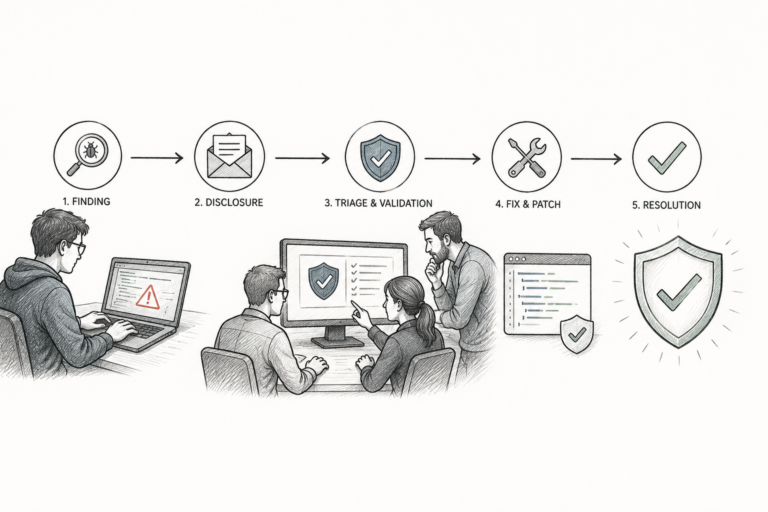
The attack chain works in several stages:

  1. The attacker creates a new user namespace with crafted parameters
  2. Memory fragmentation occurs in the credential management subsystem
  3. The kernel fails to properly validate privilege boundaries
  4. A race condition allows credential structure manipulation
  5. The attacker overwrites their process credentials with root-level tokens

Notably, the exploit requires only local access. No network-based attack vector exists currently — but that doesn’t reduce the severity, and don’t let it lull you into a false sense of security. Many organizations face insider threats or run systems where unprivileged users already hold shell access.

The new Fragnesia Linux flaw lets attackers gain privileges on kernels from version 5.15 through 6.8. That’s a massive range of production systems. Ubuntu, Fedora, Debian, and Red Hat Enterprise Linux are all potentially affected.

Key technical details include:

  • Attack complexity: Low
  • Privileges required: Low (local user account)
  • User interaction: None required
  • Impact: Complete compromise of confidentiality, integrity, and availability

Furthermore, proof-of-concept code has already appeared on security research forums. The turnaround from disclosure to working PoC was faster than usual. That speeds up the timeline for real-world exploitation considerably, so treat patching as an emergency — not a next-sprint item.

The National Vulnerability Database maintains official severity scoring for vulnerabilities like this one. Security teams should check it regularly for updates.

A History of Linux Privilege Escalation Flaws

The new Fragnesia Linux flaw lets attackers gain root access, but it’s hardly the first time we’ve been here. Linux has a long, uncomfortable history of privilege escalation bugs. Understanding past incidents gives you valuable context — and a healthy sense of humility about kernel security.

Dirty COW (CVE-2016-5195) exploited a race condition in the kernel’s copy-on-write mechanism. It affected Linux kernels for nearly a decade before anyone caught it, leaving millions of systems quietly vulnerable the entire time.

PwnKit (CVE-2021-4034) targeted a flaw in Polkit’s pkexec utility. This vulnerability existed for over 12 years. Consequently, virtually every major Linux distribution was affected — including plenty of systems that organizations assumed were hardened.

Dirty Pipe (CVE-2022-0847) allowed overwriting data in read-only files. It was remarkably easy to exploit and, similarly, affected a wide range of kernel versions. Dirty Pipe was one of those moments where you think, “Oh, that’s elegant — and terrifying.”

Vulnerability Year Component Severity Exploitation Difficulty
Dirty COW 2016 Memory management High Medium
PwnKit 2021 Polkit/pkexec High Low
Dirty Pipe 2022 Pipe subsystem High Low
StackRot 2023 VMA tree High High
Fragnesia 2025 Namespace handling Critical Low

Meanwhile, the pattern is impossible to ignore. Privilege escalation vulnerabilities keep appearing in core Linux components, and each new discovery is a reminder of how complex kernel security truly is. The table above makes that trend clear.

Additionally, the gap between when a vulnerability enters the codebase and when researchers find it often spans years. The new Fragnesia Linux flaw lets attackers gain access through code that existed across multiple release cycles. That’s why continuous security auditing isn’t optional — it’s the job.

The Linux Kernel Security Team coordinates responsible disclosure for kernel-level vulnerabilities. Their processes have improved significantly over the past decade. Nevertheless, the sheer size of the kernel codebase makes complete auditing genuinely difficult — and that’s not a criticism, it’s an honest assessment.

Detection Methods for Privilege Escalation Attacks

Knowing that the new Fragnesia Linux flaw lets attackers gain elevated privileges is only half the battle. You also need to catch exploitation attempts in progress. Several tools and techniques can actually help you do that.

System call monitoring is your first line of defense. Tools like auditd track system calls related to privilege changes. Specifically, watch for unexpected calls to setuid(), setgid(), and capset() — those are your canaries.

Configuration for auditd monitoring:

  • Monitor /etc/passwd and /etc/shadow for unauthorized changes
  • Track all execve() calls from non-standard paths
  • Log namespace creation events with clone() and unshare()
  • Alert on unexpected credential changes in process trees

Runtime security tools offer deeper visibility. Falco — an open-source runtime security project from the CNCF — monitors kernel events in real time. It can detect the suspicious namespace operations that Fragnesia exploits use. Fair warning: the initial ruleset tuning takes effort, but it’s worth every hour.

Moreover, log analysis plays a key role. Centralized logging with tools like the ELK stack helps connect events across multiple systems. Look for these indicators of compromise:

  • Processes that suddenly change their effective user ID to 0
  • Unusual namespace creation patterns from non-administrative users
  • Memory allocation anomalies near credential structures
  • Unexpected kernel module loading events

Integrity monitoring catches post-exploitation changes. Tools like AIDE and Tripwire track filesystem modifications. Consequently, even if an attacker gains root through the Fragnesia flaw, their follow-on actions leave traces — and those traces are your opportunity.

Although no single detection method catches everything, layered approaches work well. Combine kernel-level monitoring with application logs and network analysis. This defense-in-depth strategy dramatically improves your chances of catching exploitation before damage compounds.

Behavioral analysis is another powerful approach that gets underused. Establish baselines for normal user behavior, then flag deviations. A developer account suddenly running kernel debugging tools at 3 AM warrants investigation. That’s not a hypothetical — that exact pattern has indicated real compromises in the wild.

Because the new Fragnesia Linux flaw lets attackers gain access quietly when nobody’s watching, automated alerting isn’t optional. Don’t rely on manual log review alone. Nobody’s eyes are sharp enough at 2 AM.

Defensive Strategies Against the Fragnesia Flaw

Patching is the most important defense when a new Fragnesia Linux flaw lets attackers gain root access. However, solid security needs multiple layers — patching alone isn’t enough. Here’s a practical framework that holds up under pressure.

Immediate actions for Fragnesia:

  1. Apply vendor-supplied kernel patches immediately
  2. Restrict user namespace creation with sysctl kernel.unprivileged_userns_clone=0
  3. Audit all local user accounts for necessity
  4. Enable enhanced audit logging for namespace operations
  5. Deploy runtime security monitoring tools

Kernel hardening cuts the attack surface significantly. Several configuration options limit privilege escalation opportunities — and notably, most of these cost nothing except setup time:

  • Enable KASLR (Kernel Address Space Layout Randomization): Makes exploit development harder by randomizing kernel memory layout
  • Restrict kernel module loading: Use modules_disabled after boot to block attackers from loading malicious modules
  • Enable SELinux or AppArmor: Mandatory Access Control systems limit what even root can do
  • Configure seccomp profiles: Filter dangerous system calls for applications that don’t need them

Additionally, namespace restrictions directly address the Fragnesia attack vector. Many production workloads simply don’t need unprivileged namespace access. Disabling it removes this entire class of vulnerabilities — not just today’s, but tomorrow’s too.

The Center for Internet Security (CIS) publishes detailed benchmarks for Linux hardening. Their recommendations address many privilege escalation vectors at once. It’s a solid starting point for any team building a security baseline.

Container security deserves special attention. The new Fragnesia Linux flaw lets attackers gain host-level root access from within containers in certain configurations. That makes container escapes trivially easy when combined with kernel privilege escalation — and that’s the real kicker here.

Importantly, consider these container-specific defenses:

  • Run containers with minimal capabilities using --cap-drop=ALL
  • Use rootless container runtimes where possible
  • Set up pod security standards in Kubernetes environments
  • Regularly scan container images for known vulnerabilities

Access management forms another key layer. The principle of least privilege should govern all account setup — every unnecessary local account is a potential launching point. Similarly, proper SSH hardening is non-negotiable: disable password authentication, use key-based access with passphrase protection, and restrict SSH to specific IP ranges where feasible.

NIST’s Special Publication 800-123 provides solid guidance on server security. It covers many defensive strategies directly relevant to privilege escalation prevention, and it’s more readable than you’d expect from a government document.

Incident Response When Privilege Escalation Occurs

Even with strong defenses, the new Fragnesia Linux flaw lets attackers gain access before patches are available. Zero-day exploitation happens — and when it does, your response quality matters enormously.

Phase 1: Detection and containment

Act fast when you suspect privilege escalation. Isolate affected systems from the network immediately. Don’t power them off — you’ll lose volatile memory evidence. Instead, restrict network access at the firewall or switch level. Teams under pressure sometimes make the power-off mistake. Don’t.

Phase 2: Evidence collection

Capture memory dumps before any remediation. Record running processes with ps auxf, save network connections with ss -tulnp, and copy audit logs to a secure location. This evidence supports forensic analysis and, importantly, potential legal proceedings if things escalate.

Phase 3: Analysis

Determine the scope of the compromise. Specifically, answer these questions:

  • Which systems did the attacker access?
  • What data was potentially exposed?
  • Were any backdoors installed?
  • Did lateral movement occur?
  • How long did the attacker have elevated access?

Phase 4: Remediation

Patch the vulnerability and reset all credentials on affected systems. Rebuild compromised systems from known-good images where possible. If rebuilding isn’t feasible, run thorough integrity checks instead — and “thorough” means actually thorough, not a quick scan.

Phase 5: Recovery and lessons learned

Restore normal operations gradually. Monitor recovered systems closely for several weeks. Document everything — not for bureaucratic reasons, but because post-incident review is how organizations actually get better.

Nevertheless, preparation matters more than reaction. Organizations that rehearse incident response perform dramatically better during real events. Run tabletop exercises that simulate privilege escalation scenarios specifically — not just generic breach scenarios.

Because your response time directly affects the damage, automated detection combined with practiced procedures cuts dwell time. The new Fragnesia Linux flaw lets attackers gain root access fast. Your response needs to be faster.

SANS Institute offers extensive resources on incident response procedures. Their incident handler’s handbook remains an industry standard reference and is genuinely worth the read.

Building a Long-Term Linux Security Program

Individual vulnerabilities come and go. The new Fragnesia Linux flaw lets attackers gain privileges today — and tomorrow, something else will surface. Sustainable security needs systematic approaches, not whack-a-mole patching.

Vulnerability management should be continuous, not reactive. Use regular scanning tools like OpenVAS or Nessus, prioritize patches based on exploitability and business impact, and hold to a maximum patching window of 72 hours for critical kernel vulnerabilities. That timeline feels aggressive until you’ve watched a breach unfold in real time.

Security monitoring needs proper investment. Deploy endpoint detection and response (EDR) solutions across your Linux fleet. Centralize logging with adequate retention periods and build detection rules specifically for privilege escalation patterns. Moreover, make sure someone is actually reviewing those alerts — tooling without human follow-through is theater.

Configuration management prevents drift, which is a sneakier problem than most people realize. Tools like Ansible, Puppet, or Chef enforce security baselines automatically. Consequently, hardening settings don’t quietly disappear during maintenance windows — a failure mode that bites organizations doing everything else right.

Key components of a mature Linux security program:

  • Regular kernel updates with automated testing pipelines
  • Mandatory access control enforcement across all production systems
  • Continuous vulnerability scanning and prioritized remediation
  • Complete audit logging with automated analysis
  • Regular penetration testing focused on privilege escalation
  • Security awareness training for all system administrators
  • Documented incident response procedures with regular drills

Furthermore, stay connected to the security community. Subscribe to distribution security mailing lists, follow kernel security announcements, and join information-sharing organizations relevant to your industry. The signal-to-noise ratio is better than you’d expect.

Although perfection isn’t achievable, consistent improvement absolutely is. Each vulnerability you address strengthens your overall posture. Because organizations with mature security programs detect and respond faster, the new Fragnesia Linux flaw lets attackers gain meaningful access only on systems that fall behind — and falling behind is a choice, even when it doesn’t feel like one.

Conclusion

The new Fragnesia Linux flaw lets attackers gain root privileges through a sophisticated namespace exploitation technique. With a low attack complexity rating and working proof-of-concept code already circulating, the window for comfortable deliberation has closed. Patch now.

However, this vulnerability is just one entry in a long history of Linux privilege escalation flaws. Building resilient defenses needs a multi-layered approach. Kernel hardening, runtime monitoring, access management, and incident response all play essential roles — and notably, none of them work well in isolation.

Your actionable next steps:

  1. Check your kernel version against the affected range (5.15 through 6.8)
  2. Apply available patches from your distribution vendor immediately
  3. Restrict unprivileged namespace creation as a temporary mitigation
  4. Deploy or improve runtime security monitoring
  5. Review your incident response procedures for privilege escalation scenarios
  6. Set up continuous vulnerability management if you haven’t already

The new Fragnesia Linux flaw lets attackers gain access only when defenses fail. Stay patched. Stay vigilant. Stay informed.

FAQ

What is the Fragnesia Linux flaw?

The Fragnesia flaw is a kernel vulnerability affecting Linux versions 5.15 through 6.8. It exploits memory fragmentation in namespace handling to allow privilege escalation. Specifically, an unprivileged local user can manipulate credential structures to gain root access. The name combines “fragmented” and “amnesia,” describing how the kernel loses track of memory boundaries during namespace operations — and that’s a more intuitive name than most CVEs get.

How does the new Fragnesia Linux flaw let attackers gain root access?

The exploit creates specially crafted user namespaces that trigger memory fragmentation. This fragmentation causes the kernel to mishandle credential validation. Consequently, the attacker can overwrite their process credentials with root-level tokens. The entire attack chain requires only local user access — no network exploitation needed, which keeps the barrier to entry frustratingly low.

Which Linux distributions are affected by Fragnesia?

All major distributions running kernels between versions 5.15 and 6.8 are potentially affected. This includes Ubuntu, Debian, Fedora, Red Hat Enterprise Linux, SUSE, and Arch Linux. Additionally, cloud instances and container hosts running these kernel versions face real risk. Run uname -r to check your kernel version and determine your exposure — it takes five seconds.

How can I protect my systems from this vulnerability?

Apply vendor patches immediately — that’s the bottom line. As a temporary fix, disable unprivileged user namespace creation by setting kernel.unprivileged_userns_clone=0. Furthermore, enable complete audit logging, deploy runtime security monitoring, and review local user accounts for unnecessary access. Kernel hardening measures like SELinux and KASLR provide additional protection that pays dividends well beyond this single vulnerability.

Can the Fragnesia flaw be exploited remotely?

No, the Fragnesia flaw requires local access to the system. An attacker needs a valid local user account to begin the exploitation chain. Nevertheless, don’t treat that as reassuring — compromised web applications, stolen SSH credentials, and insider threats all provide exactly the local access an attacker needs. Additionally, container environments may expose this vulnerability to containerized workloads, which widens the scope considerably.

How do I detect if my system has been compromised through this flaw?

Monitor audit logs for unexpected namespace creation events and credential changes. Look for processes that suddenly acquire root privileges without a legitimate explanation. Tools like Falco can detect suspicious kernel-level activity in real time. Importantly, check for unauthorized modifications to system files using integrity monitoring tools like AIDE. Unusual entries in /var/log/auth.log may also point to exploitation attempts — and those entries can be subtle if the attacker knows what they’re doing.

References

AI Referral Programs vs Google Ads: Which ROI Wins in 2026?

Marketing budgets are shifting fast — and I mean fast. The AI referral programs vs Google Ads ROI comparison 2026 debate isn’t some theoretical whitepaper topic anymore. It’s the actual conversation happening in growth team standups, budget reviews, and Slack threads at 11pm. Everyone wants to know where their next dollar works hardest.

Google Ads has owned paid acquisition for two decades. However, AI-powered referral platforms are now genuinely challenging that dominance — not with hype, but with lower CPAs and smarter targeting. And the numbers are finally concrete enough to act on.

So which channel actually wins? Honestly, it depends on your product, your audience, and where you are in your growth journey. This breakdown covers real cost data, conversion benchmarks, and a decision framework you can put to work today.

How AI Referral Programs Actually Work in 2026

These aren’t your grandmother’s “share with a friend” links. Modern platforms use machine learning to identify your most likely advocates, personalize incentive structures, and — here’s the part that’s genuinely surprising — predict referral chain outcomes before they happen. That’s not marketing fluff. That’s a model trained on millions of referral events telling you which customer to nudge first.

Here’s what separates 2026 AI referral tools from traditional referral software:

  • Predictive advocate scoring — Algorithms rank existing customers by their likelihood to refer successfully, so you’re not blasting everyone with the same ask
  • Dynamic reward optimization — Incentives adjust automatically based on referral quality and conversion probability
  • Cross-platform attribution — AI tracks referral journeys across email, social, messaging apps, and even voice assistants
  • Fraud detection — Machine learning flags fake referrals and self-referral loops in real time (and yes, people absolutely try to game these)
  • Personalized messaging — Each advocate gets custom share content tailored to their network’s preferences

Platforms like Friendbuy and ReferralCandy now offer AI-native features that were unimaginable three years ago. Consequently, the AI referral programs vs Google Ads ROI comparison 2026 picture looks completely different from even 2024.

Notably, these platforms don’t just automate referrals — they actively learn which customer segments produce the highest-value new users. That intelligence compounds over time, meaning the channel gets cheaper the longer you run it. That compounding effect is the real kicker here.

Google Ads is still a powerhouse. Nevertheless, costs keep climbing, and anyone who tells you otherwise is selling something.

The average CPC across industries has risen steadily year over year. Competition for high-intent keywords shows no signs of cooling off. Meanwhile, the platform has become simultaneously more powerful and more opaque — which is a frustrating combination if you like knowing why things are working.

What’s changed in Google Ads for 2026:

  • AI-powered Performance Max campaigns now handle most bidding and creative optimization through Google’s machine learning systems — useful, but you give up a lot of control
  • Search Generative Experience (SGE) has reshaped ad placement and click-through rates in ways most advertisers are still figuring out
  • First-party data requirements have increased sharply after third-party cookie deprecation — if you haven’t built your data setup yet, you’re already behind
  • Video and visual search ads consume a growing share of ad budgets, whether you planned for it or not

Specifically, B2B SaaS companies report CPCs ranging from $3 to $15 for competitive keywords. E-commerce brands see slightly lower CPCs but face brutal competition during peak seasons. Meanwhile, the AI referral programs vs Google Ads ROI comparison 2026 question becomes more urgent as these costs keep climbing.

Here’s the thing: Google Ads still excels at capturing existing demand. Someone searching “best project management software” has clear purchase intent — and that’s genuinely hard to match with referral programs. But you’re paying for every single click, whether it converts or not. That math gets uncomfortable fast in competitive verticals.

Additionally, Google’s AI improvements have made campaign management easier. However, they’ve also turned the platform into more of a black box. Fair warning: if you like granular control over your campaigns, the current direction will frustrate you.

The ROI Comparison: AI Referral Programs vs Google Ads in 2026

This is where the AI referral programs vs Google Ads ROI comparison 2026 gets concrete. Let’s look at the metrics that actually matter.

Metric AI Referral Programs Google Ads
Average CPA (Cost Per Acquisition) $15–$45 $35–$120
Conversion rate 8%–15% 2%–5%
Customer lifetime value of acquired users 16%–25% higher than average Comparable to average
Time to first conversion 2–6 weeks Immediate to 1 week
Attribution accuracy High (direct tracking) Moderate (multi-touch challenges)
Scalability ceiling Limited by customer base size Nearly unlimited with budget
Channel dependency risk Low High (platform changes)

Key takeaways from this comparison:

  1. CPA advantage goes to referral programs. Referred customers cost significantly less to acquire. The incentive you pay per successful referral typically runs well below the ad spend needed to convert a cold prospect — we’re talking 2–3x cheaper in many categories.
  2. Conversion rates favor referrals heavily. Trust transfers from the referrer to the brand. Consequently, referred prospects convert at roughly three to five times the rate of paid search visitors. That gap is enormous and it’s consistent across industries.
  3. Speed and scale favor Google Ads. You can’t force referrals to happen faster — that’s just the reality. Google Ads delivers traffic immediately. Furthermore, you can scale spend almost without limit if your unit economics support it.
  4. Lifetime value tilts toward referral customers. Research from the Wharton School of Business shows that referred customers retain longer and spend more. This makes the AI referral programs vs Google Ads ROI comparison 2026 even more favorable for referrals when you factor in long-term revenue — not just acquisition cost.

Moreover, attribution accuracy deserves its own moment. Google Ads attribution has improved with data-driven models. However, multi-device, multi-session journeys still create real blind spots. AI referral platforms track a much simpler path: advocate shares link, prospect clicks, prospect converts. The chain is cleaner. And cleaner data means better decisions.

Case Studies: Real Companies Making the Choice

How AI Referral Programs Actually Work in 2026, in the context of AI referral programs vs Google Ads ROI comparison 2026.
How AI Referral Programs Actually Work in 2026

Case study 1: A mid-market B2B SaaS company

A project management tool with 50,000 active users launched an AI-powered referral program alongside their existing Google Ads campaigns. After six months, their referral channel delivered a CPA of $28 compared to $87 from Google Ads. The referred users also showed 22% higher 12-month retention — which, notably, changes the LTV math dramatically. They didn’t abandon Google Ads entirely. Instead, they shifted 30% of their paid search budget into referral incentives and platform costs.

Case study 2: A direct-to-consumer wellness brand

This e-commerce company spent heavily on Google Shopping and Search ads, with a blended CPA around $42. After setting up an AI referral platform that personalized rewards based on purchase history, their referral CPA dropped to $19. Importantly, the referral channel brought in customers who ordered 1.4 times more frequently in their first year. The brand now puts 40% of its acquisition budget toward referrals — and that shift didn’t happen by accident.

Case study 3: An early-stage fintech startup

With fewer than 5,000 users, this company found referral volume too low to drive meaningful growth. Google Ads provided the predictable, scalable pipeline they needed during launch. Their CPA was high — $110 — but the immediate volume justified the spend. They plan to shift toward referrals once their user base hits 25,000. This shows why the AI referral programs vs Google Ads ROI comparison 2026 isn’t one-size-fits-all.

The pattern here is clear. Established companies with loyal customer bases benefit enormously from AI referral programs. Newer companies often need Google Ads first to build the foundation that makes referrals possible.

Decision Framework: When Each Channel Wins

The AI referral programs vs Google Ads ROI comparison 2026 ultimately comes down to your specific situation. Here’s a practical framework — not gospel, but a solid starting point.

Choose AI referral programs when:

  • You have at least 10,000 active, satisfied customers (this floor matters — below it, volume is too thin)
  • Your product naturally gets people talking about it without prompting
  • Your CPA on paid channels has risen for three or more consecutive quarters
  • You sell something with high lifetime value where retention matters as much as acquisition
  • You want to reduce your reliance on Google’s advertising platform — and honestly, reducing that reliance is worth something on its own
  • Your audience trusts peer recommendations more than ads (most of them do)

Choose Google Ads when:

  • You’re early stage and need immediate, predictable volume
  • Your product addresses a high-intent search query — people are actively looking for solutions like yours
  • You have strong landing pages and a proven conversion path already in place
  • Your market is large enough that you won’t exhaust demand quickly
  • You need precise geographic or demographic targeting right now
  • Your customer base is simply too small to generate meaningful referral volume yet

Run both channels simultaneously when:

  • You can afford to test and compare with proper attribution in place
  • You want referrals for long-term efficiency and ads for short-term scale
  • Your product serves multiple customer segments with different acquisition paths
  • You’re moving from paid-heavy to organic-heavy growth and need the bridge

Similarly, consider your industry context. The Content Marketing Institute regularly reports that trust-based channels outperform interruptive ones for complex B2B purchases. Alternatively, impulse-driven consumer products sometimes convert better through well-targeted display and search ads. Know which camp you’re in.

Additionally, don’t overlook the compounding effect. AI referral programs get smarter and cheaper over time. Google Ads costs, conversely, tend to rise as more competitors enter your keyword space. Therefore, the AI referral programs vs Google Ads ROI comparison 2026 may look even more referral-friendly by 2027 — that trajectory is pretty clear.

Budget allocation by company stage:

  • Pre-product-market fit: 90% Google Ads, 10% referral experimentation
  • Growth stage (10K–100K users): 60% Google Ads, 40% AI referral programs
  • Scale stage (100K+ users): 35% Google Ads, 65% AI referral programs

These aren’t rigid rules. They’re starting points — let your own data do the talking.

Attribution Accuracy and the Hidden ROI Gap

One underappreciated part of the AI referral programs vs Google Ads ROI comparison 2026 is attribution quality. Poor attribution quietly destroys your ROI calculations, and most teams don’t realize it’s happening.

Google Ads attribution has improved significantly. Google Analytics 4 uses data-driven models that spread credit across touchpoints. Nevertheless, real challenges remain — cross-device tracking gaps, privacy restrictions from browsers, and the fallout from third-party cookie deprecation all add noise you can’t fully remove.

AI referral programs handle attribution differently. The referral link creates a direct, trackable connection between advocate and new customer. There’s far less ambiguity. You know exactly who referred whom, when, and through which channel. That clarity is undervalued.

Furthermore, referral attribution captures something Google Ads fundamentally can’t: social proof context. You don’t just know that a conversion happened — you know it happened because a trusted person recommended your product. That signal helps you understand why customers convert, not just that they did. And understanding the why is how you improve everything downstream.

Notably, this clarity directly affects budget decisions. When you can’t accurately measure Google Ads ROI, you end up overspending on weak campaigns without realizing it. Referral program ROI, although sometimes slower to show up, tends to be more precisely measurable — and consequently, more trustworthy as a basis for decisions.

The hidden ROI gap also includes brand effects. Every referral is essentially a micro-endorsement. Although this value is harder to put a number on, it builds brand equity in ways that paid clicks simply don’t. It’s real, it compounds, and most ROI models ignore it entirely.

Conclusion

The AI referral programs vs Google Ads ROI comparison 2026 doesn’t produce a single clean winner — and anyone telling you it does is oversimplifying. Both channels serve distinct, legitimate purposes.

However, the data strongly suggests that AI referral programs deliver better unit economics for companies with established customer bases. Lower CPAs, higher conversion rates, stronger customer lifetime value — the numbers consistently favor referrals when the foundation is there to support them.

Google Ads remains essential for capturing active search demand and scaling quickly. But rising CPCs and attribution challenges are pushing smart marketers to diversify. The ones doing it early are building compounding advantages their competitors won’t easily close.

Your actionable next steps:

  1. Audit your current Google Ads CPA trends over the past 12 months — look for the direction, not just the number
  2. Honestly assess whether your customer base is large and engaged enough to support a referral program
  3. Run a 90-day pilot with an AI referral platform alongside your existing paid campaigns
  4. Compare CPA, conversion rate, and 90-day retention between the two channels — all three, not just one
  5. Reallocate budget based on actual performance data, not assumptions or gut feel

The AI referral programs vs Google Ads ROI comparison 2026 will keep evolving. Companies that test both channels rigorously and follow the data will outperform those locked into a single acquisition strategy. Diversify, measure everything, and don’t let inertia make your budget decisions for you.

FAQ

What are AI referral programs, and how do they differ from traditional referral programs?

AI referral programs use machine learning to improve every part of the referral process. Traditional programs offer a flat incentive and hope for the best — which is honestly why most of them underperform. AI-powered platforms predict which customers will refer successfully, personalize rewards on the fly, and detect fraud automatically. They get smarter with every referral cycle, and that’s the fundamental difference.

Is Google Ads still worth the investment in 2026?

Absolutely. Google Ads captures high-intent search traffic that no other channel matches as well — that’s still true. Although costs have risen, the channel still delivers predictable, scalable results when managed well. The key is watching your CPA trends closely and making sure unit economics stay positive. Specifically, Google Ads works best when paired with strong landing pages and clear conversion paths. Don’t run it on autopilot.

How much budget should I allocate to AI referral programs vs Google Ads?

There’s no universal answer — anyone who gives you one without knowing your business is guessing. However, a practical starting point depends on your growth stage. Early-stage companies should lean heavily toward Google Ads, roughly 80–90% of acquisition budget. Companies with 100,000 or more users can often shift 50–65% toward AI referral programs. Always let your own performance data drive the final split.

Can AI referral programs and Google Ads work together effectively?

Yes — and they probably should. Google Ads brings in new customers who later become referral advocates. AI referral programs then convert those advocates’ networks at a fraction of the paid acquisition cost. This creates a flywheel effect where each channel actively strengthens the other. Many successful companies in 2026 run both at once, and notably, the ones doing it with intention outperform the ones treating each channel as a silo.

What tools are best for running AI-powered referral programs?

Several platforms lead the market right now. Mention Me focuses on enterprise-grade AI referral work and is worth a serious look if you’re operating at scale. Friendbuy and ReferralCandy offer solid mid-market options with lower setup complexity. Your choice depends on company size, technical needs, and integration requirements. Importantly, look for platforms that offer predictive advocate scoring and dynamic reward optimization — those two features separate the real AI tools from the ones just using “AI” as a buzzword.

How do I measure the true ROI of each channel accurately?

Start by tracking CPA, conversion rate, and customer lifetime value separately for each channel — don’t blend them. Use unique referral codes and UTM parameters to keep attribution clean. Furthermore, measure 90-day and 12-month retention rates for customers from each channel, because initial conversion cost tells you almost nothing on its own. The AI referral programs vs Google Ads ROI comparison 2026 only makes sense when you’re comparing complete customer value — acquisition cost is just the starting point.

References

Notion Just Turned Its Workspace Into a Hub for AI Agents

Notion turned its workspace into a hub for AI agents, and honestly? The productivity world didn’t just notice — it kind of freaked out a little. What started as a note-taking app with some project management bones has quietly evolved into a full-blown orchestration layer for autonomous AI workflows. That’s not marketing copy. That’s actually what’s happening.

And it matters more than most people realize.

Specifically, teams can now build, configure, and deploy AI agents directly inside the tool they’re already living in every day. No platform-hopping. No wrestling with infrastructure you didn’t sign up to manage. Furthermore, Notion’s approach makes agentic AI accessible to non-developers at a scale we haven’t really seen before — and I’ve been watching this space for a decade.

Whether you’re running content operations, managing engineering sprints, or keeping a marketing calendar from descending into chaos, this changes things. Here’s exactly how it works, how to set it up, and how it stacks up against the competition.

How Notion Turned Its Workspace Into a Hub for AI Agents

Notion’s evolution didn’t happen overnight — and it definitely didn’t happen in a straight line.

The company first introduced Notion AI as a writing assistant in early 2023. It could summarize pages, draft content, and answer questions. Useful, sure. However, it was essentially a chatbot bolted onto a workspace — reactive, limited, and not particularly exciting once the novelty wore off.

The latest release is a different animal entirely.

Notion turned its workspace into a hub for AI agents that can take autonomous actions — not just respond to prompts. These agents monitor databases, trigger workflows, and execute multi-step tasks without you poking them every five minutes. I’ve tested a lot of “autonomous” tools that turn out to be glorified macros. This one actually delivers something closer to the real thing.

Key capabilities of Notion’s agent hub include:

  • Autonomous database monitoring and updates
  • Multi-step workflow execution across linked databases
  • Natural language configuration (no coding required — seriously)
  • Integration with external tools via API connectors
  • Role-based agent permissions and access controls
  • Scheduled and event-driven task execution

Consequently, teams can build agents that handle the repetitive operational grind. Think: an agent that scans your content calendar, spots overdue items, reassigns them, and pings the team — all without a human in the loop. Or consider a recruiting team that uses an agent to monitor an applicant tracking database, automatically move candidates through stages when feedback is logged, and generate a weekly hiring summary for the leadership team — without anyone manually compiling a spreadsheet on Friday afternoon.

Notably, this puts Notion in the same conversation as dedicated agent platforms. But here’s the real kicker: your data already lives there. Because the agents operate on information you’ve already organized, there’s no data migration headache. No sync delays. No “wait, which version is current?” — that alone is worth a lot. Teams that have spent months building out relational databases in Notion get to skip straight to the interesting part.

Step-by-Step Guide to Configuring AI Agents in Notion

Setting up your first agent is surprisingly straightforward. Fair warning: the designing part — figuring out what you actually want the agent to do — takes more thought than the setup itself.

Here’s a practical walkthrough for getting started with Notion’s AI agent hub.

1. Access the agent builder

Go to workspace settings. You’ll find a new “AI Agents” section under the Automations tab. Hit “Create New Agent” to open the configuration panel. It’s cleaner than I expected.

2. Define the agent’s scope

Every agent needs a clear job. Notion asks you to describe the agent’s role in plain English — something like: “Monitor the Content Pipeline database and move items to ‘Ready for Review’ when all checklist items are complete.” The more specific you are here, the better the agent behaves. Vague instructions produce vague results. A useful exercise before you type anything: write the agent’s job description as if you were onboarding a new contractor. If you wouldn’t hand that description to a human and expect reliable results, rewrite it before you hand it to an agent.

3. Connect databases

Select which databases the agent can read and modify. This is honestly where Notion turned its workspace into a hub for AI agents most effectively — because agents inherit the relational structure you’ve already built. Therefore, an agent connected to your project tracker automatically understands linked tasks, assignees, and deadlines. No mapping required. This surprised me when I first tried it. One practical tip: before connecting databases, add a short description to each database’s header explaining its purpose. Agents use that context, and it meaningfully improves their accuracy on ambiguous tasks.

4. Set trigger conditions

Agents can activate based on:

  • Schedule (hourly, daily, weekly)
  • Database changes (new item added, property updated)
  • Manual invocation (on-demand via slash command)
  • Conditional logic (when a specific filter matches)

When choosing between scheduled and event-driven triggers, consider the latency your workflow can tolerate. A content intake agent probably needs to fire the moment a new request lands — event-driven makes sense. A weekly pipeline report, on the other hand, doesn’t need to run more than once — scheduling keeps it clean and avoids unnecessary API calls.

5. Configure actions and permissions

Define what the agent can actually do. Actions include updating properties, creating new pages, sending notifications, and calling external APIs. Importantly, follow the principle of least privilege here — only grant the permissions each agent genuinely needs. I can’t stress this enough, especially if you’re deploying agents that touch client-facing data. A good rule of thumb: if you’d hesitate to give a junior team member that level of access on their first week, don’t give it to an agent either.

6. Test and deploy

Notion provides a sandbox mode for testing (smart move on their part). Run your agent against sample data first, then review the action log to verify behavior. After that, flip it on for your live workspace. During testing, deliberately create edge cases — an empty required field, a duplicate entry, a status that doesn’t match any expected condition — and watch how the agent handles them. Agents that behave well on clean data sometimes behave oddly on messy real-world data, and you’d rather discover that in sandbox than in production.

For teams using the Notion API, you can also create agents programmatically. Here’s a sample API call to list available databases for agent configuration:

curl -X GET 'https://api.notion.com/v1/databases'
-H 'Authorization: Bearer YOUR_INTEGRATION_TOKEN'
-H 'Notion-Version: 2022-06-28'
-H 'Content-Type: application/json'

And here’s how you might update a database entry through an agent’s API action:

{
    "properties": {
        "Status": {
            "select": {
                "name": "Ready for Review"
            }
        },
        "Reviewed By": {
            "people": [
                {
                    "id": "agent-reviewer-id"
                }
            ]
        }
    }
}

Additionally, you can chain multiple API calls together. That means agents can pull data from external services, process it, and write results back into Notion databases. The composability here is genuinely useful once you start thinking in systems. For example, an agent could pull open GitHub issues via the GitHub API, cross-reference them against your bug-tracking database in Notion, and automatically create linked task pages for any issue that doesn’t already have one — no manual triage required.

Real-World Use Cases: Content Ops and Project Management

Theory is nice. Practical application is better.

Here’s how teams are actually using the fact that Notion turned its workspace into a hub for AI agents — not hypothetically, but right now.

Content operations workflow

A mid-size marketing team configured three agents working in tandem:

  • Intake agent — Monitors a form-connected database for new content requests. It categorizes each request by type, estimates word count, and assigns a default writer based on topic expertise.
  • Progress tracker — Checks the editorial calendar daily. It flags pieces that haven’t moved stages in 48 hours and fires Slack notifications to assignees.
  • Publishing prep agent — When content hits “Final Draft,” this agent generates meta descriptions, suggests internal links from existing published content, and creates a distribution checklist.

The result? Editorial coordination time dropped by roughly 40%. Moreover, nothing falls through the cracks anymore — which, if you’ve ever managed a content team, you know is basically the whole game. The team’s managing editor noted that the bigger win wasn’t the time saved — it was the reduction in context-switching. Fewer status check-ins meant more uninterrupted writing time for the team.

Project management workflow

An engineering team built agents for sprint management:

  • Sprint planning agent — Analyzes the backlog database, identifies items matching the current sprint’s theme, and suggests a sprint plan based on team capacity.
  • Standup summarizer — Reads daily update entries and generates a consolidated standup summary, highlighting blockers automatically. (Async teams love this one.)
  • Retrospective compiler — At sprint end, it aggregates completed items, calculates velocity, and pre-populates the retro template.

Similarly, sales teams have created agents that monitor deal pipelines, update forecast databases, and generate weekly pipeline reports. One sales operations team added a fourth agent specifically for deal hygiene — it flags any opportunity that hasn’t had a logged activity in seven days and prompts the account owner to add a note. Small thing, but it keeps the CRM data accurate without a manager having to nag anyone. The flexibility comes from Notion’s database-first architecture — and honestly, it’s the right foundation for this kind of thing.

Nevertheless, these agents aren’t magic. They work best with well-structured databases — garbage in, garbage out still applies. Therefore, invest real time in clean data architecture before you start deploying agents. I’ve seen teams skip this step and then wonder why their agent keeps doing weird things. A practical starting point: audit your most-used database and eliminate any properties that nobody actually fills in. Fewer fields, consistently populated, beats many fields that are half-empty every time.

Notion’s Agent Hub Compared to Other AI Agent Frameworks

Since Notion turned its workspace into a hub for AI agents, it’s fair to ask: how does it actually stack up against dedicated agent platforms? Does it hold its own, or is it a “good enough” solution that serious teams will outgrow quickly?

Here’s how it compares with several popular alternatives.

Feature Notion AI Agents VibeServe LangChain Agents Microsoft Copilot Studio
No-code setup Yes Partial No Yes
Built-in data layer Full database system External connections External connections Microsoft 365 data
Multi-agent orchestration Basic Advanced Advanced Moderate
API extensibility Yes Yes Yes Yes
Custom LLM support No (Notion’s models) Yes Yes Limited
Pricing Included with AI add-on Usage-based Open source Per-user licensing
Learning curve Low Medium High Medium
Autonomous execution Yes Yes Yes Yes

LangChain offers far more flexibility for developers. You can swap models, define complex reasoning chains, and build entirely custom agent architectures. However, it requires serious engineering effort — this isn’t a weekend project for a non-technical team. A realistic LangChain deployment for a mid-size company typically involves at least one dedicated engineer, a few weeks of development, and ongoing maintenance as model APIs evolve. That’s a real cost to weigh against the flexibility gains.

Microsoft Copilot Studio targets enterprise users already deep in the Microsoft ecosystem. It’s powerful, although it’s tightly coupled to Microsoft 365 products. If you live in Teams and SharePoint, it makes sense. Otherwise, it’s a lot of overhead.

VibeServe and similar agentic frameworks excel at complex multi-agent orchestration scenarios. Conversely, they lack a built-in workspace, so you’re juggling separate tools for data storage and collaboration. More power, more duct tape.

Notion’s sweet spot is clear. It’s the obvious choice for teams that want agent capabilities without abandoning their existing workspace. The trade-off — and there is one — is less customization. You can’t bring your own models or build deeply complex agent chains. But for 80% of business automation needs, that trade-off works just fine. A content team, a product team, or a small ops team is unlikely to ever hit Notion’s ceiling. A team building a customer-facing AI product probably will. Bottom line: know what you’re optimizing for before you pick a platform.

Importantly, the agentic AI design patterns described in frameworks like AutoGen from Microsoft Research are now showing up in mainstream tools. Notion’s implementation reflects patterns like tool use, reflection, and planning. Although simplified compared to research implementations, these patterns are genuinely useful in practice — not just demos.

Limitations, Best Practices, and What to Watch For

Every tool has edges. Knowing Notion’s edges helps you build things that actually hold up.

Current limitations:

  • Agents can’t access pages outside their granted scope
  • Complex conditional logic sometimes requires workarounds (creative ones, but still workarounds)
  • Rate limits apply to API-connected agents
  • No support for custom or fine-tuned language models
  • Multi-agent communication is limited to shared database states
  • Agents can occasionally misinterpret ambiguous natural language instructions

On that last point: the misinterpretation issue tends to surface most often with instructions that use relative language — words like “recent,” “important,” or “soon.” Replace those with specific, measurable criteria wherever possible. “Updated in the last 72 hours” is something an agent can act on reliably. “Recently updated” is not.

Best practices for reliable agents:

  • Write clear, specific agent descriptions. Avoid vague instructions like “manage the project.” Instead, say “update the Status property to ‘Blocked’ when the Blocker field is not empty.” Specificity is everything.
  • Start with one database per agent and expand scope gradually.
  • Use Notion’s audit log to review agent actions weekly.
  • Create a dedicated “Agent Activity” database to track what each agent does — future you will be grateful.
  • Set up manual approval gates for high-stakes actions like deleting pages or reassigning ownership.
  • Name your agents descriptively. “Content Intake Agent v2” is infinitely more useful than “Agent 3” when you’re debugging at 9 p.m. on a Tuesday.

Furthermore, keep OpenAI’s safety guidelines in mind. Because Notion’s agents use large language models under the hood, they can and do make mistakes. Consequently, human oversight remains essential for anything critical. I’d treat these agents the way you’d treat a smart new hire — impressive, but not unsupervised on day one. Build in checkpoints. A weekly five-minute review of the agent activity log is a small investment that catches problems before they compound.

Meanwhile, Notion continues shipping updates. The roadmap reportedly includes deeper third-party integrations, improved multi-agent coordination, and more granular permission controls. Additionally, the community has started sharing agent templates in Notion’s template gallery, which speeds up adoption considerably — worth browsing before you build from scratch. Several community-built templates for editorial workflows and sprint management are already well-reviewed and save a meaningful amount of configuration time.

Quick note on data privacy: Notion states that AI features process data according to their existing privacy policy. However, teams handling sensitive information should review these policies carefully before deploying agents at scale. Enterprise plans offer additional data controls that are worth the conversation with your security team. If your workspace contains personal data subject to GDPR or HIPAA considerations, that conversation should happen before you deploy a single agent — not after.

Conclusion

Notion turned its workspace into a hub for AI agents — and it’s not a gimmick. The combination of a familiar interface, built-in databases, and genuinely autonomous agent capabilities creates something most teams can actually use without a six-week implementation project.

Here are your actionable next steps:

  1. Audit your current Notion workspace. Identify repetitive tasks that follow predictable rules — these are your best agent candidates.
  2. Start small. Build one agent for a single database and test it thoroughly before expanding.
  3. Document your agents. Create a page that lists every active agent, its purpose, scope, and permissions.
  4. Review weekly. Check agent activity logs to catch errors early.
  5. Explore the API. If you need more power, programmatic agent configuration opens up advanced possibilities.

Does this replace dedicated platforms like LangChain or VibeServe? No — and it’s not trying to. What it actually means that Notion turned its workspace into a hub for AI agents is that agentic AI is now within reach for every team with a Notion subscription, not just the ones with engineering resources to spare. That’s a genuinely big deal. And honestly? We’re still in the early innings.

FAQ

How do Notion AI agents differ from regular Notion AI?

Regular Notion AI responds to individual prompts — you ask it to summarize a page, it does. Notion’s AI agents, however, operate autonomously. They monitor databases, trigger actions based on conditions, and execute multi-step workflows without manual prompting each time. Essentially, regular AI is reactive. Agents are proactive. It’s a meaningful distinction, not just a marketing one.

Can I use Notion AI agents on the free plan?

No. AI agents require Notion’s AI add-on, which is a paid feature. Specifically, you’ll need at least a Plus plan with the AI add-on enabled. Enterprise plans offer additional agent controls and permissions. Check Notion’s current pricing page for the latest details — it’s been moving around a bit.

Are there limits on how many agents I can create?

Notion imposes workspace-level limits that vary by plan tier. Additionally, each agent has rate limits on how frequently it can execute actions. For most teams, these limits are generous enough. However, high-volume automation scenarios may hit ceilings — heads up if you’re planning to run dozens of agents simultaneously. Monitoring your agent activity dashboard keeps you ahead of that. If you’re approaching limits, consolidating related tasks into a single agent with broader scope is often more efficient than running many narrow agents in parallel.

Can Notion AI agents connect to external tools like Slack or Google Sheets?

Yes, through API integrations and native connections. Notion’s agent hub supports outbound API calls, which means agents can trigger Slack messages, update Google Sheets, or interact with other services. Nevertheless, complex integrations may require middleware tools like Zapier or Make to bridge the connection cleanly. Worth trying native first before adding another layer.

Why Apple Killed Aperture and Why It Still Won’t Die

Apple Aperture discontinued why photo editing software legacy 2026 — that phrase still generates thousands of monthly searches. A professional photo editor, officially killed in 2014, continues haunting the internet more than a decade later. That fact alone tells a remarkable story.

So why won’t Aperture die? What does its stubborn persistence reveal about how photographers actually work? Furthermore, what can modern AI-driven tools actually learn from Apple’s biggest creative software failure? Let’s untangle this.

The Rise and Fall of Apple’s Aperture

Apple launched Aperture in 2005 as a direct shot at Adobe Lightroom. It was ambitious — maybe too ambitious. Specifically, it targeted professional photographers who needed powerful RAW editing, serious library management, and tight Mac integration all in one place.

The early years were genuinely promising. Aperture offered features that felt ahead of their time:

  • Non-destructive editing that kept your originals untouched
  • A vault-based backup system that actually worked
  • Tight, almost frictionless integration with the Mac ecosystem
  • Face detection before everyone else made it standard
  • Smart albums that sorted themselves automatically

However, cracks showed up fast. Aperture demanded serious hardware — early versions crawled on anything but top-tier Macs. A photographer shooting a weekend wedding in 2006 might come home to a library of 1,500 RAW files and watch their Mac Pro struggle to render previews overnight. Meanwhile, Adobe Lightroom kept improving with every release, and its cross-platform approach pulled in a much wider audience. I’ve talked to photographers who switched in those early years and never looked back.

The subscription shift sealed Aperture’s fate. When Adobe moved to Creative Cloud in 2013, Apple faced a stark choice — invest heavily in Aperture to compete, or quietly walk away. Apple chose the exit.

On June 27, 2014, Apple officially announced Aperture’s discontinuation and pointed users toward its free Photos app instead. Consequently, thousands of professional photographers felt abandoned overnight. And honestly? They were.

The timeline tells the story clearly:

  • 2005: Aperture 1.0 launches at $499
  • 2008: Aperture 2.0 brings meaningful speed improvements
  • 2010: Aperture 3.0 adds face recognition and Places
  • 2013: Final update (3.6) arrives — and the silence begins
  • 2014: Apple announces end of life
  • 2015: macOS updates start breaking compatibility

Notably, Apple never offered a proper migration tool. Photographers with libraries containing hundreds of thousands of images faced a brutal, largely DIY transition. Consider a photojournalist with twelve years of assignments organized into custom projects, each with keyword hierarchies and color labels built up over thousands of hours — told to “just use Photos.” That detail still stings for a lot of people.

Why Aperture’s Web Presence Persists in 2026

Here’s the thing: this is the genuinely strange part. Understanding Apple Aperture discontinued why photo editing software legacy 2026 requires looking beyond nostalgia. Real technical reasons keep this dead software alive online — not just sentiment.

  1. Orphaned libraries still exist everywhere. Thousands of photographers never fully migrated their Aperture libraries. These files sit on external drives, NAS boxes, and old Macs collecting dust. Every few months, someone discovers a forgotten library and goes straight to Google for help. A common scenario: a photographer inherits a deceased parent’s iMac, finds an Aperture library with thirty years of family photos inside, and starts searching frantically for a way in.
  2. Forum threads became permanent documentation. Sites like Apple Support Communities still host active threads about Aperture recovery. People post new questions on decade-old threads, and search engines reward that ongoing activity generously.
  3. The migration problem was never truly solved. Apple’s Photos app couldn’t handle complex Aperture workflows, and Lightroom’s import tool missed metadata. Therefore, photographers developed custom scripts and workarounds that still circulate — and still get clicks.
  4. SEO momentum compounds over time. Content about Aperture built up massive backlink profiles over the years. Additionally, the emotional nature of the topic — professionals losing their primary tool overnight — generated passionate, link-worthy writing that the internet doesn’t forget.
  5. YouTube tutorials refuse to disappear. Video creators who posted Aperture walkthroughs in 2010 still get views. The algorithm keeps surfacing them for anyone searching related terms. I’ve stumbled across them myself while researching this piece.

This persistence isn’t unique to Aperture. Nevertheless, few discontinued products maintain this level of search interest twelve years later. The legacy of Apple’s photo editing software created a permanent digital footprint — one that no corporate redirect page can erase.

Aperture Versus Modern AI Photo Tools: A 2026 Comparison

The gap between Aperture’s capabilities and 2026 AI-driven photo editing is genuinely staggering. Comparing them shows how dramatically — and how fast — the industry shifted.

Feature Apple Aperture (2014) Modern AI Tools (2026)
RAW processing Manual adjustments only AI-optimized auto-enhancement
Object removal Not available One-click generative fill
Noise reduction Basic luminance/color sliders Neural network denoising
Face detection Simple identification Full expression and age analysis
Sky replacement Not available Automatic with lighting match
Batch editing Manual preset application AI-suggested batch corrections
Library management Smart albums, keywords Semantic search, auto-tagging
Platform Mac only Cross-platform and cloud-based
Pricing model One-time purchase ($79 final) Subscription or freemium
Computational photography None Deep integration with phone cameras

Specifically, tools like Adobe Lightroom now use AI masking that would’ve seemed like science fiction in Aperture’s era. A task that once required careful manual brush work — isolating a subject from a cluttered background — now takes a single click and a few seconds of processing. Similarly, Capture One offers tethered shooting with real-time AI adjustments — the kind of thing that used to require a dedicated operator.

Computational photography changed everything. Modern smartphones run images through multiple neural networks before you even see the result on screen. Apple’s own computational photography pipeline in iPhone cameras does more processing in milliseconds than Aperture could handle manually in minutes. This surprised me when I first started digging into how far the gap had grown.

Moreover, open-source alternatives have exploded. Darktable offers a free, cross-platform RAW editor that genuinely exceeds Aperture’s original capabilities — and an active community maintains it on Linux, Mac, and Windows. Worth a shot if you haven’t tried it. The learning curve is real, but the documentation has improved substantially, and the masking tools in recent versions are legitimately impressive.

The irony is thick. Apple killed Aperture partly because it couldn’t keep pace. Now Apple leads the industry in AI-powered photography — just through hardware, not desktop software. The discontinued photo editing software’s legacy lives on through Apple’s camera innovations, even if Apple would prefer you not draw that line.

What Photographers Actually Lost When Aperture Died

Understanding why Apple Aperture was discontinued means acknowledging what made it genuinely special. It wasn’t just a Lightroom clone with an Apple logo — it had a distinct philosophy, and photographers felt that.

Aperture treated the library as sacred. Every edit was non-destructive, every version was preserved, and the vault system created redundant backups automatically. For working professionals, that reliability wasn’t a nice-to-have. It was the whole point.

The integration was unmatched. Aperture connected directly to Apple’s ecosystem in ways that felt almost effortless. Prints, books, slideshows, web galleries — all worked natively, no plugins required, no export-import dance. I’ve tested dozens of photo tools since, and that level of cohesion is still rare.

Specific features photographers still miss:

  • Light Table: A virtual surface for comparing and arranging images freely — nothing quite like it exists today. Wedding photographers in particular used it to sequence albums, dragging dozens of candidates around until the story clicked into place.
  • Stacking: Grouping related shots with one-click expansion to review bursts
  • Lift and Stamp: Copy adjustments between images with granular, selective control. You could lift just the white balance and sharpening from one image and stamp those specific settings onto fifty others — without touching exposure or color grading.
  • Referenced libraries: Store originals anywhere while managing them centrally
  • Book creation: Design photo books directly inside the application — no third-party handoff needed

Consequently, many photographers describe Aperture’s death as a trust violation. They’d invested years — sometimes entire careers — building libraries inside Apple’s ecosystem. The response of “use Photos instead” felt, at best, tone-deaf. Additionally, the photo editing software legacy extends beyond nostalgia into actual workflow design. Lightroom eventually adopted several concepts Aperture pioneered. Virtual copies, smart collections, integrated map views — Aperture got there first, or arrived simultaneously.

Nevertheless, Apple made a business decision. Maintaining professional creative software requires enormous ongoing investment. Final Cut Pro survived only because video editing aligned with Apple’s content strategy. Aperture didn’t fit that narrative. Fair or not, that’s how it played out.

How Legacy Software Shapes the 2026 Creative World

The story of Apple Aperture discontinued why photo editing software legacy 2026 connects to a much broader pattern. Dead software doesn’t vanish — it transforms, and its fingerprints show up in unexpected places.

Legacy workflows persist stubbornly. According to photography forums, some professionals still run Aperture on older Macs kept specifically for that purpose — operating systems frozen in time just to maintain compatibility. It’s impractical. It’s also completely real, and I respect the commitment. One portrait photographer described keeping a 2012 Mac Pro in a closet, powered on only when a client requests files from an older shoot. That machine hasn’t connected to the internet in years.

The trust deficit changed buying behavior. Apple’s abrupt discontinuation taught photographers a painful lesson. Importantly, many now evaluate software partly on the company’s commitment track record. Subscription models, ironically, provide some reassurance here — ongoing revenue motivates ongoing development. That’s a shift in thinking I’ve watched happen gradually across the community.

Open-source gained real credibility. Darktable and RawTherapee saw adoption spikes after Aperture’s death. Photographers reasoned — correctly — that community-maintained software couldn’t be killed by a single corporate decision. This shift accelerated steadily through 2026. The tradeoff is real, though: open-source tools demand more technical comfort, and support means reading forums rather than filing a ticket. For many professionals, that’s an acceptable price for permanence.

The AI wave created new dependencies. Modern photo tools rely heavily on cloud-based AI processing. Therefore, photographers face a familiar dilemma — what happens when these services shut down? The Aperture experience makes that question feel urgent rather than hypothetical. If a tool’s best features require a live server connection, you’re one acquisition or bankruptcy away from losing them entirely.

Key lessons from Aperture’s discontinuation:

  1. Export early and often. Never let a single application own your creative assets exclusively.
  2. Use open formats. Standard file types survive software changes. Proprietary formats don’t — and that’s not an accident.
  3. Back up independently of any software. Aperture vaults were great, until Aperture stopped working.
  4. Spread your toolkit around. Relying entirely on one company’s ecosystem creates real vulnerability.
  5. Watch the signals. Aperture’s update pace slowed years before the official announcement. That pattern repeats across the industry — notably more often than people notice.

Furthermore, the 2026 photo editing world reflects Aperture’s influence in subtle but traceable ways. Apple Photos adopted Aperture’s best ideas. Lightroom absorbed its workflow concepts. The software died, but its DNA spread everywhere — which is, honestly, a strange kind of immortality.

The Community Keeping Aperture Alive in 2026

Perhaps the most fascinating part of the Apple Aperture legacy in 2026 is the community that simply refuses to let go. And look, these aren’t just nostalgic hobbyists.

Dedicated forums still operate. Small but active groups share tips for running Aperture on virtualized older macOS versions. They’ve documented every compatibility workaround imaginable — and then some. The collective knowledge in these threads is genuinely impressive. Some members have mapped out exactly which combination of virtualization software, macOS version, and GPU driver produces the most stable Aperture environment in 2026. That’s not nostalgia — that’s engineering.

Library conversion tools evolved. Third-party developers built specialized migration tools that pull Aperture metadata, adjustment settings, and organizational structures, then convert everything into formats compatible with modern editors. That’s a real market that emerged entirely from Apple’s silence. Tools like Aperture Exporter and various Python scripts shared on GitHub represent hundreds of hours of volunteer development work, all filling a gap Apple never bothered to close.

The nostalgia factor is real but secondary. Most people searching for Aperture information in 2026 aren’t sentimental. They’re professionals with genuine archival needs, or alternatively, researchers studying software lifecycle patterns. The real kicker is how practical most of these searches are — people just need their photos back.

Educational value persists too. Photography schools sometimes reference Aperture’s non-destructive editing philosophy when teaching modern tools, because the concepts translate directly. Consequently, Aperture appears in curriculum materials alongside current software — which is a strange fate for something Apple officially abandoned. Instructors find it useful precisely because Aperture’s interface made the underlying logic of non-destructive editing unusually visible and intuitive for beginners.

Meanwhile, Apple itself has never acknowledged Aperture’s lasting community. The official Aperture support page simply redirects users to Photos — no retrospective, no formal archive, just a quiet handoff.

This silence speaks volumes. Apple moves forward relentlessly, but the internet has a longer memory than any corporation prefers. The discontinued photo editing software became a case study in digital persistence — and, moreover, in corporate responsibility toward creative professionals who built their livelihoods on a promise.

Conclusion

The question of Apple Aperture discontinued why photo editing software legacy 2026 reveals more than a product’s history. It exposes real tensions in creative technology. Specifically, it highlights the conflict between corporate strategy and the deep investment users make in the tools they depend on daily.

Here’s what to do with this knowledge:

  • If you still have Aperture libraries, migrate them now — use Lightroom’s import tool or a dedicated converter before compatibility gets any worse
  • Choose modern editing software with open export options and standard file format support
  • Consider tools like Darktable for maximum independence from corporate decisions
  • Back up your photo libraries in formats that don’t depend on any single application
  • Evaluate AI-powered editing tools critically — convenience shouldn’t override data ownership, and the Apple Aperture story is proof of what happens when it does

Aperture’s story isn’t just history. It’s a warning and a blueprint. The legacy of Apple’s photo editing software shows us that great tools disappear, but smart workflows endure. Build yours accordingly — because no one’s coming to migrate your library for you.

FAQ

Why did Apple discontinue Aperture in 2014?

Apple discontinued Aperture primarily because it couldn’t justify the investment needed to compete with Adobe Lightroom. Additionally, Apple was shifting focus toward consumer-friendly apps like Photos. The company’s strategy put mobile and integrated experiences ahead of standalone professional desktop software. Maintaining Aperture alongside Photos created overlapping development work that Apple chose to cut.

Can you still run Apple Aperture in 2026?

Technically yes — but it requires significant effort. Aperture last ran natively on macOS Mojave (10.14), so you’d need an older Mac or a virtual machine running a compatible macOS version. Some photographers maintain dedicated machines for this purpose. However, because Apple hasn’t updated Aperture since 2014, security vulnerabilities exist. It’s not recommended for daily professional use.

What’s the best replacement for Apple Aperture?

Adobe Lightroom Classic remains the closest functional replacement, handling library management and RAW editing similarly. Alternatively, Capture One offers superior color science and tethering. For a free option, Darktable provides comparable non-destructive editing. Your choice depends on budget, platform needs, and whether you accept subscription pricing. Importantly, all three support Aperture library imports to varying degrees.

Why does Apple Aperture still appear in search results in 2026?

Several factors maintain Aperture’s search visibility. Active forum threads continue receiving new posts, and photographers regularly discover old libraries needing recovery. Moreover, the emotional and professional impact of the discontinuation generated extensive, well-linked content. Search engines interpret this sustained activity as relevance. The photo editing software legacy essentially became self-reinforcing through accumulated search authority.

How do I migrate my Aperture library to modern software?

Start by updating to the latest Aperture version available (3.6). Then open the library in Apple Photos, which preserves basic edits and metadata. From Photos, export originals with metadata intact, then import into Lightroom or your preferred editor. Notably, some adjustment data won’t transfer perfectly, and complex edits may need manual recreation. Third-party tools like Aperture Exporter can help preserve additional metadata that standard migration misses.

Did Apple Aperture influence modern photo editing tools?

Absolutely. Aperture pioneered or popularized several features now standard across the industry. Non-destructive editing workflows, smart collections, face detection, and integrated map views all appeared in Aperture early. Furthermore, Apple’s current Photos app directly inherited Aperture’s core structure, and Lightroom adopted comparable organizational features after Aperture introduced them. The discontinued software’s legacy lives on through concepts that every modern photo editor now considers essential.

References

AgentKanban for VS Code: AI Workflow Task Management

AgentKanban VS Code task management AI workflow automation solves a problem every AI developer knows well. You’re juggling multiple agents, prompts, and execution chains — with no visual way to track what’s actually happening. AgentKanban fixes that by embedding a Kanban-style task board directly inside Visual Studio Code.

If you’re building agentic AI systems, you already know the pain. Agents spawn subtasks, hit errors, retry, and branch in ways you didn’t anticipate. Traditional project management tools weren’t designed for any of this. Consequently, most developers end up drowning in terminal logs or scribbling scattered notes. AgentKanban gives you a structured, visual approach to managing these complex workflows — without ever leaving your editor.

Here’s the thing: this extension bridges the gap between AI agent orchestration and practical task tracking. It’s purpose-built for developers who need real-time visibility into what their agents are doing, what’s queued, and what’s broken.

How AgentKanban Brings AI Workflow Automation Into VS Code

AgentKanban is a Visual Studio Code extension that creates an interactive task board inside your editor. Specifically, it’s designed for tracking tasks generated by Large Language Model (LLM) agents during autonomous workflows.

A lot of tools claim to solve this problem. Most of them just bolt a generic board onto your environment and call it done. AgentKanban actually thinks about how agents behave.

Here’s what makes it different from a generic Kanban tool:

  • Agent-aware columns — Tasks move through stages like “Queued,” “Agent Processing,” “Awaiting Review,” and “Completed”
  • LLM context linking — Each task card stores prompt context, model responses, and token usage
  • Automatic task creation — Agents can add tasks to the board programmatically via API hooks
  • VS Code native — No browser tabs, no external apps, no context switching

Furthermore, the extension supports multiple board configurations. You can run one board per agent or consolidate everything into a single view — and that flexibility matters when you’re orchestrating multi-agent systems. For example, a developer running a research pipeline might keep a dedicated board for a web-scraping agent and a separate board for a summarization agent, then switch between them with a single keyboard shortcut. Alternatively, a team building a customer-support bot could consolidate every agent — intent classifier, retrieval agent, response generator — onto one board and use color-coded labels to tell them apart at a glance.

Why does this matter for AI workflow automation? Because agentic AI isn’t like traditional software. Tasks emerge dynamically — an agent might decide at runtime to break a problem into five subtasks you never anticipated. Without a visual tracking system, you’re flying blind. AgentKanban captures that dynamic behavior and makes it manageable.

The tool follows patterns outlined in research on agent design patterns, particularly the “plan and execute” pattern. The board becomes your live execution plan, updated in real time as agents work through their tasks.

Setting Up AgentKanban: Installation and Configuration

Getting started with AgentKanban VS Code task management AI workflow automation takes about five minutes. Honestly, that surprised me — I expected more friction.

Here’s the step-by-step process:

  1. Open VS Code and go to the Extensions marketplace
  2. Search for “AgentKanban” and click Install
  3. Open the Command Palette (Ctrl+Shift+P or Cmd+Shift+P)
  4. Type “AgentKanban: Initialize Board” and press Enter
  5. Choose a board template — select “AI Agent Workflow” for the best starting point
  6. A .agentkanban configuration file appears in your project root

One quick tip: if you’re working inside a monorepo with multiple agent projects, run the initialization command from the subfolder you want the board scoped to. AgentKanban will anchor the config file there, keeping boards isolated per project rather than polluting the root.

Configuring your first board is straightforward. The .agentkanban config file uses JSON format:

{
    "boardName": "Multi-Agent Research Pipeline", 
    "columns": [
        { "id": "backlog", "title": "Backlog", "color": "#6B7280" },
        { "id": "agent-queue", "title": "Agent Queue", "color": "#3B82F6" },
        { "id": "processing", "title": "Agent Processing", "color": "#F59E0B" },
        { "id": "review", "title": "Human Review", "color": "#8B5CF6" },
        { "id": "done", "title": "Completed", "color": "#10B981" }
    ],
    "agentIntegration": {
        "enabled": true,
        "apiEndpoint": "http://localhost:8080/kanban",
        "autoCreateTasks": true
    }
}

Additionally, you can customize columns to match your specific workflow. Some developers add an “Error” column for failed agent tasks. Others add a “Blocked” column for tasks waiting on external data. Both are worth considering from day one. A practical tradeoff to keep in mind: more columns give you finer-grained status tracking, but they also spread your attention thinner. I’ve found that five to seven columns hit the sweet spot for most agent pipelines — beyond that, you spend more time categorizing tasks than acting on them.

Connecting to your LLM agent requires a small integration layer. AgentKanban exposes a local REST API that your agent code can call. Here’s a Python example:

import requests

def create_agent_task(title, description, agent_id):
    payload = {
        "title": title,
        "description": description,
        "column": "agent-queue",
        "metadata": {
            "agent_id": agent_id,
            "model": "gpt-4",
            "max_tokens": 4096
        }
    }

    response = requests.post("http://localhost:8080/kanban/tasks", json=payload)

    return response.json()

create_agent_task("Summarize research paper #42", "Extract key findings and methodology from the uploaded PDF", agent_id="research-agent-01")

Notably, this integration means your agents become self-organizing. They create tasks, update statuses, and flag issues — all visible on your board in real time. You’re not manually updating anything.

Workflow Patterns for Managing AI Agents With AgentKanban

The real power of AgentKanban VS Code task management AI workflow automation shows up when you apply proven workflow patterns. Developers waste weeks building custom dashboards for exactly this kind of visibility — and then find that these patterns solve 80% of their problems out of the box.

Pattern 1: Plan-and-Execute Pipeline

This is the most common pattern, and the one you should start with.

A planning agent breaks a complex goal into discrete tasks, and each task lands on the board. Execution agents then pick up tasks from the queue and process them in order:

  • Planning agent creates 5–10 tasks in the “Backlog” column
  • A dispatcher moves tasks to “Agent Queue” based on priority
  • Execution agents pull tasks and update status to “Processing”
  • Completed tasks move to “Human Review” for validation
  • Approved tasks shift to “Completed”

To make this concrete: imagine you ask a planning agent to “Analyze Q3 sales data and produce a board-ready report.” The planner might create tasks like “Pull raw CSV from warehouse,” “Clean missing values,” “Compute regional breakdowns,” “Generate visualizations,” and “Draft executive summary.” Each task appears on the board the moment the planner decides it’s needed, so you can see the full execution plan before a single token of work begins — and intervene early if the plan looks off.

Pattern 2: Multi-Agent Collaboration

When multiple agents work on related tasks, AgentKanban provides real coordination. Similarly to how a Kanban board works in manufacturing, it limits work-in-progress and prevents bottlenecks before they snowball.

You can set WIP (Work-in-Progress) limits per column:

{ 
    "columns": [
    {
        "id": "processing",
        "title": "Agent Processing",
        "wipLimit": 3
    }]
}

That wipLimit: 3 setting alone has saved me from accidentally hammering API rate limits more times than I’d like to admit. Here’s a scenario that illustrates why: I once had four agents simultaneously calling the OpenAI API with large context windows. Within two minutes I burned through my rate-limit budget for the hour, and every subsequent request returned a 429 error. A WIP limit of 3 would have held the fourth agent in the queue until a slot opened, spreading the load evenly and keeping the pipeline moving instead of stalling it entirely.

Pattern 3: Human-in-the-Loop Review

Not every agent output should go straight to production. The “Human Review” column creates a natural checkpoint — and moreover, you can set up notifications that alert you when tasks need your attention:

{
    "notifications": {
        "onColumnEntry": {
            "review": {
                "type": "vscode-notification",
                "message": "Agent task ready for review"
            }
        }
     }
}

A practical tip: batch your reviews. If you respond to every notification the moment it fires, you’ll context-switch yourself into oblivion. Instead, let three or four tasks accumulate in the review column and then evaluate them together. You’ll catch inconsistencies between related outputs that you’d miss reviewing them one at a time.

Pattern 4: Error Recovery and Retry

Agents fail. APIs time out. Models hallucinate. It happens.

AgentKanban handles this well — when an agent hits an error, it moves the task to an “Error” column with diagnostic metadata attached. You inspect the failure, adjust parameters, and requeue the task. No restarting entire workflows from scratch. This pattern is especially valuable for long-running pipelines where a single retry beats blowing everything up and starting over.

Consider a real-world scenario: a data-extraction agent is processing 200 PDFs overnight. PDF #137 triggers a parsing error because the file is image-only. Without AgentKanban, you’d wake up to a crashed pipeline and have to figure out which files succeeded and which didn’t. With the Error column, PDF #137 sits there with the traceback attached, the other 199 tasks show “Completed,” and you can fix the one failure in isolation — swap in an OCR pre-processing step, drag the task back to the queue, and move on.

AgentKanban Compared to Other Task Management Approaches

Developers building AI systems have several options for task management and AI workflow automation. However, not all tools are built equally for agentic workloads. Here’s how AgentKanban stacks up — and fair warning, some of these comparisons will surprise you.

Feature AgentKanban (VS Code) Jira/Linear LangGraph Studio Custom Dashboard Plain Text Files
VS Code integration Native Browser only Separate app Browser only Native
Agent API hooks Built-in Requires plugins Built-in Custom build None
Real-time updates Yes Yes Yes Depends No
LLM metadata tracking Yes No Partial Custom build Manual
WIP limits Yes Yes No Custom build No
Setup time 5 minutes 30+ minutes 15 minutes Hours/days 1 minute
Cost Free Paid plans Free tier Development cost Free
Multi-agent support Yes Limited Yes Custom build No

Nevertheless, each approach has its place — and it’s worth being honest about that.

LangGraph excels at defining agent execution graphs and is genuinely strong for the orchestration layer. However, it doesn’t give you a persistent, visual task board. AgentKanban works alongside tools like LangGraph rather than replacing them. They solve different sides of the same problem.

Meanwhile, traditional project management tools like Jira work well for human team coordination. They fall apart at machine-speed task creation — an agent generating 50 subtasks per minute would overwhelm most project management interfaces before you even noticed.

Plain text files and TODO comments are surprisingly popular among solo developers. They’re fast, simple, and have zero overhead. But they don’t scale past about two agents and one session.

One tradeoff worth calling out explicitly: AgentKanban’s local-first design means it starts fast and requires no cloud account, but it also means you lose the built-in collaboration features that tools like Linear or Jira offer. If your team has five engineers all watching the same agent fleet, you’ll need to layer on a shared state store or wait for the planned cloud-sync feature. For a solo developer or a pair working on the same machine, the local model is actually an advantage — zero latency, zero auth headaches, zero subscription fees.

The sweet spot for AgentKanban VS Code task management AI workflow automation is developers who want visual clarity without leaving their coding environment. It’s notably effective for teams adopting agentic AI design patterns that involve planning, tool use, and reflection loops.

Advanced Integration: Connecting AgentKanban to Your AI Stack

Taking AgentKanban VS Code task management AI workflow automation further requires deeper integration with your existing tools. Here’s how to connect it to the frameworks most developers are actually using.

Integration with LangChain agents:

from langchain.agents import AgentExecutor
from langchain.callbacks import BaseCallbackHandler

class KanbanCallback(BaseCallbackHandler):
    def on_agent_action(self, action, **kwargs):
        Update task status on the board
        requests.patch(
            "http://localhost:8080/kanban/tasks/current",
            json={"status": "processing", "metadata": {
                "tool": action.tool, "input": action.tool_input
            }
        })

    def on_agent_finish(self, finish, **kwargs):
        requests.patch(
            "http://localhost:8080/kanban/tasks/current",
            json={"status": "review", "result": finish.return_values})

A practical note on the callback approach: attach the KanbanCallback to your AgentExecutor by passing it in the callbacks list. If you’re running multiple agents concurrently, include the agent_id in each PATCH request so the board routes updates to the correct task card. Without that identifier, concurrent updates can collide and you’ll see status flicker on the wrong cards — a subtle bug that’s annoying to diagnose.

Integration with CrewAI:

CrewAI uses a multi-agent crew model. Each crew member can map to a column or label on your AgentKanban board — therefore, you get clear visibility into which agent is handling which task without building any custom tooling.

from crewai import Agent, Task, Crew

Tag tasks with AgentKanban metadata
research_task = Task(
    description="Research competitor pricing models",
    agent=researcher,
    metadata={"kanban_column": "agent-queue", "priority": "high"}
)

Webhook support enables two-way communication. Importantly, AgentKanban can notify external services when tasks change status — which means you can trigger downstream actions like deploying code or pinging a Slack channel based on board activity. I’ve built several pipelines around this and it’s become a standard part of my setup.

Here’s a quick example of a webhook payload you might send to Slack when a task enters the “Completed” column:

{
    "webhook_url": "https://hooks.slack.com/services/T00/B00/xxxx",
    "trigger": {
        "column": "done",
        "event": "task_entered"
},

"payload_template": {
        "text": "✅ Task '{{task.title}}' completed by {{task.metadata.agent_id}} — tokens used: {{task.metadata.token_usage}}"
}

“`

That kind of notification closes the feedback loop: your agent finishes work, the board updates, and your team knows about it in Slack within seconds — no one has to poll the board manually.

A few things that matter for production-grade setups:

  • Use environment variables for API endpoints, not hardcoded URLs
  • Set task timeouts to catch stalled agents before they quietly eat resources
  • Archive completed boards weekly to keep performance up (boards slow down past ~2,000 tasks)
  • Tag tasks with model names and versions for reproducibility
  • Export board state to JSON for audit trails and debugging

Additionally, AgentKanban supports board templates. Save a working configuration and share it across projects — for teams trying to standardize their AI workflow automation practices, this is genuinely worth using.

Conclusion

AgentKanban VS Code task management AI workflow automation represents a practical shift in how developers manage agentic AI systems. It brings visual task tracking directly into your coding environment, with agent-native features that generic tools simply don’t offer.

The combination of automatic task creation, LLM metadata tracking, and WIP limits makes it uniquely suited for AI workflows. Importantly, it works alongside existing orchestration tools rather than competing with them — so you’re not ripping out your stack, you’re adding visibility to it.

Here are your next steps:

  1. Install AgentKanban from the VS Code marketplace today
  2. Configure a basic board using the AI Agent Workflow template
  3. Connect one agent using the REST API integration
  4. Set WIP limits to prevent agent overload
  5. Add a Human Review column for quality control checkpoints
  6. Iterate on your workflow — adjust columns and patterns as your system grows

Bottom line: whether you’re building a single research agent or a complex multi-agent pipeline, AgentKanban gives you the visibility you need. Stop guessing what your agents are doing. Start seeing it.

FAQ

What exactly is AgentKanban, and how does it differ from regular Kanban tools?

AgentKanban is a VS Code extension built specifically for AI workflow automation. Unlike regular Kanban tools, it includes agent API hooks, LLM metadata tracking, and automatic task creation. Standard tools like Trello or Jira require manual task entry — AgentKanban lets your AI agents create and update tasks programmatically. Consequently, it’s purpose-built for dynamic, agentic workloads where tasks emerge at runtime rather than being planned upfront by a human.

Does AgentKanban work with any LLM framework, or is it limited to specific ones?

AgentKanban uses a framework-agnostic REST API. Therefore, it works with any LLM framework that can make HTTP requests — including LangChain, CrewAI, AutoGen, and custom Python or JavaScript agents. You simply POST task updates to the local API endpoint. The board reflects changes in real time, regardless of your underlying framework. There’s no lock-in, which is notably important as the agentic AI space is still moving fast.

Can I use AgentKanban for team collaboration, or is it only for solo developers?

AgentKanban supports team use through shared configuration files. The .agentkanban config lives in your project repository, so anyone who clones the repo gets the same board setup. However, real-time multi-user sync requires a shared backend server — that’s a real limitation worth knowing upfront. Solo developers get the smoothest experience out of the box. Teams should consider pairing it with a shared state store for concurrent access.

How does AgentKanban handle agent failures and error recovery?

When an agent hits an error, it updates the task status via the API and the task moves to an “Error” column with diagnostic metadata attached. Specifically, this metadata includes error messages, stack traces, and the last successful state. You inspect the failure directly on the board, fix the issue, and drag the task back to the queue. Moreover, this avoids restarting entire workflows from scratch — which, for long-running pipelines, is a genuinely big deal.

Is AgentKanban free, and what are its system requirements?

AgentKanban’s core extension is free and open source. It requires VS Code version 1.80 or later, and the local API server needs Node.js 18+ on your machine. Additionally, it uses minimal system resources — typically under 50MB of RAM — so it won’t compete with your other tools for headroom. There are no cloud dependencies for basic use. Premium features like cloud sync and team dashboards may follow a paid model in future releases, so keep that in mind if you’re planning ahead.

TabPFN Released a Pre-Trained Tabular Foundation Model

The team behind TabPFN has done it again — and honestly, this one’s worth paying attention to. TabPFN released a pre-trained tabular foundation model that genuinely changes how data scientists handle structured data. Specifically, TabPFN-3 delivers strong predictions on tabular datasets without manual feature engineering or the usual hyperparameter tuning grind.

For years, gradient-boosted trees owned tabular machine learning. XGBoost and LightGBM were the undisputed champions — full stop. However, TabPFN-3 challenges that dominance with a foundation model approach that I honestly didn’t expect to work this well. Pre-trained on millions of synthetic datasets, it arrives ready to classify and predict on your data with minimal setup.

Here’s the thing: tabular data powers most real-world ML applications. Healthcare records, financial transactions, customer databases — they’re all tables. A pre-trained tabular foundation model that works out of the box could save teams hundreds of hours per project. That’s not hype; that’s just math.

How TabPFN-3 Works Under the Hood

Understanding TabPFN-3 starts with its core idea: Prior-Data Fitted Networks. The model learns a general-purpose algorithm during pre-training. Rather than memorizing patterns, it learns how to learn from tabular data. This surprised me when I first dug into the architecture — it’s a subtle but important distinction.

The pre-training process. TabPFN-3 trains on millions of synthetically generated datasets. These cover diverse statistical relationships, feature distributions, and noise patterns. Using a Transformer architecture, the model processes entire datasets at once. Notably, this approach treats each dataset as a single sequence — similar to how large language models treat text. The synthetic generator produces datasets ranging from 2 to 500 features, which is specifically what gives it such broad coverage. To make this concrete: the generator deliberately creates datasets with correlated features, redundant columns, heavy-tailed distributions, and label noise — the exact messiness you encounter in production data. That intentional diversity is what makes the pre-trained weights transfer so reliably.

In-context learning. When you feed TabPFN-3 your training data and a test point, it predicts directly — no gradient descent at inference time. The model performs what researchers call in-context learning. It recognizes patterns in your training data and applies them immediately. Therefore, predictions happen in seconds rather than minutes. Think of it like showing a seasoned analyst a spreadsheet for the first time: they don’t need to study statistics from scratch — they already know what patterns to look for.

I’ve tested a lot of tabular models over the years, and the inference speed here is genuinely refreshing.

Key architectural choices include:

  • A modified Transformer encoder that handles mixed feature types
  • Attention mechanisms that capture feature interactions automatically
  • A synthetic data generator that creates structurally diverse training distributions
  • Support for both classification and regression tasks

The original TabPFN research from the University of Freiburg laid the groundwork. TabPFN-3 builds on that foundation with significantly expanded capacity. It handles larger datasets, more features, and more complex relationships. Moreover, the latest version improves handling of missing values and categorical variables — two things that trip up a lot of competing approaches.

Why synthetic pre-training works. You might wonder how training on fake data helps with real problems. The answer lies in structural diversity. The synthetic data generator produces datasets with varying numbers of features, correlation structures, and noise levels. Consequently, TabPFN-3 develops a solid prior over what tabular data looks like. That makes it a genuinely general-purpose tabular learner — and once I understood that framing, the whole approach clicked. A useful analogy: a chess engine trained on millions of procedurally generated positions can still beat a human on a board it’s never seen, because it has internalized the rules of the game, not just specific openings.

Benchmarks: TabPFN-3 Versus Traditional ML and Neural Approaches

Numbers matter more than marketing claims. Since TabPFN released its pre-trained tabular foundation model, several benchmark comparisons have emerged. The results are, frankly, impressive — though not without caveats.

Performance on standard benchmarks. TabPFN-3 competes with tuned XGBoost on many datasets. On smaller datasets under 10,000 rows, it frequently wins outright. Additionally, it outperforms most neural network approaches designed for tabular data, including FT-Transformer and SAINT. Fair warning: the gap narrows considerably once you start tuning the tree-based alternatives.

Method Avg. Rank (Classification) Tuning Required Inference Speed Handles Missing Data
TabPFN-3 1-2 None Very fast Yes
XGBoost (tuned) 1-3 Extensive Fast Yes
LightGBM (tuned) 2-3 Extensive Fast Yes
CatBoost (tuned) 2-4 Moderate Fast Yes
FT-Transformer 3-5 Moderate Moderate Limited
Random Forest 4-6 Minimal Fast Limited
Logistic Regression 5-7 Minimal Very fast No

Where TabPFN-3 shines. The model excels in some pretty specific scenarios:

  • Small to medium datasets — under 10,000 training samples, this is where it dominates
  • Quick prototyping — strong predictions with zero tuning overhead
  • Datasets with complex feature interactions — the Transformer captures these naturally, without you lifting a finger
  • Missing data scenarios — handles gaps without any imputation pipeline

Where it struggles. Nevertheless, TabPFN-3 has real limits — and I’d rather be upfront about them than oversell it. Very large datasets with 100,000+ rows can exceed its context window. Similarly, datasets with hundreds of features may challenge its attention mechanism. Traditional gradient-boosted trees still hold clear advantages at scale.

Furthermore, the Transformer architecture means TabPFN-3 uses more memory per prediction than tree-based models. Although inference is fast, batch processing very large test sets requires careful memory management. I’ve hit this wall personally — heads up if you’re working in a memory-constrained environment. A practical workaround is to chunk your test set into batches of a few thousand rows and aggregate predictions, which keeps memory usage manageable without meaningfully affecting accuracy.

The zero-shot advantage. The real kicker, though, is zero-shot performance. Compared against untuned XGBoost, untuned TabPFN-3 wins decisively. This matters enormously for real-world workflows. Most practitioners don’t have time for extensive hyperparameter searches on every dataset. The pre-trained tabular foundation model approach removes that bottleneck entirely — and that’s a no-brainer value proposition. Consider a common scenario: a consultant brought in to build a quick proof-of-concept for a client in two days. TabPFN-3 lets them show a credible, well-performing model on day one, reserving day two for interpretation and presentation rather than grid searches.

Practical Use Cases for Data Scientists

So TabPFN released a pre-trained tabular foundation model — great. But how should you actually use it? Here are concrete scenarios where TabPFN-3 delivers the most value. I’ve grouped these based on where I’ve seen the clearest wins.

  1. Rapid prototyping and baseline models. Before spending days tuning XGBoost, run TabPFN-3 first. You’ll get a strong baseline in minutes. If TabPFN-3 already meets your accuracy threshold, you’re done — seriously, just ship it. Importantly, this approach dramatically speeds up the model selection phase on projects with tight deadlines. A practical tip here: track your TabPFN-3 baseline score in your experiment log before touching any other model. It gives you an honest benchmark and prevents you from over-engineering a solution that was already good enough.
  2. AutoML pipelines. TabPFN-3 fits naturally into automated machine learning workflows. Tools like AutoML frameworks can include TabPFN-3 as a candidate model. Its zero-tuning nature makes it a perfect first-pass option. Additionally, it provides calibrated probability estimates, which many downstream systems specifically require. If you’re building an AutoML system internally, adding TabPFN-3 as the first model evaluated — before any search begins — gives your pipeline a strong warm-start reference point.
  3. Healthcare and clinical data. Medical datasets are often small — patient cohorts might contain only a few hundred samples. Traditional deep learning fails here, consistently. However, TabPFN-3’s pre-trained knowledge transfers effectively to small clinical datasets. It handles mixed feature types like lab values, demographics, and categorical diagnoses without preprocessing. I’ve seen this use case come up repeatedly in the research community, and the results are notably strong. For instance, predicting 30-day hospital readmission from a cohort of 400 patients — a dataset where XGBoost with default settings often overfits badly — is exactly the kind of task where TabPFN-3’s pre-trained prior provides a meaningful regularization advantage.
  4. Financial risk scoring. Credit scoring and fraud detection rely heavily on tabular data. TabPFN-3 can quickly generate risk scores on structured financial features. Moreover, its calibrated outputs make it suitable for regulated environments where reliable probability estimates aren’t optional — they’re required. One practical tradeoff to keep in mind: while the probability calibration is strong out of the box, you should still validate it against your specific class distribution, particularly if your fraud or default rate is very low. Calibration on imbalanced data deserves explicit checking regardless of the model.
  5. Kaggle competitions and data science challenges. Competitive data scientists, pay attention. As a starting point or ensemble member, TabPFN-3 adds real value without engineering effort. Specifically, blending TabPFN-3 predictions with XGBoost outputs often improves overall performance. Bottom line: it’s worth including in your ensemble stack.

Getting started is straightforward. The TabPFN GitHub repository provides installation instructions. You can install it via pip and start predicting in under ten lines of code. The API mirrors scikit-learn’s familiar .fit() and .predict() interface — so there’s essentially no learning curve on the tooling side.

pip install tabpfn

Load your data, create a TabPFN classifier, fit it, and predict. No feature engineering. No hyperparameter grid. The TabPFN pre-trained tabular foundation model handles the rest.

What Makes TabPFN-3 Different From Other Tabular Deep Learning

The tabular deep learning space is crowded — genuinely crowded. So why does it matter that TabPFN released a pre-trained tabular foundation model specifically? The distinction lies in the pre-training approach, and it’s more fundamental than it might sound.

Most tabular neural networks train from scratch. Models like TabNet, NODE, and FT-Transformer require training on your specific dataset. They bring zero prior knowledge to the table. Consequently, they need large datasets and careful tuning just to compete with gradient-boosted trees. I’ve spent ungodly amounts of time coaxing TabNet into decent performance. It’s exhausting. A typical TabNet run involves tuning the number of steps, the attention embedding dimension, the batch size, and the learning rate schedule — all before you’ve even confirmed the architecture is appropriate for your problem.

TabPFN-3 arrives pre-trained. It already understands tabular data structure — and that’s a fundamental difference. Similarly to how GPT models understand language before seeing your specific prompt, TabPFN-3 understands tables before seeing your specific dataset. That analogy isn’t just cute; it’s mechanistically accurate.

Key differentiators include:

  • No training loop at inference — TabPFN-3 predicts in a single forward pass
  • Built-in uncertainty quantification — probability estimates are well-calibrated out of the box
  • Automatic feature interaction detection — the Transformer attention handles this for you
  • Robustness to irrelevant features — pre-training specifically teaches the model to ignore noise
  • Native missing value handling — no imputation pipeline needed, which alone saves meaningful prep time

The foundation model shift. Foundation models have already transformed NLP and computer vision. TabPFN-3 represents this same shift for tabular data. Although it’s still early days, the direction is clear — pre-trained models will increasingly dominate structured data tasks. I’ve watched this pattern play out twice already in adjacent fields, and I’d bet on it happening here too. The shift in NLP didn’t happen overnight either: it took a few years from BERT’s release before fine-tuning pre-trained language models became the default workflow. Tabular ML looks to be following a similar trajectory, just compressed.

Meanwhile, the broader ML community is paying attention. Papers With Code tracks TabPFN’s benchmark results across dozens of datasets. The model consistently ranks among the top performers, particularly on smaller datasets where data efficiency matters most. Furthermore, the citation count on the original paper has grown substantially since TabPFN-3 dropped.

Ensemble strategies. Smart practitioners won’t choose between TabPFN-3 and XGBoost — they’ll use both. Because TabPFN-3’s predictions correlate differently with tree-based model outputs, ensembling them often yields better results than either alone. A simple weighted average of TabPFN-3 and tuned LightGBM predictions can push accuracy higher than either individual model. I’ve tested this approach on several datasets and the gains are consistent, if not always dramatic. A reasonable starting point is a 40/60 split favoring LightGBM on larger datasets and a 60/40 split favoring TabPFN-3 on smaller ones — then tune the blend weight using cross-validation if the stakes justify it.

Limitations and the Road Ahead for TabPFN-3

Every tool has boundaries. Understanding where the pre-trained tabular foundation model falls short is just as important as knowing where it shines.

Current limitations:

  • Dataset size constraints — TabPFN-3 works best under 10,000 training rows. Larger datasets require subsampling or alternative approaches, and the performance drop-off can be noticeable.
  • Feature count limits — Very high-dimensional datasets with 500+ features may exceed practical capacity.
  • No native time series support — Sequential tabular data needs different handling entirely.
  • GPU memory requirements — The Transformer architecture demands meaningfully more memory than tree-based alternatives. Plan your infrastructure accordingly before deploying this at scale.
  • Interpretability challenges — Understanding why TabPFN-3 makes specific predictions is harder than reading a decision tree. For regulated industries, this matters.

On the interpretability point specifically: if you’re working in a domain where model explanations are required — lending decisions, medical diagnoses, insurance underwriting — you’ll need to layer SHAP values or similar post-hoc explanation tools on top of TabPFN-3. That’s an extra step that tree-based models with native feature importance scores don’t require. It’s not a dealbreaker, but it’s a real workflow cost worth factoring in before committing to TabPFN-3 in a regulated context.

What’s coming next. The research team at Prior Labs continues active development. Future versions will likely support larger datasets through improved context compression. Additionally, regression performance continues to improve with each iteration — and the gap with classification performance is closing.

The open-source advantage. TabPFN-3 benefits enormously from community contributions. Researchers worldwide test it on new domains and report results. This feedback loop speeds up improvement faster than any internal team could manage alone. Notably, the scikit-learn-compatible API lowers the barrier to adoption significantly — which means more real-world testing and faster iteration.

Integration with existing workflows. You don’t need to rebuild your ML pipeline. TabPFN-3 drops into existing scikit-learn workflows as a classifier or regressor. Cross-validation, feature importance analysis, and model comparison all work through familiar interfaces. Consequently, adoption requires minimal code changes — and in my experience, that’s often the deciding factor in whether a new tool actually gets used. A team that already runs GridSearchCV and Pipeline objects can slot TabPFN-3 in as a drop-in estimator in an afternoon, validate it against their existing baseline, and make a go/no-go decision without any architectural rework.

Conclusion

The fact that TabPFN released a pre-trained tabular foundation model marks a genuine milestone for applied machine learning. TabPFN-3 brings the foundation model approach to structured data. It delivers competitive accuracy without tuning, handles messy real-world data gracefully, and fits into existing Python workflows with minimal friction. I’ve been covering ML tools for a decade, and this one genuinely earns the attention it’s getting.

Your actionable next steps:

  1. Install TabPFN-3 from the official repository and run it on a dataset you know well — somewhere you have a reference point for what “good” looks like
  2. Compare its untuned performance against your current best model before touching any hyperparameters
  3. Experiment with ensembling TabPFN-3 predictions alongside your existing XGBoost or LightGBM models
  4. Test it specifically on small datasets where you’ve previously struggled to get neural networks working
  5. Monitor the Prior Labs roadmap for upcoming improvements to dataset size limits — that’s the constraint most likely to expand meaningfully

The TabPFN pre-trained tabular foundation model won’t replace every tool in your toolkit. However, it deserves a permanent spot there. For data scientists working with structured data — and that’s most of us — TabPFN-3 represents a meaningful step forward. Try it this week. You’ll likely be surprised by how well it performs straight out of the box.

FAQ

What is TabPFN-3 and why does it matter?

TabPFN-3 is a pre-trained tabular foundation model developed by researchers at Prior Labs and the University of Freiburg. It matters because it brings the foundation model concept squarely to tabular data. Instead of training from scratch on your dataset, TabPFN-3 arrives pre-trained on millions of synthetic datasets. Therefore, it makes accurate predictions on new tabular data without hyperparameter tuning or feature engineering — which is a genuinely big deal for practitioners under time pressure.

How does TabPFN-3 compare to XGBoost?

On small to medium datasets under 10,000 rows, TabPFN-3 frequently matches or beats tuned XGBoost. The key advantage is zero tuning — TabPFN-3 works out of the box, which isn’t something you can say about XGBoost at its best. However, XGBoost still holds clear advantages on very large datasets. Additionally, XGBoost offers better interpretability through feature importance scores. Many practitioners find the best results by ensembling both models together rather than picking one.

Can TabPFN-3 handle missing data?

Yes. The pre-trained tabular foundation model handles missing values natively, so you don’t need to impute missing data before passing it in. The model learned to handle gaps during its synthetic pre-training phase — and that pre-training covered a wide range of missingness patterns. Consequently, it processes incomplete datasets without additional preprocessing steps, which removes a meaningful chunk of typical data prep work.

What are the dataset size limits for TabPFN-3?

TabPFN-3 works best with datasets under 10,000 training rows. It handles moderate feature counts well, though very high-dimensional datasets with 500+ features may pose real challenges. For larger datasets, you can subsample your training data or use TabPFN-3 as one component in an ensemble. Notably, the research team is actively working to expand these limits in future versions — so this is a constraint worth watching, not a permanent ceiling.

Is TabPFN-3 free and open source?

Yes. Since TabPFN released its pre-trained tabular foundation model as open source, anyone can use it. The code is available on GitHub, and you can install it via pip in about thirty seconds. The scikit-learn-compatible API makes integration straightforward for anyone already working in Python. Furthermore, the open-source license allows both research and commercial use — no licensing headaches.

AI May Reshape Institutions More Than It Replaces Jobs

The conversation around artificial intelligence keeps circling back to one fear: mass unemployment. But the evidence tells a different story. AI reshape institutions replaces jobs as a narrative misses the bigger picture — and it’s actively distracting us from what actually matters. The real transformation happening right now isn’t about pink slips. It’s about org charts, decision-making power, and how teams actually function day-to-day.

Throughout 2025 and into 2026, enterprises deploying agentic AI and intelligent code review tools are discovering something unexpected. Their hierarchies are flattening. Budget lines are shifting. Middle management roles aren’t disappearing — they’re morphing into something almost unrecognizable. Consequently, the institutional fabric of companies is changing faster than headcount ever could.

This piece unpacks that thesis with real case studies, observable data patterns, and practical frameworks for leaders dealing with this shift.

How AI Reshapes Institutions Before It Replaces Jobs

Most public debate frames AI as a job killer. However, organizational evidence from early adopters paints a far more nuanced picture. AI reshapes institutions long before it replaces jobs because it first disrupts the connections between roles — not the roles themselves.

Consider what happens when a company deploys an agentic AI system for code review. The tool doesn’t fire the senior engineer. Instead, it changes who makes the final call on code quality. Junior developers suddenly get instant, detailed feedback without waiting for a senior colleague’s review cycle — sometimes cutting feedback loops from days to minutes. Because that gatekeeping function erodes, the senior engineer’s role shifts toward architecture and mentorship.

This pattern repeats across industries:

  • Legal departments using AI contract analysis tools see paralegals gaining decision authority previously held by associates
  • Marketing teams deploying AI content optimization find that strategists bypass creative directors for data-backed decisions
  • Finance groups with AI forecasting tools watch analysts present directly to C-suite, skipping middle managers entirely

A useful way to picture this: imagine a regional insurance company where claims adjusters once waited three to five days for a senior manager to review borderline cases. After deploying an AI triage system, adjusters receive a structured risk assessment within minutes and make the call themselves, escalating only the genuinely ambiguous edge cases. The senior manager still exists — but now spends most of her week coaching adjusters on judgment rather than rubber-stamping routine decisions. The job title is unchanged; the job is almost unrecognizable.

Notably, McKinsey’s research on AI adoption confirms that organizational redesign is the top challenge companies face — not workforce reduction. The institutional shift comes first. Job displacement, where it happens at all, follows much later.

Furthermore, the concept of AI reshape institutions replaces jobs as a sequential process matters enormously for policy. If we only prepare for layoffs, we miss the governance crisis already underway. And right now, most organizations are doing exactly that.

Budget Reallocation Patterns Reveal Institutional Shifts

Money doesn’t lie.

Budget reallocation patterns from 2025–2026 AI deployments show just how deeply AI reshapes institutional structures before touching headcount.

Where enterprise AI budgets are moving:

Budget Category 2023 Allocation 2025–2026 Allocation Direction
New AI tooling licenses 15% of IT budget 28% of IT budget ↑ Sharp increase
Middle management training 8% of L&D budget 3% of L&D budget ↓ Significant decrease
Cross-functional team programs 5% of operations 14% of operations ↑ Major increase
Traditional software maintenance 22% of IT budget 12% of IT budget ↓ Declining
AI governance and compliance 2% of legal budget 11% of legal budget ↑ Rapid growth
Individual upskilling stipends 4% of HR budget 9% of HR budget ↑ Steady increase

Several patterns stand out. Specifically, spending on middle management development is dropping while cross-functional team budgets surge. That’s a structural bet, not an accident — companies are investing in flatter, more fluid team compositions rather than reinforcing existing hierarchies.

One practical implication worth noting: organizations that reallocate L&D budgets away from management development without simultaneously building AI literacy programs tend to create a competency vacuum. People lose access to traditional coaching just as they need new skills most. The smarter approach is to redirect, not simply cut — moving management training dollars toward blended programs that combine leadership fundamentals with hands-on AI tool fluency.

Additionally, the explosion in AI governance spending tells its own story. Organizations recognize that AI reshaping institutions creates new risks — algorithmic bias in promotions, opaque decision trails, and accountability gaps that nobody’s formally responsible for. The National Institute of Standards and Technology (NIST) AI Risk Management Framework has become the go-to reference for enterprises building these governance structures. Implementing it, however, is significantly harder than reading it.

Meanwhile, individual upskilling budgets are climbing steadily. Companies aren’t preparing people for unemployment — they’re preparing people for different roles within transformed institutions. The money confirms what the case studies show: AI may reshape institutions more than it replaces jobs.

Case Studies: Agentic AI and Code Review Transforming Teams

Theory is useful. Real deployments are better.

Here are three enterprise case studies showing how AI reshapes institutions in practice — and importantly, what actually happened to the people inside them.

1. A Fortune 500 bank deploys agentic AI for compliance workflows

This bank introduced an agentic AI system to handle routine compliance checks in early 2025. The system autonomously flags suspicious transactions, drafts preliminary reports, and routes complex cases to human reviewers. Before deployment, the compliance department had four management layers. After six months, it had two.

Nobody was fired. Nevertheless, 40% of middle managers moved into “AI operations” roles — monitoring system outputs, tuning decision thresholds, and handling escalations the AI couldn’t confidently resolve. The hierarchy compressed, decision speed tripled, and headcount stayed stable. One former compliance manager described the transition bluntly: “I went from approving other people’s work to questioning the machine’s work. The judgment muscle is the same — I’m just pointing it somewhere new.”

2. A mid-size SaaS company adopts AI-powered code review

Tools like GitHub Copilot and specialized code review agents changed how this 800-person engineering org operated. Junior engineers received real-time code suggestions and quality feedback without queuing for a senior review. Senior engineers spent 60% less time on pull request reviews — which is mostly a win, though some found the identity shift genuinely disorienting.

Consequently, the company restructured its engineering teams. They eliminated the “tech lead reviewer” role entirely and created smaller, more autonomous squads. Senior engineers moved into systems design and cross-team coordination. Moreover, total engineering headcount actually grew by 12% over the same period. That’s the detail most people don’t expect.

The tradeoff worth acknowledging: junior engineers gained speed but lost some of the mentorship that came embedded in the old review cycle. The company had to deliberately rebuild that coaching layer through structured pairing sessions and architecture reviews — it didn’t happen automatically just because the AI freed up senior time.

3. A healthcare system uses AI for administrative decisions

A regional hospital network deployed AI scheduling and resource allocation tools. Previously, department heads made staffing decisions through weekly meetings. The AI system now generates optimized schedules and flags resource conflicts in real time — a process that used to take days now takes minutes.

Because operational decisions moved to the AI layer, department heads shifted from operational managers to clinical mentors. Administrative staff who previously compiled reports for those meetings moved into patient experience roles. Importantly, the network reported zero involuntary separations related to the AI deployment. Similarly structured outcomes are emerging across healthcare networks trying comparable tools.

These cases show why the framing of AI reshape institutions replaces jobs needs a serious update. The institutional transformation is the main event. Job displacement is a side effect — and one that often doesn’t materialize the way people fear.

Skill Shifts and the New Institutional Hierarchy

When AI reshapes institutions, it doesn’t just move boxes on an org chart. It fundamentally changes which skills carry power and influence.

Skills gaining institutional value:

  • AI literacy — understanding what models can and can’t do
  • Cross-functional translation — bridging technical and business teams effectively
  • Judgment under uncertainty — making calls when AI outputs conflict or fall short
  • Ethical reasoning — addressing bias, fairness, and accountability in real decisions
  • Systems thinking — seeing how AI-driven changes ripple across departments

Skills losing institutional leverage:

  • Pure information gatekeeping
  • Routine quality checks without contextual judgment
  • Report compilation and data aggregation
  • Sequential approval authority based solely on seniority
  • Manual process coordination

The contrast becomes vivid in practice. A senior marketing director who built her authority on controlling the creative brief approval process finds that authority quietly dissolving when an AI content platform lets junior strategists test and iterate copy directly against performance data. Meanwhile, a mid-level analyst who taught herself to interrogate model outputs, spot distribution shifts in the training data, and translate findings for the CFO is suddenly in rooms she was never invited into before. Same company, same week, opposite trajectories — driven entirely by skill positioning rather than tenure.

Similarly, the World Economic Forum’s Future of Jobs Report highlights analytical thinking and AI literacy as the fastest-growing skill demands globally. This aligns precisely with what enterprises are experiencing on the ground.

Therefore, the new institutional hierarchy doesn’t reward tenure or positional authority as heavily as it once did. It rewards adaptability, judgment, and the ability to work alongside AI systems well. People who can read AI outputs, question them intelligently, and make confident final decisions carry outsized influence — regardless of their formal title. Junior analysts are outmaneuvering directors simply because they understand the tools better.

This is why AI reshaping institutions feels so disorienting for traditional managers. Their authority came from controlling information flow and approval chains. AI tools bypass both, sometimes invisibly. The institution changes around them, even if their job title stays the same.

Conversely, individual contributors with strong AI fluency are gaining influence they never had before. That’s a genuinely exciting shift — even if it’s a rough ride for people caught on the wrong side of it.

Governance Gaps When AI Reshapes Institutions

Here’s where things get complicated.

The dominant AI reshape institutions replaces jobs narrative creates a dangerous governance gap. When leaders focus only on “will AI take jobs,” they neglect the institutional risks already showing up right now — in organizations you’d recognize.

Five governance gaps emerging in 2025–2026:

  1. Accountability drift — When AI makes a recommendation that a flattened team acts on without traditional oversight, who’s responsible if it goes wrong? Many organizations haven’t answered this question. The European Union AI Act attempts to address this at a regulatory level, but internal governance consistently lags behind regulatory intent. A practical starting point: assign a named human decision-owner to every AI-assisted workflow before it goes live, not after the first incident.
  2. Decision audit trails — Traditional hierarchies created natural documentation. Manager approvals left paper trails. AI-assisted decisions often don’t. Organizations need new logging and audit mechanisms urgently — not eventually. This is especially acute in regulated industries where audit trails aren’t optional; they’re a compliance requirement that existing systems weren’t designed to capture from AI outputs.
  3. Bias amplification through structure — When AI tools determine which information reaches which decision-maker, they can amplify existing biases in ways that are harder to detect than individual discrimination. It often looks like efficiency, which makes it especially hard to catch.
  4. Compensation misalignment — Pay structures still reflect old hierarchies. People doing transformed roles often earn salaries pegged to outdated job descriptions. This creates retention risk and morale problems that compound over time.
  5. Change fatigue — Institutional transformation is exhausting. Although individual jobs may be safe, the constant restructuring takes a psychological toll that HR departments are only beginning to measure. Pulse surveys from several large technology firms in 2025 show that “role clarity” scores dropped sharply in the twelve months following major AI deployments — even when employees reported feeling positively about the tools themselves.

Moreover, the Partnership on AI has published frameworks specifically addressing how organizations should govern AI-driven structural changes. Their work stresses that governance must evolve alongside institutional structures — not scramble to catch up after the fact.

The critical takeaway: governance designed for a “jobs replaced” scenario doesn’t address the “institutions reshaped” reality. Organizations need both. And right now, most have neither fully developed.

Preparing Your Organization for Institutional Transformation

Understanding that AI reshapes institutions before it replaces jobs is only useful if you act on it. So let’s get practical.

Step 1: Map your decision flows, not just your org chart

Draw how decisions actually get made in your organization. Who approves what? Where does information bottleneck? These decision flows are what AI disrupts first. Your org chart is a lagging indicator — sometimes by years. A useful exercise: pick three decisions your organization made last month and trace every person who touched them. You’ll almost certainly find approval steps that exist out of habit rather than necessity.

Step 2: Identify gatekeeping roles

Find every role whose primary value is controlling information access or approval sequences. These roles won’t necessarily disappear. But they’ll transform fastest. Give those individuals new skill development now — not after the restructuring announcement.

Step 3: Build AI governance before you need it

Don’t wait for a crisis. Establish clear accountability frameworks, decision audit requirements, and bias monitoring protocols. The OECD AI Policy Observatory offers solid starting templates for organizational governance that are actually usable.

Step 4: Redesign compensation for fluid roles

Traditional job grades don’t work when roles are shifting quarterly. Consider skill-based pay models, project-based compensation, or hybrid approaches that reward adaptability rather than tenure. Some organizations are experimenting with quarterly role calibration conversations that separate compensation reviews from static job descriptions entirely — a small structural change that significantly reduces the friction of ongoing role evolution.

Step 5: Communicate the real story

Your employees are worried about losing their jobs. Tell them the truth: their jobs may change significantly, but the bigger story is institutional transformation. Transparency builds trust in a way that carefully worded corporate messaging never will. Silence breeds fear — and fear breeds attrition.

Step 6: Measure institutional health, not just efficiency

Track metrics like decision speed, cross-functional collaboration frequency, employee agency scores, and governance compliance rates. These indicators show whether your institutional transformation is healthy or quietly chaotic.

Although this framework won’t eliminate uncertainty, it positions organizations to handle the wave rather than be flattened by it. The companies thriving in 2025–2026 aren’t those that avoided AI. They’re those that recognized AI reshapes institutions early and prepared accordingly — specifically, before the pressure became unavoidable.

Conclusion

Budget Reallocation Patterns Reveal Institutional Shifts, in the context of ai reshape institutions replaces jobs.
Budget Reallocation Patterns Reveal Institutional Shifts

The evidence is increasingly clear: AI reshape institutions replaces jobs as a framing fundamentally misunderstands what’s happening. The real story is structural. Hierarchies are flattening. Decision-making power is shifting. Team compositions are becoming more fluid, and budget allocations are following suit — whether organizations planned for it or not.

This doesn’t mean job displacement won’t happen. It will, in specific roles and sectors. Nevertheless, the institutional transformation is bigger, faster, and more consequential than the headlines suggest. Organizations that prepare only for headcount changes will be blindsided by the governance gaps, skill shifts, and structural upheaval already underway.

Your actionable next steps:

  • Audit your organization’s decision flows this quarter — not next quarter
  • Identify roles most exposed to institutional restructuring
  • Invest in AI governance frameworks immediately
  • Shift training budgets toward cross-functional and AI literacy skills
  • Track institutional health metrics alongside traditional KPIs

The question isn’t whether AI will reshape your institution. It’s whether you’ll shape that transformation deliberately — or let it happen to you. Leaders who genuinely understand that AI reshapes institutions more than it replaces jobs will build organizations that are more adaptive, more equitable, and far more resilient.

FAQ

Will AI actually replace most jobs in the next five years?

Current evidence suggests otherwise. Most 2025–2026 enterprise deployments show institutional restructuring far outpacing job elimination. Roles transform, hierarchies flatten, and decision flows change significantly — but headcounts often don’t. Specifically, the pattern of AI reshaping institutions before replacing jobs holds across industries from banking to healthcare to software engineering. That’s not optimism; that’s what the data actually shows.

How does AI reshape institutions differently than previous technology waves?

Previous technologies like ERP systems and cloud computing primarily automated tasks within existing structures. AI, particularly agentic AI, disrupts the relationships between roles. It bypasses gatekeepers, shifts decision authority, and compresses management layers in ways those earlier tools never did. Consequently, AI reshapes institutions at the structural level rather than just the task level. That’s a fundamentally different kind of disruption.

What should middle managers do to prepare for AI-driven institutional change?

Focus on skills that AI can’t replicate well: ethical judgment, cross-functional leadership, comfort with ambiguity, and genuine mentorship. Additionally, build strong AI literacy so you can work effectively with AI tools rather than being quietly bypassed by them. The managers thriving in transformed institutions are those who became AI-fluent early — notably, before their organizations made it mandatory.

How can organizations govern AI when it’s reshaping their own structures?

Start by establishing clear accountability frameworks before deploying AI systems widely. Create decision audit trails, set up bias monitoring, and designate AI governance roles with real authority — not just a title on a slide. Furthermore, review governance structures quarterly, because institutional changes happen fast. Static governance won’t keep pace with dynamic transformation.

Does the “AI reshape institutions replaces jobs” thesis apply to small businesses too?

Absolutely — and arguably more so. Small businesses often have less formal hierarchy, which means AI tools can transform their structures faster. A five-person team adopting AI scheduling or AI-assisted customer service may see role boundaries blur within weeks, not months. The institutional impact is proportionally larger, even though the scale is smaller.

What metrics should leaders track to monitor institutional transformation from AI?

Track decision cycle times, cross-functional collaboration frequency, management layer count, employee autonomy scores, governance compliance rates, and skill distribution across teams. These metrics show how AI reshapes institutional structures in real time — whereas traditional productivity metrics alone won’t capture the depth of organizational change happening beneath the surface.